
1. Wprowadzenie
This manual provides instructions for the proper setup, operation, and maintenance of your Amazon Basics Large Portable Bluetooth Speaker (Model BTV3_2). Please read this manual thoroughly before using the product to ensure optimal performance and safety.
2. Informacje dotyczące bezpieczeństwa
- Nie wystawiaj głośnika na działanie wody ani nadmiernej wilgoci.
- Unikaj umieszczania głośnika w pobliżu źródeł ciepła lub w bezpośrednim świetle słonecznym.
- Nie próbuj demontować ani modyfikować głośnika. Spowoduje to unieważnienie gwarancji.
- Use only the provided AC power adapter for charging.
- Trzymaj głośnik z dala od dzieci.
3. Zawartość opakowania
Sprawdź, czy w opakowaniu znajdują się wszystkie elementy:
- Amazon Basics Large Portable Bluetooth Speaker
- Zasilacz sieciowy

Opis: This image shows the Amazon Basics Large Portable Bluetooth Speaker securely placed within its brown cardboard packaging, indicating how the product is received.
4. Koniec produktuview
4.1. Przód View

Opis: This image displays the front of the Amazon Basics Large Portable Bluetooth Speaker, featuring a black mesh grille that covers the speaker drivers.
4.2. Elementy sterujące na panelu górnym

Opis: This image shows the top panel of the speaker with four circular buttons and a small LED indicator. From left to right, the buttons are: Volume Down (-), Play/Pause, Volume Up (+), and Bluetooth Pairing/Call Answer. Below the buttons, a small Bluetooth logo and an LED indicator are visible.
- - (Volume Down): Zmniejsza głośność dźwięku.
- Odtwórz/Pauza: Odtwarza lub wstrzymuje odtwarzanie dźwięku.
- + (Volume Up): Zwiększa głośność dźwięku.
- Bluetooth/Call: Initiates Bluetooth pairing mode or answers/ends phone calls.
- Wskaźnik LED: Displays power and Bluetooth status.
4.3. Porty na panelu bocznym

Opis: This image shows the right side panel of the speaker, featuring a power switch, a DC input port for charging, and an AUX input port for wired audio connections.
- Przełącznik włącz / wyłącz: Włącza lub wyłącza głośnik.
- Port DC IN: Connects to the AC power adapter for charging.
- Port AUX: Connects to audio devices using a 3.5mm stereo cable (not included).
5. Konfiguracja
5.1. Ładowanie głośnika
- Connect the provided AC power adapter to the DC IN port on the side of the speaker.
- Podłącz zasilacz sieciowy do gniazdka ściennego.
- The LED indicator will illuminate to show charging status. A full charge provides up to 8 hours of playback.
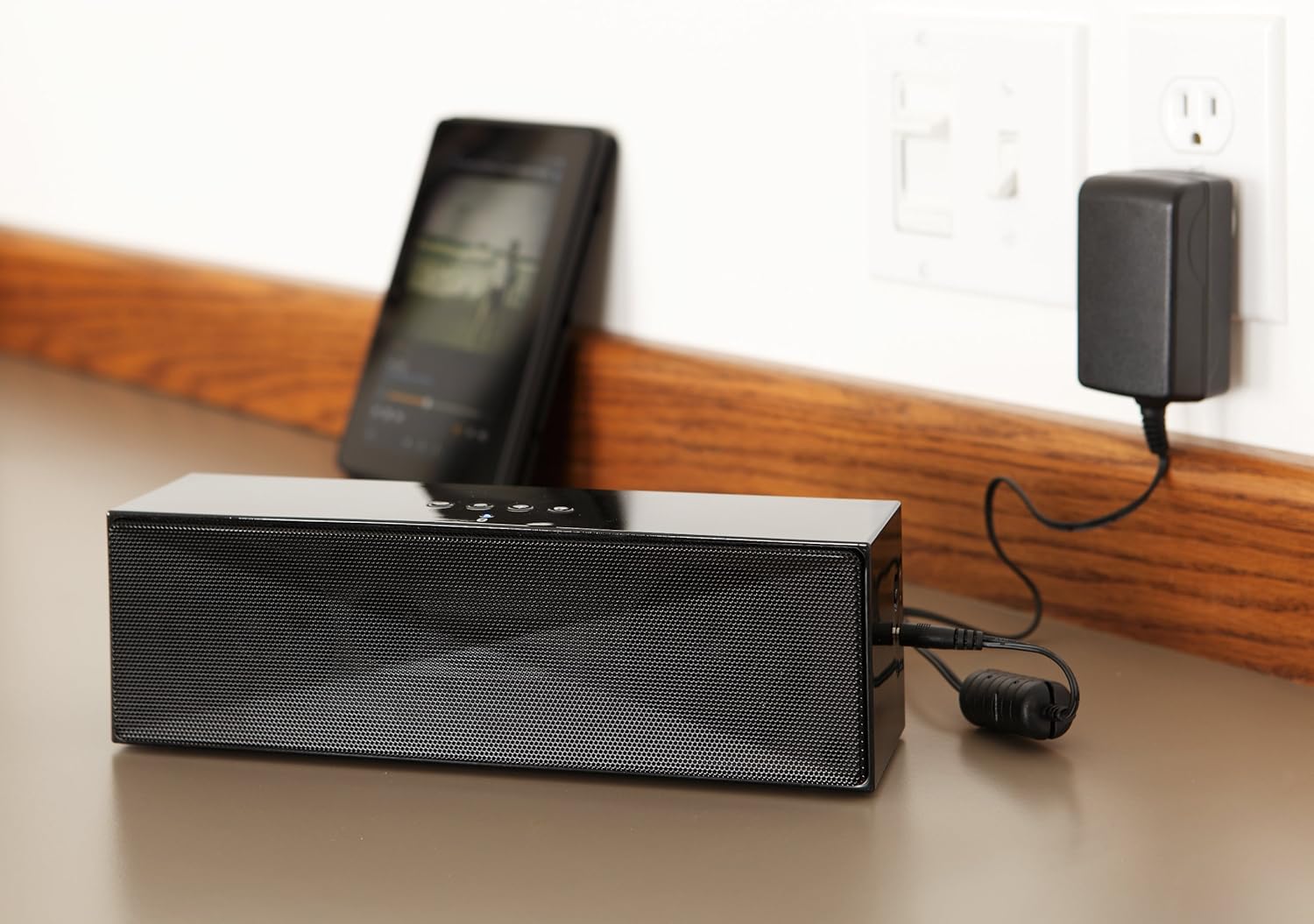
Opis: This image shows the speaker placed on a surface, with its AC power adapter plugged into a wall outlet, illustrating the charging process.
5.2. Włączanie/wyłączanie zasilania
Slide the ON/OFF switch located on the side panel to the "ON" position to power on the speaker. Slide it to the "OFF" position to power off.
6. Instrukcja obsługi
6.1. Parowanie Bluetooth
- Ensure the speaker is powered on. The LED indicator will flash, indicating it is in pairing mode.
- Na urządzeniu z włączoną funkcją Bluetooth (smartfon, tablet, laptop) włącz Bluetooth i wyszukaj dostępne urządzenia.
- Select "Amazon Basics BTV3_2" from the list of devices.
- Once paired, the LED indicator on the speaker will glow solid blue.
- The speaker can connect to devices up to 30 feet (10 meters) away.

Opis: This image shows the speaker positioned next to a tablet displaying a music playback interface, demonstrating a typical Bluetooth connection scenario.
6.2. Connecting via AUX Cable
- Connect one end of a 3.5mm stereo audio cable (not included) to the AUX port on the speaker.
- Podłącz drugi koniec kabla do gniazda wyjściowego audio w urządzeniu.
- Głośnik automatycznie przełączy się na tryb wejścia AUX.
6.3. Dzwonienie bez użycia rąk
The speaker features a built-in microphone for hands-free calls when connected via Bluetooth.
- Odbieranie połączenia: Press the Bluetooth/Call button once.
- Zakończenie połączenia: Press the Bluetooth/Call button once during a call.
- Odrzucenie połączenia: Press and hold the Bluetooth/Call button.
7. Konserwacja
- Czyść głośnik miękką, suchą ściereczką. Nie używaj płynnych środków czyszczących ani aerozoli.
- Przechowuj głośnik w chłodnym i suchym miejscu, jeśli nie będziesz go używać przez dłuższy czas.
- Unikaj upuszczania głośnika i narażania go na silne uderzenia.
8. Rozwiązywanie Problemów
| Problem | Możliwa przyczyna | Rozwiązanie |
|---|---|---|
| Głośnik nie włącza się. | Bateria jest rozładowana. | Connect the speaker to the AC power adapter and charge it. |
| Nie można sparować przez Bluetooth. | Speaker is not in pairing mode; device Bluetooth is off; device is out of range. | Ensure speaker LED is flashing; enable Bluetooth on your device; move device closer to the speaker (within 30 feet/10 meters). |
| Brak dźwięku lub niski poziom głośności. | Volume on speaker or connected device is too low; incorrect input source. | Increase volume on both the speaker and your connected device. Ensure correct connection (Bluetooth or AUX). |
| Speaker turns off automatically when using AUX. | Automatic power-off feature activated due to prolonged silence. | This model may have an automatic power-off feature after a period of inactivity or silence, even when connected via AUX. To resume playback, power the speaker off and then on again using the side switch. |
| Zniekształcenie dźwięku. | Volume too high; weak battery; interference. | Reduce volume; charge the speaker; move away from other electronic devices. |
9. Specyfikacje
| Funkcja | Szczegół |
|---|---|
| Numer modelu | BTV3_2 |
| Wymiary (dł. x szer. x wys.) | 10.2 x 2.9 x 3.1 cala (25.9 x 7.4 x 7.9 cm) |
| Waga | 1.61 funtów (0.73 kg) |
| Wyjście głośnika | 2 x 5 W (łącznie 10 W) |
| Łączność | Bluetooth, 3.5 mm AUX |
| Zasięg Bluetooth | Do 30 stóp (10 metrów) |
| Żywotność baterii | Do 8 godzin |
| Pojemność baterii | 8000 mAh |
| Wbudowany mikrofon | Tak |
| Źródło zasilania | Battery Powered, AC Adapter |
| Tworzywo | Plastikowy |

Opis: This image provides a visual representation of the speaker's dimensions, showing its length (10.2"), width (2.9"), and height (3.1").
10. Gwarancja i wsparcie
For warranty information and customer support, please refer to the documentation included with your purchase or visit the official Amazon Basics webZachowaj dowód zakupu na wypadek roszczeń gwarancyjnych.
Wsparcie online: Amazon Basics Store