
1. Wprowadzenie
The Dyson AM06 Air Multiplier Table Fan is engineered for powerful, smooth airflow without fast-spinning blades. This 10-inch fan in Black/Nickel provides efficient personal cooling with advanced features designed for comfort and safety. Its innovative design ensures quiet operation and easy maintenance, making it an ideal addition to any room.

Figure 1: Dyson AM06 Air Multiplier Table Fan, 10 Inches, Black/Nickel.
2. Informacje dotyczące bezpieczeństwa
The Dyson AM06 fan features a bladeless design, making it safe for use around children and pets as there are no fast-spinning blades. Always ensure the fan is placed on a stable, flat surface to prevent tipping. Keep the power cord away from high-traffic areas to avoid tripping hazards. Do not immerse the fan in water or use it in wet conditions. Always unplug the fan before cleaning or performing any maintenance.

Figure 2: The bladeless design of the Dyson AM06 ensures safety in homes with children and pets.
3. Konfiguracja
The Dyson AM06 fan is designed for simple setup. Place the fan on a stable, flat surface such as a table or desk. Ensure the power cord is securely plugged into a suitable electrical outlet. No complex assembly is required for immediate use.
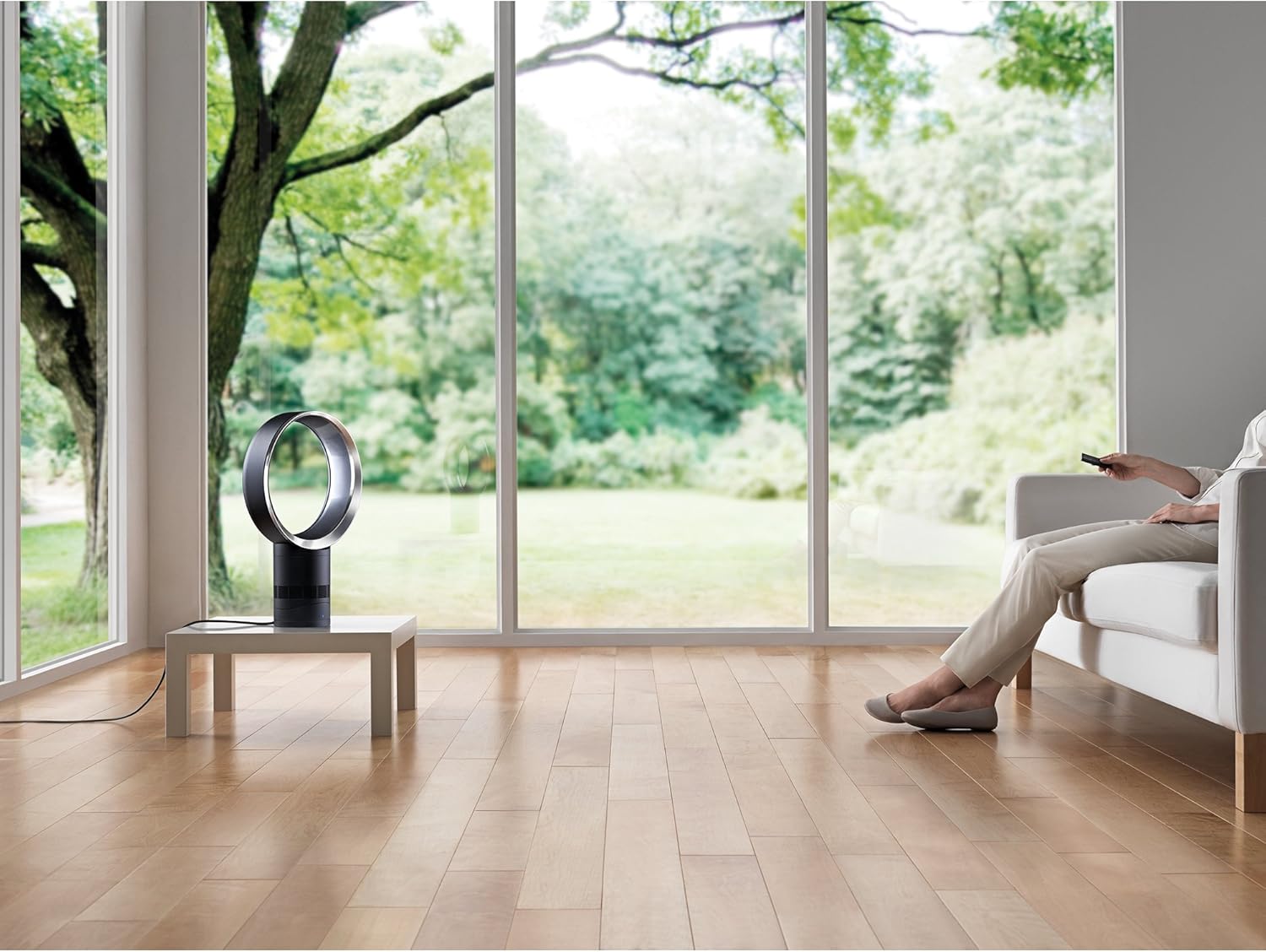
Figure 3: Optimal placement of the Dyson AM06 fan on a tabletop.
4. Instrukcja obsługi
Your Dyson AM06 fan can be operated using the soft-touch button on the base or the included remote control.
4.1 Włączanie/wyłączanie zasilania
- Na jednostce: Press the power button located on the front base of the fan.
- Zdalne sterowanie: Press the power button (top-left) on the remote control.
4.2 Regulacja prędkości przepływu powietrza
The fan offers 10 precise airflow settings.
- Na jednostce: Repeatedly press the power button on the base to cycle through speed settings. The digital display will show the current speed.
- Zdalne sterowanie: Use the '+' and '-' buttons on the remote to increase or decrease the airflow speed.
4.3 Oscylacja
To activate or deactivate oscillation:
- Zdalne sterowanie: Press the oscillation button (top-right, arrows icon) on the remote control. The fan will smoothly rotate from side to side.
4.4 Wyłącznik czasowy
The sleep timer allows you to set the fan to switch off automatically after a preset period, ranging from 15 minutes to 9 hours.
- Zdalne sterowanie: Press the timer button (bottom-right, clock icon) on the remote control to select the desired duration.
4.5 Funkcje pilota zdalnego sterowania
The remote control provides convenient access to all fan functions. It is also magnetized to store neatly on the top of the fan's loop ampliyfikator.

Figure 4: The remote control for the Dyson AM06 fan.

Figure 5: The remote control attaches magnetically to the fan for easy storage.
Video 1: Official Dyson video demonstrating the AM06 Table Fan's features, including remote control and oscillation.
5. Konserwacja
The bladeless design of the Dyson AM06 fan makes it exceptionally easy to clean. Regular cleaning helps maintain optimal performance.
- Czyszczenie pętli AmpLiyfikator: Wytrzyj pętlę amplifier with a clean, dry, or slightly moist soft cloth.
- Cleaning the Base and Air Intake Vents: Regularly wipe the base and the air intake vents (located around the lower part of the fan) with a clean, dry, or slightly moist soft cloth to prevent dust buildup. Dust accumulation can affect airflow efficiency.

Figure 6: The bladeless design allows for easy and safe cleaning.
6. Rozwiązywanie Problemów
If your Dyson AM06 fan is not operating as expected, please check the following:
- Brak zasilania: Sprawdź, czy przewód zasilający jest prawidłowo podłączony do sprawnego gniazdka elektrycznego.
- Zmniejszony przepływ powietrza: Check that the air intake vents on the base are not obstructed by dust or debris. Clean as per the Maintenance section.
- Pilot nie odpowiada: Ensure the remote control has working batteries and is pointed towards the fan's base.
7. Specyfikacje
| Funkcja | Szczegół |
|---|---|
| Marka | Dyson |
| Numer modelu | 300875-01 |
| Kolor | Black and Nickel |
| Wymiary produktu | 5.8" gł. x 12" szer. x 19.7" wys. |
| Waga przedmiotu | 6.9 funtów |
| Cotage | 5 watów |
| Przepływ powietrza | 370 stóp sześciennych na minutę |
| Liczba prędkości | 10 |
| Typ kontrolera | Zdalne sterowanie |
| Tworzywo | Plastikowy |
8. Gwarancja i wsparcie
The Dyson AM06 Air Multiplier Table Fan comes with a 2-roczna ograniczona gwarancja covering parts and labor. For warranty claims or technical support, please refer to the official Dyson webodwiedź witrynę lub skontaktuj się bezpośrednio z działem obsługi klienta firmy Dyson.