
1. Wprowadzenie
This manual provides comprehensive instructions for the Legrand Tegui Sist.dig.teguibus M-72 B/N Series 7 Intercom Monitor. This automatic intercom monitor is designed to deliver optimal visual performance within your intercom system. Please read this manual thoroughly before installation and operation to ensure correct usage and to prevent damage.
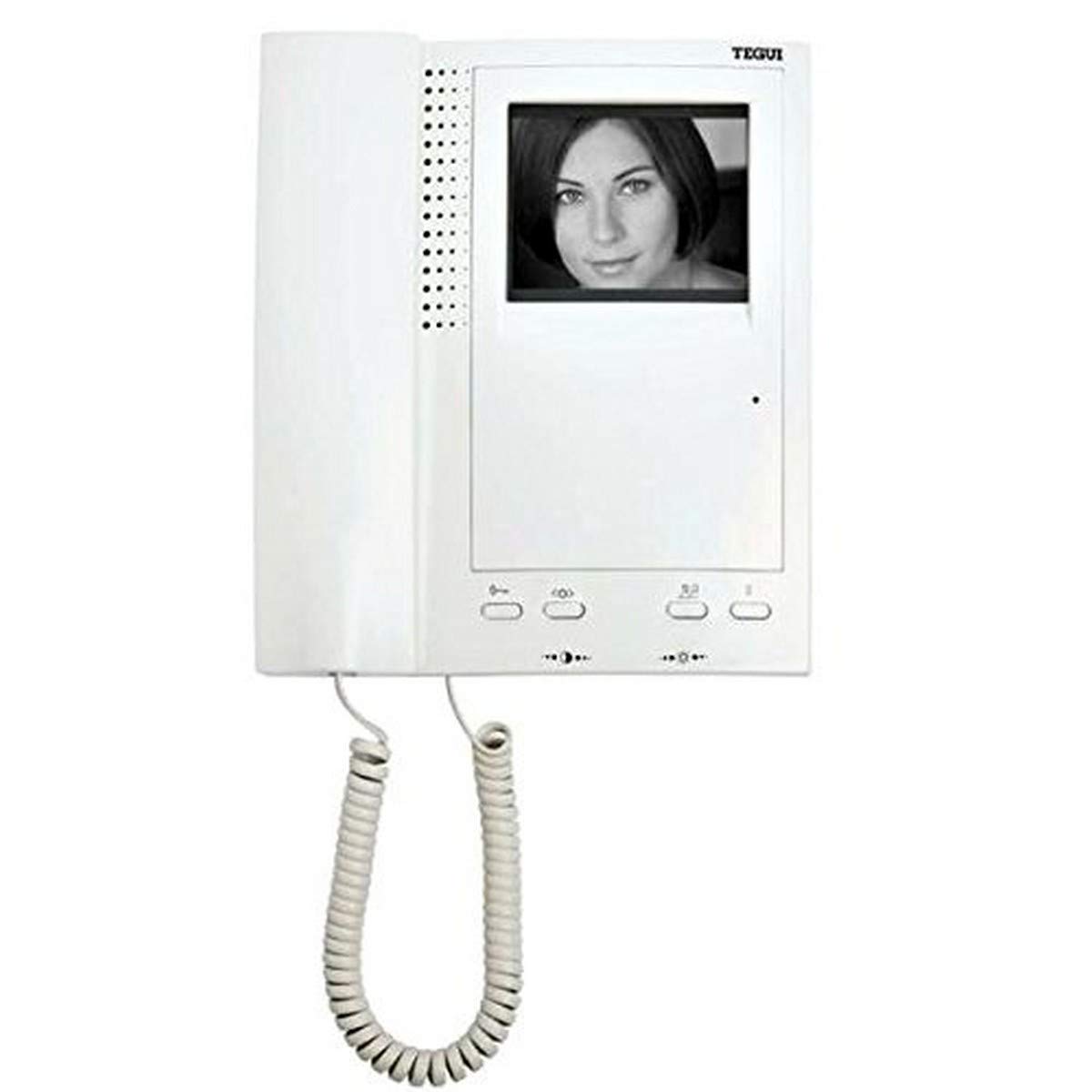
Image of the Legrand Tegui Sist.dig.teguibus M-72 B/N Series 7 Intercom Monitor, showing its black and white display and control buttons.
2. Funkcje produktu
The Legrand Tegui Sist.dig.teguibus M-72 B/N Series 7 Intercom Monitor includes the following key features:
- Contrast and brightness adjustment for optimal viewing.
- Signal LED for call exclusion indication.
- Coiled cable with telephone connectors for handset.
- Installation flexibility via twisted pair or coaxial cable.
- Dedicated buttons for door opening, auto-ignition, and auxiliary functions.
3. Konfiguracja i instalacja
Follow these steps for proper installation of your intercom monitor:
- Przygotowanie: Ensure the power supply to the intercom system is disconnected before beginning installation. Gather necessary tools (screwdriver, wire strippers, etc.).
- Montowanie: Choose a suitable location for the monitor, typically near the entrance or in a central area. Securely mount the monitor bracket to the wall using appropriate screws and anchors.
- Okablowanie: Connect the monitor to the intercom system using either twisted pair or coaxial cable, as per your system's requirements. Refer to your system's wiring diagram for specific terminal connections. Ensure all connections are secure and correctly polarized. The coiled cable with telephone connectors should be connected to the handset and the monitor base.
- Podłączenie zasilania: Once all wiring is complete and verified, reconnect the power supply to the intercom system.
- Test wstępny: Test the monitor's functionality by initiating a call from the outdoor unit and checking video and audio transmission.
Notatka: Incorrect wiring can damage the device or the intercom system. If you are unsure about any step, consult a qualified technician.
4. Instrukcja obsługi
Familiarize yourself with the monitor's controls for effective use:
- Odbieranie połączenia: When a visitor initiates a call from the outdoor unit, the monitor will ring and display the video feed. Lift the handset to answer the call.
- Otwieranie drzwi: Naciśnij dedykowany przycisk otwierania drzwi (often marked with a key icon) to unlock the entrance door.
- Auto-Ignition: Użyj auto-ignition button to manually activate the video feed from the outdoor unit without an incoming call. This allows you to view the entrance area at any time.
- Funkcje pomocnicze: Ten auxiliary button can be programmed for various functions depending on your intercom system configuration (e.g., activating an additional light, opening a second gate). Refer to your system's main unit manual for specific auxiliary functions.
- Contrast and Brightness Adjustment: Use the dedicated controls (usually dials or buttons on the side or bottom of the monitor) to adjust the display's contrast and brightness to your preferred viewpoziom.
- Call Exclusion LED: The signal LED will illuminate to indicate that the call exclusion function is active, meaning incoming calls will not ring on this monitor.
5. Konserwacja
To ensure the longevity and optimal performance of your Legrand Tegui Intercom Monitor, follow these simple maintenance guidelines:
- Czyszczenie: Gently wipe the monitor screen and casing with a soft, dry, lint-free cloth. For stubborn marks, slightly dampPrzetrzyj szmatkę wodą. Unikaj stosowania środków czyszczących o działaniu ściernym, rozpuszczalników ani sprayów chemicznych, ponieważ mogą one uszkodzić powierzchnię.
- Usuwanie kurzu: Regularly dust the monitor, especially around ventilation openings, to prevent dust buildup that could affect performance.
- Kontrola kabla: Periodically check the coiled handset cable and other connection cables for any signs of wear, fraying, or damage. Replace damaged cables immediately.
- Warunki środowiskowe: Ensure the monitor is not exposed to extreme temperatures, direct sunlight, or high humidity, which can shorten its lifespan.
6. Rozwiązywanie Problemów
If you encounter issues with your Legrand Tegui Intercom Monitor, refer to the following common problems and solutions:
| Problem | Możliwa przyczyna | Rozwiązanie |
|---|---|---|
| No image on screen / Screen is blank. |
|
|
| No sound from handset or speaker. |
|
|
| Door opening button not working. |
|
|
| Monitor not responding to calls. |
|
|
If these troubleshooting steps do not resolve the issue, please contact Legrand customer support or a qualified technician.
7. Specyfikacje
| Producent | Legrand Amazon ES |
| Numer modelu | M-72 B/N Series 7 (System: Sist.dig.teguibus) |
| Numer referencyjny | 374420 |
| ASIN | B00EXUKGU2 |
| Wymiary opakowania | 25.1 x 22.6 x 8.2 cm (9.88 x 8.90 x 3.23 cala) |
| Waga przedmiotu | 830 gramów (1.83 funta) |
| Liczba elementów | 1 |
| Baterie w zestawie | NIE |
| Wymagane baterie | NIE |
| Data pierwszej dostępności | 22 kwietnia 2022 r. |
| Wycofane przez producenta | NIE |
8. Gwarancja i wsparcie
For warranty information, technical support, or service inquiries regarding your Legrand Tegui Sist.dig.teguibus M-72 B/N Series 7 Intercom Monitor, please contact Legrand customer service directly. Keep your purchase receipt as proof of purchase.
You can typically find contact information on the official Legrand webna stronie internetowej lub za pośrednictwem lokalnego dystrybutora.
