
Wstęp
The Adesso AKB-132UB Multimedia Desktop Keyboard is designed to enhance your computing experience with its 104-key layout and integrated multimedia and internet hotkeys. This keyboard features quiet membrane key switches for a comfortable and responsive typing experience. It connects to your computer via a USB interface.
Zawartość opakowania
Sprawdź, czy w przesyłce znajdują się wszystkie elementy:
- Adesso AKB-132UB Multimedia Desktop Keyboard
- Szybki przewodnik
Organizować coś
- Wyłącz komputer: For optimal installation, it is recommended to power off your computer before connecting the keyboard.
- Podłącz kabel USB: Locate an available USB port on your computer. Plug the USB connector of the Adesso AKB-132UB keyboard firmly into the USB port. Note: Some USB keyboards may be sensitive to the specific port used. If the keyboard does not function, try a different USB port, preferably one directly on the computer's motherboard (e.g., at the back of a desktop PC) rather than a USB hub.
- Power On Your Computer: Turn on your computer. The operating system should automatically detect and install the necessary drivers for the keyboard.
- Sprawdź funkcjonalność: Once the drivers are installed, test the keyboard by typing in a text editor or navigating your system. The Num Lock, Caps Lock, and Scroll Lock indicator lights should function correctly.
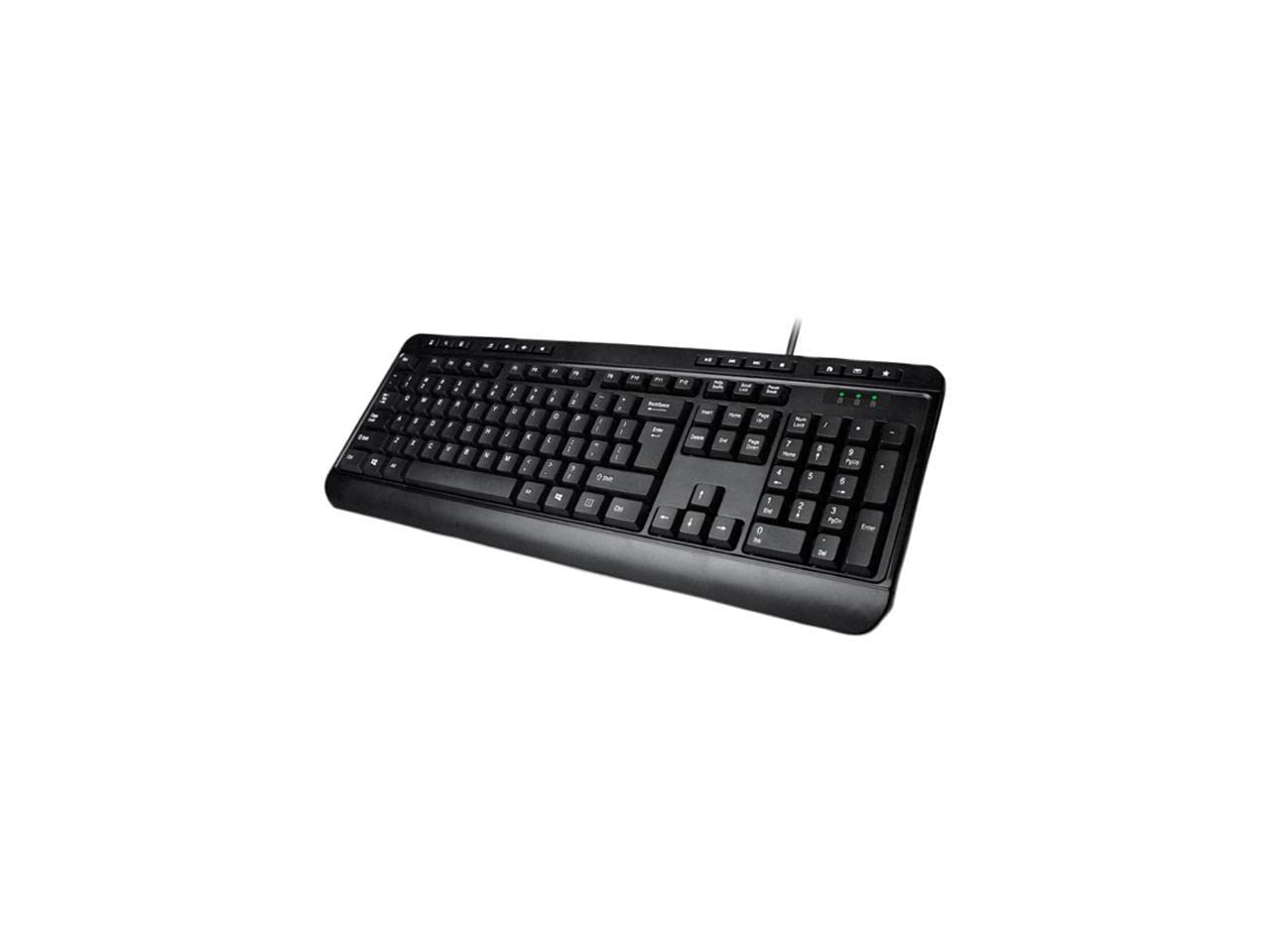
Image: Adesso AKB-132UB Multimedia Desktop Keyboard. This image shows the full keyboard with its standard 104-key layout and the attached USB cable for connection.
Instrukcja obsługi
Standard Keyboard Functions
The Adesso AKB-132UB features a standard 104-key US layout. Keys operate as labeled. The keyboard utilizes membrane switches, providing a quiet and tactile typing experience.
- Kontrolki: Located above the numeric keypad, these lights indicate the status of Num Lock, Caps Lock, and Scroll Lock.
- Regulowane nachylenie: The keyboard includes foldable feet on the underside to adjust the typing angle for comfort.
Multimedialne klawisze skrótów
The keyboard includes 8 dedicated multimedia hotkeys for quick access to media player controls:
- Odtwarzacz multimedialny: Opens your default media player application.
- Ściszanie: Zmniejsza głośność systemu.
- Zwiększenie głośności: Zwiększa głośność systemu.
- Niemy: Toggles the system sound on or off.
- Odtwórz/Pauza: Odtwarza lub wstrzymuje odtwarzanie multimediów.
- Poprzedni utwór: Skips to the previous track in your media player.
- Następny utwór: Skips to the next track in your media player.
- Zatrzymać: Zatrzymuje odtwarzanie multimediów.
Windows & Internet Hotkeys
The keyboard also features 6 hotkeys for common Windows and Internet functions:
- Mój komputer: Opens the "This PC" or "My Computer" window.
- Szukaj: Otwiera narzędzie wyszukiwania systemowego.
- Kalkulator: Launches the Windows Calculator application.
- Poczta: Otwiera domyślnego klienta poczty e-mail.
- Dom: Otwiera domyślne web przeglądarkę do jej strony głównej.
- Ulubione: Otwiera Twoje web browser's favorites/bookmarks.
Specyfikacje
| Funkcja | Szczegół |
|---|---|
| Marka | Adesso |
| Numer modelu | AKB-132UB |
| Technologia łączności | Przewodowy (USB) |
| Układ klawiatury | 104-Key US Layout (QWERTY) |
| Typ klucza | Przełączniki membranowe |
| Multimedialne klawisze skrótów | 8 (Media Player, Volume Down, Volume Up, Mute, Play/Pause, Previous Track, Next Track, Stop) |
| Windows & Internet Hotkeys | 6 (My Computer, Search, Calculator, Mail, Home, Favorites) |
| Wskaźniki | Num Lock, Caps Lock, Scroll Lock |
| Cykl życia | 5 milionów naciśnięć klawiszy |
| Kolor | Czarny |
| Tworzywo | Plastikowy |
| Waga przedmiotu | 1.5 funtów |
Rozwiązywanie problemów
- Klawiatura nie odpowiada:
- Sprawdź, czy kabel USB jest prawidłowo podłączony do działającego portu USB w komputerze.
- Try plugging the keyboard into a different USB port, especially a direct port on the computer's rear, bypassing any USB hubs.
- Uruchom ponownie komputer, aby umożliwić systemowi operacyjnemu ponowne wykrycie urządzenia.
- Sprawdź działanie klawiatury na innym komputerze, aby ustalić, czy problem dotyczy klawiatury czy konfiguracji komputera.
- Keys Not Functioning Correctly or Unexpected Characters:
- Sprawdź, czy w ustawieniach systemu operacyjnego wybrano właściwy układ klawiatury.
- Upewnij się, że pod klawiszami nie znajdują się żadne obce przedmioty.
- For specific keys like the 'Enter' key, be aware that some keyboard layouts may place the backslash key adjacent to it. Familiarization with the physical layout is key.
- Wobbly Keyboard:
- Upewnij się, że klawiaturę umieszczono na płaskiej i stabilnej powierzchni.
- Check if the adjustable tilt feet are fully extended or retracted evenly.
Konserwacja
To maintain the performance and longevity of your Adesso AKB-132UB keyboard:
- Czyszczenie: Użyj miękkiego, lekko damp cloth to wipe the surface of the keyboard. Avoid using harsh chemicals or abrasive cleaners. For cleaning between keys, use compressed air to remove dust and debris.
- Unikaj wycieków: Trzymaj klawiaturę z dala od płynów, aby zapobiec uszkodzeniu jej wewnętrznych podzespołów.
- Składowanie: Jeśli klawiatura nie będzie używana przez dłuższy czas, należy ją przechowywać w czystym i suchym miejscu.
Gwarancja i wsparcie
The Adesso AKB-132UB Multimedia Desktop Keyboard comes with a 1-roczna ograniczona gwarancja od daty zakupu. Niniejsza gwarancja obejmuje wady materiałowe i wykonawcze przy normalnym użytkowaniu.
For technical support, warranty claims, or further assistance, please contact Adesso customer service. Refer to the official Adesso webna tej stronie znajdziesz najbardziej aktualne dane kontaktowe.
Note: This product contains chemicals known to the State of California to cause cancer and birth defects or other reproductive harm.


