
WMF 0411010011
WMF Lono Coffee Pod Machine User Manual
Model: 0411010011
Marka: WMF
Wstęp
Thank you for choosing the WMF Lono Coffee Pod Machine. This manual provides essential information for the safe and efficient operation, maintenance, and troubleshooting of your new appliance. Please read it thoroughly before first use and keep it for future reference.
Główne cechy:
- High-quality Cromargan® matt finish.
- Patented Perfect Crema System with pod holder for 1 or 2 coffee pads.
- Separate hot water spout for tea or other hot beverages.
- Comfortable and intuitive operation.
- Option to use a filter for ground coffee (accessory sold separately).
- Powerful 1600 Watt heating element.
- Removable water tank with 0.8 liter capacity.
Ważne instrukcje bezpieczeństwa
Aby zminimalizować ryzyko pożaru, porażenia prądem i/lub obrażeń ciała, należy zawsze przestrzegać podstawowych zasad bezpieczeństwa podczas korzystania z urządzeń elektrycznych, w tym:
- Przeczytaj wszystkie instrukcje.
- Nie dotykaj gorących powierzchni. Używaj uchwytów lub gałek.
- Aby uniknąć porażenia prądem elektrycznym, nie zanurzaj przewodu zasilającego, wtyczek ani ekspresu do kawy w wodzie ani innym płynie.
- Należy zachować ścisły nadzór, jeżeli z urządzenia korzystają dzieci lub w ich pobliżu.
- Odłącz od gniazdka, gdy nie jest używane i przed czyszczeniem. Pozostaw do ostygnięcia przed założeniem lub zdjęciem części oraz przed czyszczeniem urządzenia.
- Nie używaj żadnego urządzenia, jeśli przewód lub wtyczka są uszkodzone, ani po wystąpieniu awarii urządzenia lub jeśli zostało ono w jakikolwiek sposób uszkodzone.
- Użycie akcesoriów niezalecanych przez producenta urządzenia może spowodować pożar, porażenie prądem lub obrażenia ciała.
- Nie stosować na zewnątrz.
- Nie pozwól, aby przewód zwisał z krawędzi stołu lub blatu i dotykał gorących powierzchni.
- Nie umieszczać na gorącym palniku gazowym lub elektrycznym ani w jego pobliżu, a także w nagrzanym piekarniku.
- Zawsze najpierw podłącz wtyczkę do urządzenia, a następnie podłącz przewód do gniazdka ściennego. Aby odłączyć, ustaw dowolny element sterujący w pozycji „wyłączone”, a następnie wyjmij wtyczkę z gniazdka ściennego.
- Nie używaj urządzenia niezgodnie z jego przeznaczeniem.
Komponenty ponadview
Familiarize yourself with the parts of your WMF Lono Coffee Pod Machine:
- Zbiornik na wodę (wymienny)
- Lid for Water Tank
- Pod Holder (for 1 or 2 pads)
- Głowica warzenia
- Wylewka do kawy
- Wylewka gorącej wody
- Drip Tray with Grid
- Control Panel with Buttons (On/Off, 1-cup, 2-cup/Hot Water)
- Przewód zasilający
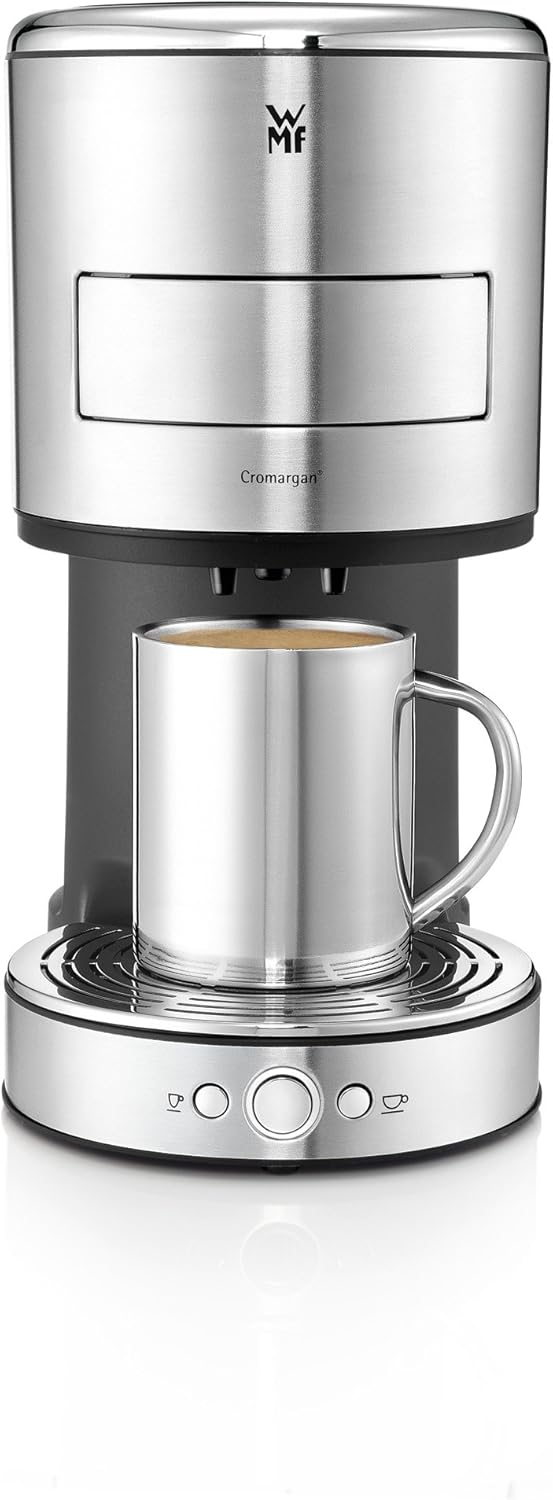
Rysunek 1: Przód view of the WMF Lono Coffee Pod Machine with a metal mug in place, illustrating its sleek design and main dispensing area.
Konfiguracja i pierwsze użycie
- Rozpakowywanie: Carefully remove all packaging materials. Keep packaging for future transport or storage.
- Czyszczenie wstępne: Before first use, clean all removable parts (water tank, pod holder, drip tray) with warm soapy water. Rinse thoroughly and dry.
- Pozycjonowanie: Urządzenie należy ustawić na stabilnej, równej i odpornej na ciepło powierzchni, z dala od źródeł wody i ciepła.
- Napełnij zbiornik na wodę: Remove the water tank, fill it with fresh, cold water up to the MAX mark, and place it back securely.
- Pierwszy cykl płukania:
- Podstaw duży pojemnik pod wylewkę kawy.
- Podłącz przewód zasilający do uziemionego gniazdka elektrycznego.
- Naciśnij przycisk włączania/wyłączania. Zaświeci się kontrolka.
- Press the 2-cup/Hot Water button to run a full water tank through the system without a coffee pad. Repeat this process 2-3 times to thoroughly clean the internal system and remove any manufacturing residues.
Instrukcja obsługi
Robienie kawy:
- Upewnij się, że zbiornik na wodę jest napełniony świeżą wodą.
- Open the pod holder by pulling it out.
- Insert one or two coffee pads into the designated slots in the pod holder. Ensure the pads lie flat and are centered.

Rysunek 2: Proper placement of a coffee pad into the machine's holder.
- Push the pod holder back into the machine until it clicks into place.

Rysunek 3: Closing the coffee pod holder after inserting the pad(s).
- Umieść jedną lub dwie filiżanki na tacce ociekowej pod kranikiem do kawy.

Rysunek 4: The machine brewing coffee into two cups simultaneously.
- Press the 1-cup button for a single serving or the 2-cup button for a double serving. The machine will start brewing.
- Once brewing is complete, the machine will automatically stop. Remove your cup(s).
- After use, carefully remove the used coffee pad(s) and clean the pod holder.
Nalewanie gorącej wody:
- Sprawdź, czy zbiornik na wodę jest pełny.
- Do not insert any coffee pads. Ensure the pod holder is empty and closed.
- Umieść filiżankę lub pojemnik pod dyszą gorącej wody.
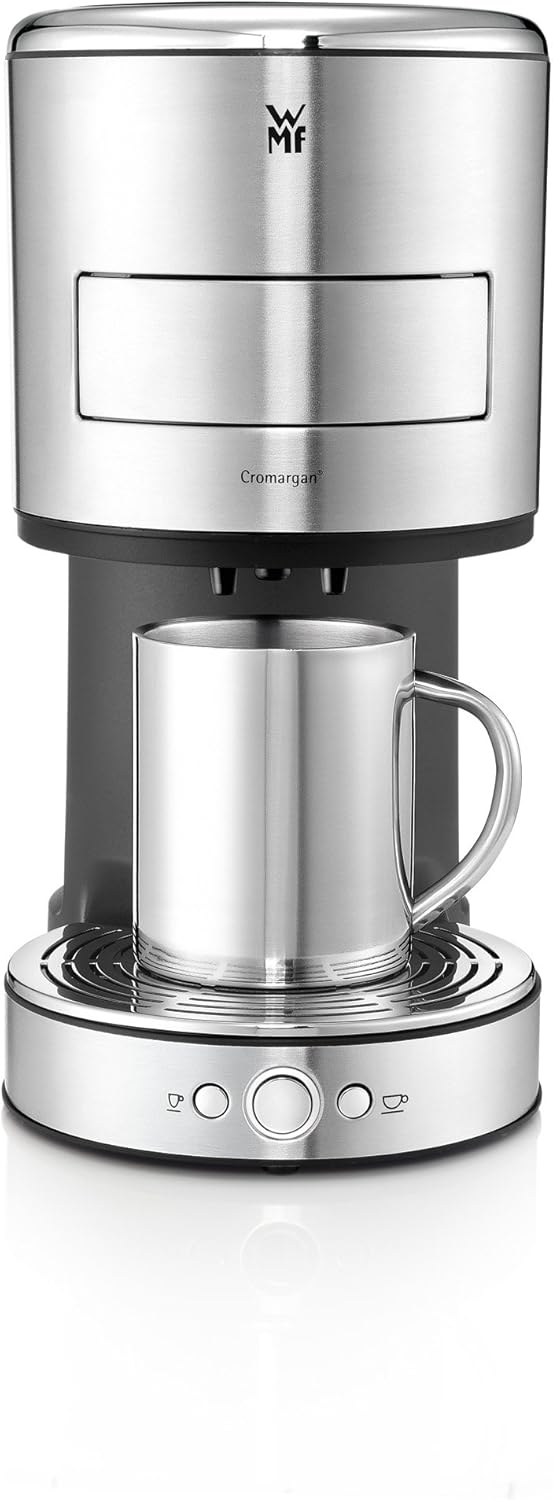
Rysunek 5: The machine dispensing hot water, suitable for tea or other hot beverages.
- Press the 2-cup/Hot Water button. Hot water will be dispensed.
- Press the button again to stop the water flow, or it will stop automatically when the programmed amount is reached.
Programming Water Volume:
The machine allows you to customize the water volume for your coffee or hot water dispensing.
- Umieść filiżankę pod dziobkiem.
- Press and hold the desired button (1-cup or 2-cup/Hot Water). The machine will start dispensing.
- Release the button when the desired volume is reached. The machine will save this setting for future use.
Konserwacja i czyszczenie
Regularne czyszczenie zapewnia optymalną wydajność i wydłuża żywotność ekspresu do kawy.
Codzienne sprzątanie:
- Zawsze odłączaj urządzenie przed czyszczeniem.
- Empty and clean the drip tray and grid after each use or when full.
- Remove and clean the pod holder. Rinse it under running water.
- Wytrzyj zewnętrzną część urządzenia za pomocąamp płótno. Nie używaj ściernych środków czyszczących ani szorstkich gąbek.
- Regularnie czyść zbiornik na wodę ciepłą wodą z mydłem i dokładnie płucz.
Odwapnianie:
Depending on water hardness and frequency of use, descaling should be performed regularly (e.g., every 2-3 months). Use a descaling solution suitable for coffee machines and follow the manufacturer's instructions for the descaler.
- Prepare the descaling solution according to the descaler's instructions and fill it into the water tank.
- Podstaw duży pojemnik pod wylewkę kawy.
- Run the descaling solution through the machine by pressing the 2-cup/Hot Water button until the tank is empty.
- After descaling, rinse the water tank thoroughly and fill it with fresh water.
- Run at least two full tanks of fresh water through the machine to rinse out any descaler residue.
Rozwiązywanie problemów
| Problem | Możliwa przyczyna | Rozwiązanie |
|---|---|---|
| Maszyna się nie włącza. | Brak zasilania. | Check if the power cord is securely plugged into the outlet and the machine. Check the fuse/circuit breaker. |
| No coffee/hot water dispensed. | Water tank empty; machine needs descaling; pod holder not closed properly. | Fill water tank; perform descaling; ensure pod holder is fully inserted and clicked into place. |
| Kawa ma słaby i wodnisty smak. | Incorrect pad placement; too much water programmed; old/stale coffee pads. | Ensure pads are flat and centered; reprogram water volume; use fresh coffee pads. |
| Wycieki maszyny. | Drip tray full; pod holder not closed correctly; seal issues. | Empty drip tray; ensure pod holder is properly closed; contact customer support if leaking persists. |
Dane techniczne
- Marka: WMF
- Numer modelu: 0411010011
- Kolor: Srebrny
- Moc: 1600 watów
- Pojemność zbiornika na wodę: 0.8 litrów
- Waga przedmiotu: 2.09 kilograma
- Poziom hałasu: 60dB
- Dodatek specjalny: Programowalny
- Typ ekspresu do kawy: Pad Machine (listed as Espresso Machine type)
- Typ filtra: Wielokrotnego użytku
Gwarancja i obsługa klienta
For warranty information, technical support, or service inquiries, please refer to the warranty card included with your product or visit the official WMF webStrona. Kontaktując się z pomocą techniczną, przygotuj numer modelu (0411010011) i datę zakupu.
WMF Official Webstrona: www.wmf.com
Ask a question about this manual
Ask about setup, troubleshooting, compatibility, parts, safety, or missing instructions. Manuals+ will review the question and use this page’s manual context to help answer it.