
Wstęp
This manual provides instructions for the proper setup, operation, and maintenance of your Black Box USB to Serial Cable, model IC199A-R3. This cable is designed to facilitate communication between devices with a DB9 serial port and computers equipped with a USB Type-A port. Please read this manual thoroughly before using the product to ensure optimal performance and longevity.
Produkt ponadview
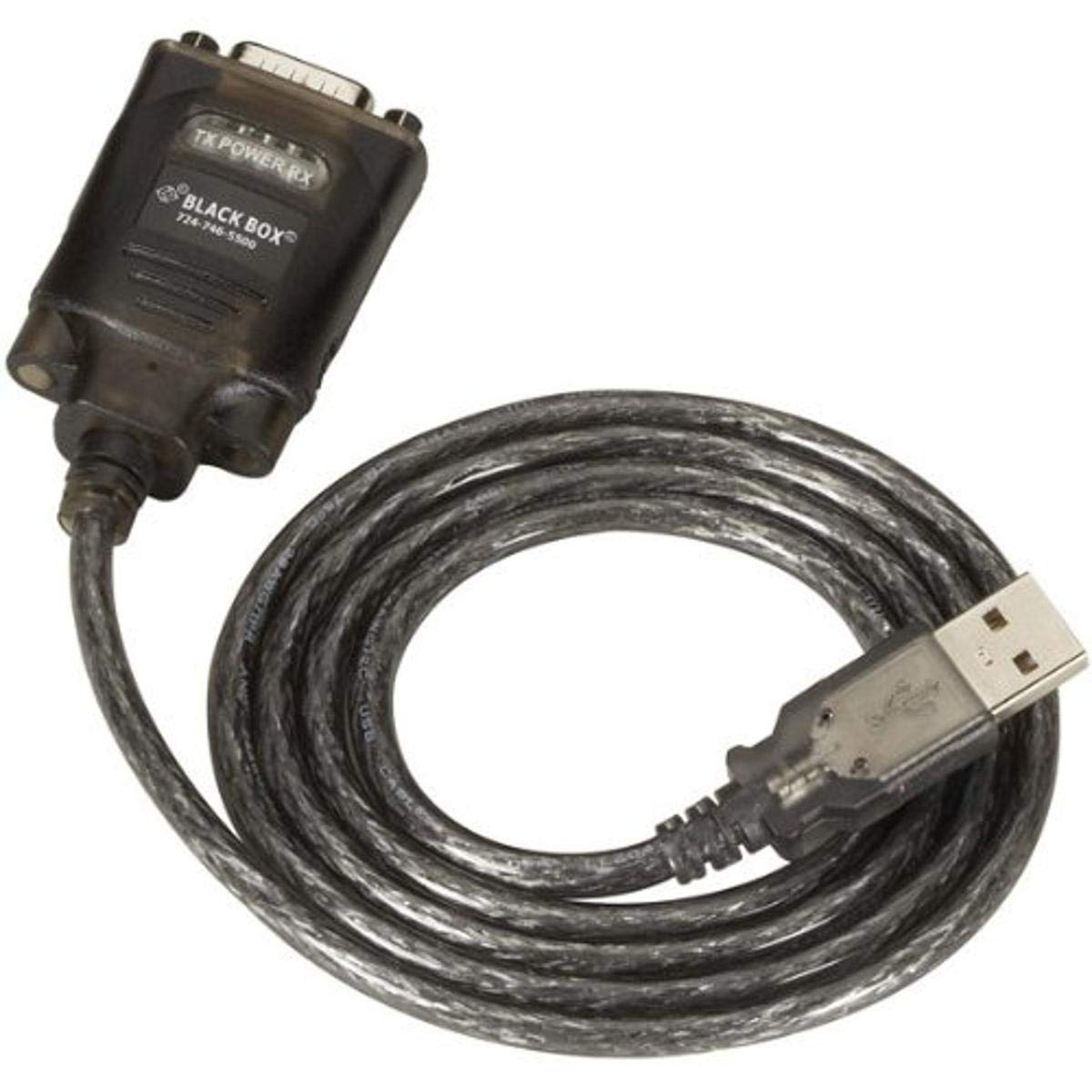
Figure 1: Black Box USB to DB9 Serial Cable (IC199A-R3)
This image displays the Black Box USB to DB9 Serial Cable, featuring a USB Type-A male connector on one end and a DB9 male serial connector on the other. The cable is black and designed for connecting serial devices to a computer's USB port.
The Black Box IC199A-R3 is a reliable solution for connecting legacy serial devices, such as modems, to modern computers that typically lack dedicated serial ports. Its robust design ensures stable data transmission.
Instrukcje konfiguracji
- Zidentyfikuj złącza: Locate the USB Type-A male connector and the DB9 male serial connector on the cable.
- Połącz z komputerem: Insert the USB Type-A male connector into an available USB port on your computer.
- Połącz z urządzeniem szeregowym: Connect the DB9 male serial connector to the DB9 female port on your serial device (e.g., modem). Ensure a secure connection.
- Instalacja sterownika: In most modern operating systems (Windows 10/11, macOS, Linux), the necessary drivers should install automatically upon connection. If the device is not recognized, you may need to manually install drivers. Refer to your operating system's documentation or the Black Box support website for driver downloads if required.
- Sprawdź połączenie: After connecting, check your computer's Device Manager (Windows) or System Information (macOS/Linux) to confirm that the USB to Serial adapter is recognized and functioning correctly. It typically appears as a "USB Serial Port" or similar entry.
Instrukcja obsługi
Once the Black Box IC199A-R3 cable is properly installed and recognized by your computer, it functions as a standard serial port.
- Konfiguracja oprogramowania: Open the serial communication software or application you intend to use (e.g., HyperTerminal, PuTTY, minicom, or specific device configuration software).
- Wybierz port COM: Within your software, select the virtual COM port assigned to the USB to Serial adapter. This port number can usually be found in your computer's Device Manager (under "Ports (COM & LPT)").
- Configure Serial Settings: Set the appropriate serial communication parameters (baud rate, data bits, parity, stop bits, flow control) to match the requirements of your connected serial device. Refer to the documentation of your serial device for these settings.
- Rozpocznij komunikację: Once configured, you can initiate data transfer or communication with your serial device through the software.
Konserwacja
To ensure the longevity and reliable performance of your Black Box USB to Serial Cable, follow these simple maintenance guidelines:
- Składowanie: Store the cable in a cool, dry place away from direct sunlight and extreme temperatures when not in use.
- Obsługiwanie: Avoid bending or kinking the cable sharply, especially near the connectors, as this can damage internal wires.
- Czyszczenie: W razie potrzeby delikatnie przetrzyj kabel i złącza miękką, suchą, niepozostawiającą włókien ściereczką. Nie używaj płynnych środków czyszczących ani rozpuszczalników.
- Połączenie/Rozłączenie: Podłączając lub odłączając kabel, zawsze chwytaj za obudowę złącza, a nie ciągnij za sam kabel.
Rozwiązywanie problemów
If you encounter issues with your Black Box USB to Serial Cable, consider the following troubleshooting steps:
- Kabel nie został rozpoznany:
- Ensure the USB connector is fully inserted into the computer's USB port.
- Wypróbuj inny port USB na swoim komputerze.
- Uruchom ponownie komputer.
- Check Device Manager (Windows) or System Information (macOS/Linux) for any error messages or unrecognized devices. Reinstall drivers if necessary.
- No Communication with Serial Device:
- Verify that the DB9 connector is securely attached to your serial device.
- Confirm that the correct COM port is selected in your serial communication software.
- Double-check that the serial communication parameters (baud rate, data bits, parity, stop bits, flow control) in your software match those of your serial device.
- Ensure the serial device itself is powered on and functioning correctly.
- Try using a different serial communication software to rule out software-specific issues.
- Połączenie przerywane:
- Inspect the cable for any visible damage or frayed wires.
- Ensure all connections are firm and not loose.
- Avoid placing the cable near sources of strong electromagnetic interference.
Specyfikacje
| Marka | Czarna Skrzynka |
| Numer modelu | IC199A-R3 |
| Typ złącza (komputer) | USB typu A męski |
| Typ złącza (urządzenie) | DB9 Male Serial |
| Typ kabla | USB na szeregowy |
| Kompatybilne urządzenia | Modem |
| Funkcja specjalna | Bez plątania |
| Kolor | Czarny |
| Liczba pinów | 9 (on DB9 connector) |
| Waga przedmiotu | 0.24 funta (ok. 3.84 uncji) |
| Wymiary produktu (opakowanie) | 6.75 x 1.5 x 4 cala |
| Producent | BLACK BOX CORPORATION |
Gwarancja i wsparcie
For information regarding warranty coverage, technical support, or to download the latest drivers, please visit the official Black Box weblub skontaktuj się z działem obsługi klienta. Zachowaj paragon zakupu na potrzeby roszczeń gwarancyjnych.