
Wstęp
This manual provides essential information for setting up, operating, and maintaining your Nokia 114 Dual SIM mobile phone. Please read these instructions carefully to ensure proper use and to maximize the device's performance and longevity.
Organizować coś
1. Instalacja karty SIM
The Nokia 114 supports two Mini SIM cards. Follow these steps to install your SIM cards:
- Wyłącz telefon i zdejmij tylną obudowę.
- Locate the SIM card slots. The phone features an Easy Swap function for convenient SIM management.
- Insert your Mini SIM cards into the designated slots, ensuring the gold contacts face downwards and the cut corner aligns correctly.
- Załóż tylną obudowę.

Image: Nokia 114 with two Mini SIM cards being inserted.
2. Instalacja baterii
Aby zainstalować baterię:
- With the back cover removed, align the Nokia BL-5C 1020 mAh Lithium-Ion battery with the battery compartment.
- Delikatnie dociśnij baterię, aż zostanie pewnie osadzona.
- Załóż tylną obudowę.
3. Ładowanie akumulatora
Before first use, fully charge the battery using the provided Nokia Charger AC-11.
- Podłącz ładowarkę do portu ładowania telefonu.
- Podłącz ładowarkę do gniazdka ściennego.
- Wskaźnik poziomu naładowania baterii na ekranie będzie pokazywał postęp ładowania.
- Po całkowitym naładowaniu odłącz ładowarkę.
Instrukcja obsługi
1. Włączanie/wyłączanie zasilania
- To power on, press and hold the Power key until the phone vibrates and the screen lights up.
- Aby wyłączyć urządzenie, naciśnij i przytrzymaj przycisk zasilania, a następnie wybierz z opcji opcję „Wyłącz”.
2. Wykonywanie połączeń i wysyłanie wiadomości
- Use the keypad to dial a number and press the Call key to initiate a call.
- To send a message, navigate to the 'Messages' menu, select 'Create message', type your text using the keypad, and send it to the desired recipient.
3. Wyświetlacz i nawigacja
The Nokia 114 features a 1.8-inch portrait QVGA LCD transmissive display with 128 x 160 pixels resolution. Navigation is primarily done using the physical keypad.
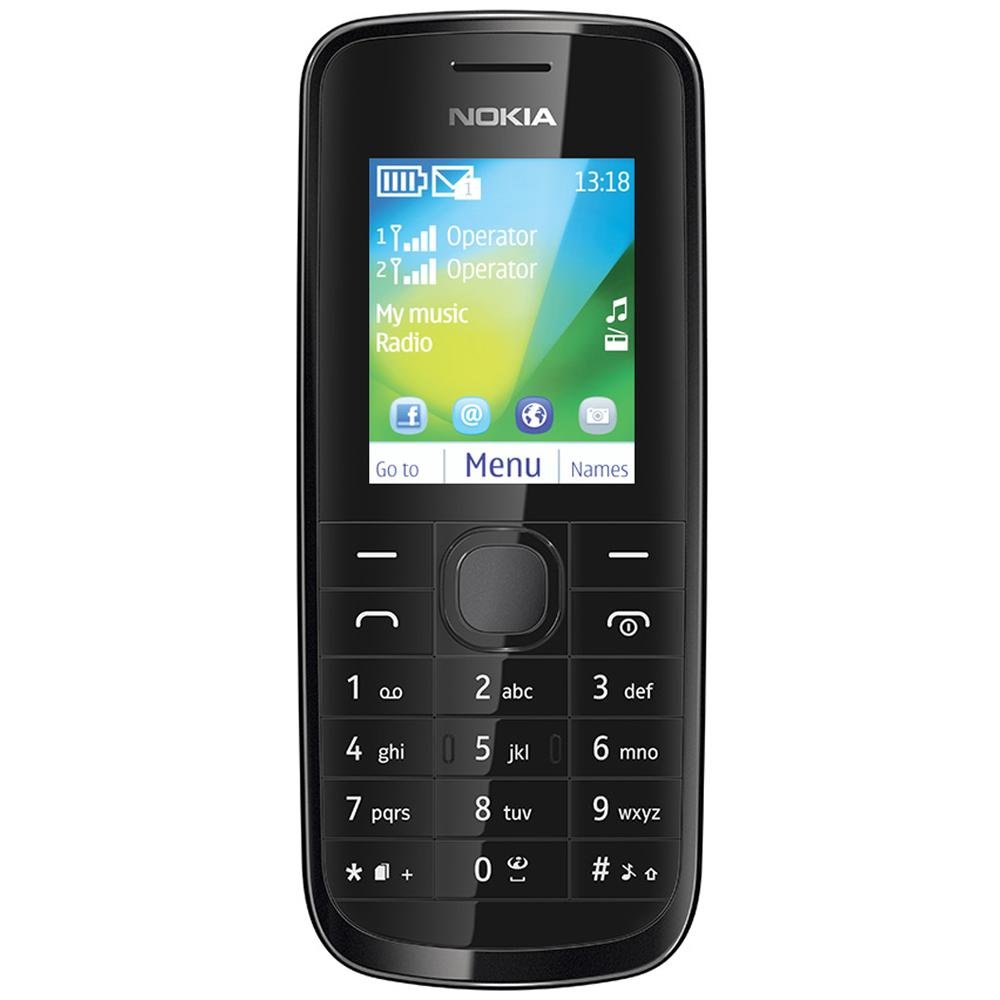
Obraz: Przód view of the Nokia 114 mobile phone.
4. Korzystanie z aparatu
The phone is equipped with a 0.3 MP rear camera. It supports basic photography features:
- Image Editor: Basic editing functions for captured photos.
- 4-krotny zoom cyfrowy: Magnify subjects before capturing.
- Kompensacja ekspozycji: Dostosuj poziom jasności.
- Orientacja krajobrazu: Capture photos in a wider format.
- The screen acts as a full-screen viewznalazca.
5. Pamięć i przechowywanie
The Nokia 114 has 16 MB of internal memory and supports expandable memory up to 32 GB via a microSD card (not included). This allows for storage of photos, music, and other files.
6. Łączność
The device supports 2G networks for calls and basic internet access. It does not support 3G or Wi-Fi connectivity.
7. Funkcje specjalne
- E-mail: Access your email accounts on the go.
- Radio FM: Słuchaj swoich ulubionych stacji radiowych.
- Video Player & Music Player: Enjoy multimedia content.
- Internet & Facebook: Podstawowy web browsing and social media access.
- Zawody sportowe: Pre-installed games for entertainment.
Konserwacja
1. Ogólna opieka
- Utrzymuj telefon w suchości. Opady, wilgoć i wszelkiego rodzaju płyny lub wilgoć mogą zawierać minerały, które mogą powodować korozję obwodów elektronicznych.
- Nie należy używać ani przechowywać telefonu w miejscach zakurzonych lub brudnych.
- Nie przechowuj telefonu w wysokich temperaturach. Wysokie temperatury mogą skrócić żywotność urządzeń elektronicznych, uszkodzić baterie oraz odkształcić lub stopić niektóre tworzywa sztuczne.
- Nie przechowuj telefonu w niskich temperaturach. Gdy telefon powróci do normalnej temperatury, wewnątrz może gromadzić się wilgoć, która może uszkodzić płytki elektroniczne.
- Do not attempt to open the phone other than as instructed in this manual.
- Nie upuszczaj, nie uderzaj ani nie potrząsaj telefonem. Nieostrożne obchodzenie się z nim może spowodować uszkodzenie wewnętrznych płytek drukowanych i drobnych elementów mechanicznych.
- Do czyszczenia telefonu nie używaj żrących środków chemicznych, rozpuszczalników czyszczących ani silnych detergentów.
2. Pielęgnacja baterii
- Only use original Nokia batteries and chargers.
- Nie wolno powodować zwarcia akumulatora.
- Nie narażaj akumulatora na działanie ekstremalnych temperatur.
Rozwiązywanie problemów
If you encounter issues with your Nokia 114, try the following basic troubleshooting steps:
- Telefon się nie włącza: Ensure the battery is correctly installed and charged. Try charging the phone for at least 30 minutes before attempting to power it on again.
- Słaba jakość połączeń: Check your network signal strength. Move to an area with better reception. Ensure the earpiece/speaker is not obstructed.
- Keypad auto-locks: This is a standard feature. To unlock, follow the on-screen instructions, usually by pressing a specific key combination.
- Dual SIM not functioning: Verify both SIM cards are correctly inserted and activated by your service provider. Check SIM settings in the phone menu.
- Phone freezing or unresponsive: Remove the battery, wait a few seconds, and then reinsert it and power on the phone.
For more complex issues, refer to the visual user guide included in the box or contact Nokia customer support.
Specyfikacje
| Funkcja | Szczegół |
|---|---|
| Marka | Nokię |
| Model | 114 |
| Wyświetlacz | 1.8-inch QVGA LCD (128 x 160 pixels) |
| Kamera | 0.3 MP Tylny Aparat |
| Pamięć (wewnętrzna) | 16 MB |
| Rozszerzalna pamięć | Do 32 GB (microSD) |
| Liczba gniazd karty SIM | Dual SIM (Mini) |
| Technologia komórkowa | 2G (sieć komórkowa) |
| System operacyjny | Nokia Series 40 Asha |
| Pojemność baterii | 1020 mAh litowo-jonowy |
| Czas rozmowy | Do 10.5 godzin (630 minut) |
| Wymiary (dł. x szer. x wys.) | Wymiary 11 x 4.6 x 1.5 cm |
| Waga | 80 gram |
| Interfejs ludzki | Klawiatura |
| Tworzywo | Plastikowy |
Co jest w pudełku
W pakiecie z telefonem Nokia 114 znajdują się następujące elementy:
- Telefon komórkowy Nokia 114
- Nokia Charger AC-11
- Nokia Battery BL-5C 1020 mAh
- Nokia Stereo Headset WH-102
- Visual User Guide
Produkt ponadview Wideo
Obejrzyj ten film, aby szybko go obejrzećview of the Nokia 114's features and contents.
Wideo: Krótki przeglądview of the Nokia 114 mobile phone, highlighting its display, camera, memory, connectivity, operating system, special features, and included accessories.
Gwarancja i wsparcie
The Nokia 114 comes with a 1-year manufacturer warranty for the device and a 6-month manufacturer warranty for in-box accessories, including batteries, from the date of purchase. For warranty claims or technical support, please refer to the contact information provided in your visual user guide or visit the official Nokia support webstrona.