
Wstęp
This manual provides comprehensive instructions for setting up, operating, and maintaining your GOgroove BlueSYNC TYM Bluetooth Wireless Stereo Speaker & Wooden Alarm Clock. This versatile device combines a high-fidelity Bluetooth speaker with a digital alarm clock, featuring an LED time and temperature display, and a USB charging port for your mobile devices.
Co jest w pudełku
Sprawdź, czy w opakowaniu znajdują się wszystkie elementy:
- GOgroove BlueSYNC TYM Speaker
- Zasilacz sieciowy
- Auxiliary Cable (3.5mm audio plug)
- Kabel USB
- Instrukcja obsługi (ten dokument)

Figure 1: Included components of the BlueSYNC TYM package.
Produkt ponadview
Familiarize yourself with the various parts and controls of your BlueSYNC TYM speaker.

Figure 2: Front and top panel features of the BlueSYNC TYM.
Panel przedni:
- Wyświetlacz LED: Shows time, temperature, and other indicators.
- LED AM/PM Indicator: Indicates AM or PM for the time display.
- Wskaźnik alarmu LED: Lights up when an alarm is set.
- Mikrofon: Do połączeń bez użycia rąk.
Sterowanie na górnym panelu:
- Przycisk wielofunkcyjny: Used for various operations like power on/off, play/pause, answer/end calls.
- Przycisk zmniejszania głośności: Zmniejsza głośność dźwięku.
- Przycisk zwiększania głośności: Zwiększa głośność dźwięku.
- Przycisk drzemki: Activates snooze for alarms and can dim the display.
Rear Panel Ports & Controls:
- Port ładowania USB: For charging external devices (5V DC, 2.1A).
- Wejście AUX: 3.5mm audio jack for wired connection to non-Bluetooth devices.
- Alarm Buttons: Do ustawiania i zarządzania alarmami.
- Przyciski czasu: For adjusting time and date settings.
- 12/24 Hour Switch: Przełącza między 12-godzinnym i 24-godzinnym formatem czasu.
- Port DC IN: For connecting the included AC adapter.
Organizować coś
1. Podłączenie zasilania:
Connect the included AC adapter to the DC IN port on the rear of the BlueSYNC TYM and plug the adapter into a standard wall outlet. The device will power on and the LED display will illuminate.

Figure 3: Connecting the AC adapter to the BlueSYNC TYM.
2. Ustawianie czasu i daty:
Use the 'TIME' buttons on the rear panel to adjust the current time and date. Refer to the detailed instructions in the full user manual for specific steps on setting the time, date, and temperature unit (Fahrenheit or Celsius).
Instrukcja obsługi
1. Parowanie Bluetooth:
- Ensure the BlueSYNC TYM is powered on.
- Activate Bluetooth on your mobile device (smartphone, tablet, laptop).
- Szukaj "BlueSYNC TYM" in your device's Bluetooth settings and select it to pair.
- Once paired, the device will confirm the connection, and you can begin streaming audio wirelessly up to 30 feet.
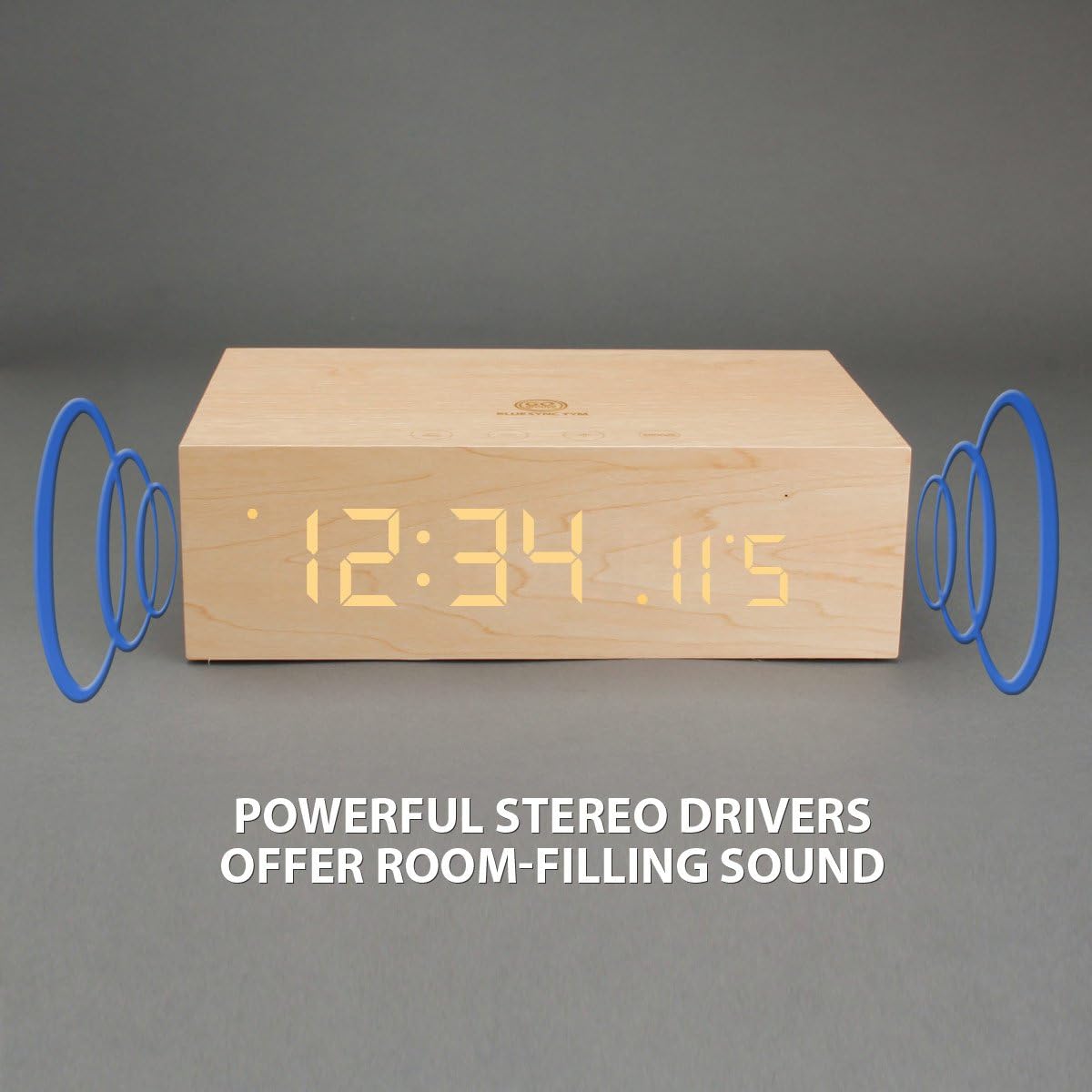
Figure 4: Wireless Bluetooth connectivity and wired AUX connection options.
2. Wired Audio Playback (AUX):
For devices without Bluetooth, use the included 3.5mm auxiliary cable. Connect one end to the AUX input on the rear of the BlueSYNC TYM and the other end to your audio device's headphone jack. The speaker will automatically switch to AUX mode.
3. Alarm Clock Functions:
Use the 'ALARM' buttons on the rear panel to set up to three different alarms. The snooze function can be activated by pressing the 'SNOOZE' button on the top panel when the alarm sounds. Pressing the snooze button also dims the LED display.
4. Rozmowy w trybie głośnomówiącym:
When connected via Bluetooth, the built-in microphone allows you to answer and end phone calls directly from the speaker using the multifunction button.
5. Ładowanie USB:
The USB port on the rear panel provides 5V DC, 2.1A output, allowing you to charge your smartphone or other USB-powered devices while the speaker is connected to power.
Konserwacja
To ensure the longevity of your GOgroove BlueSYNC TYM, follow these simple maintenance guidelines:
- Clean the exterior with a soft, dry cloth. Avoid abrasive cleaners or solvents.
- Trzymaj urządzenie z dala od wody, wilgoci i ekstremalnych temperatur.
- Nie należy blokować kratek głośników ani otworów wentylacyjnych.
Rozwiązywanie problemów
| Problem | Możliwa przyczyna | Rozwiązanie |
|---|---|---|
| Urządzenie nie włącza się. | Zasilacz sieciowy nie jest prawidłowo podłączony lub gniazdko elektryczne jest uszkodzone. | Ensure AC adapter is securely plugged into the device and a working power outlet. |
| Brak dźwięku z głośnika. | Volume too low; device not paired (Bluetooth); AUX cable not connected. | Increase volume on both the speaker and connected device. Re-pair Bluetooth or ensure AUX cable is fully inserted. |
| Parowanie Bluetooth nie powiodło się. | Device out of range; Bluetooth not enabled on source device; interference. | Ensure devices are within 30 ft. Enable Bluetooth on your device. Try restarting both devices. |
| Alarm nie włącza się. | Alarm nie jest ustawiony lub głośność jest za niska. | Sprawdź ustawienia alarmu i upewnij się, że dźwięk alarmu jest słyszalny. |
| Wyświetlacz jest zbyt jasny/ciemny. | Brightness setting. | Press the 'SNOOZE' button to adjust display brightness. |
Specyfikacje
- Wymiary produktu: 10 x 8.5 x 3.75 cala
- Waga przedmiotu: 2.28 funta
- Producent: GOgroove
- Numer modelu przedmiotu: GG-BLUESYNC-TYM
- Marka: GOgroove
- Kolor: Wooden/Neutral
- Dodatek specjalny: Built-in microphone, Alarm clock, Radio
- Technologia łączności: Bluetooth, pomocniczy, USB
- Styl: Nowoczesny
- Źródło zasilania: Elektryczny przewodowy
- Zawartość zestawu: AC adapter, Auxiliary cable, USB cable, 3.5mm audio cable, User Manual
- Poziom wodoodporności: Nie jest wodoodporny
- Technologia wyświetlania: PROWADZONY
- Zalecane zastosowania produktu: Muzyka
- Prelegenci: (3w x 2) 6W RMS; 12W Peak
- Kierowcy: Stereo 40mm full-range
- Impedancja: 4 omy
- Pasmo przenoszenia: 90Hz – 20KHz
- Stosunek sygnału do szumu: >65db
- Wersja Bluetooth: 2.1+EDR ; A2DP ; AVRCP
- Zasięg działania: 30 stóp
Gwarancja i wsparcie
The GOgroove BlueSYNC TYM is backed by a 3 rok gwarancji producenta. For any questions, technical support, or warranty claims, please contact GOgroove customer service. Refer to the contact information provided on the product packaging or the official GOgroove webstrona.