
Wstęp
This manual provides essential information for the safe and efficient operation of your Eaton 5PX 3000 2U Rack/Tower LCD Uninterruptible Power Supply (UPS). The Eaton 5PX 3000 is designed to provide reliable power protection for servers, storage, and network equipment. Please read this manual thoroughly before installation and operation.
Informacje dotyczące bezpieczeństwa
Aby zapobiec obrażeniom ciała i uszkodzeniom zasilacza UPS lub podłączonego sprzętu, należy przestrzegać następujących środków ostrożności:
- Bezpieczeństwo elektryczne: To urządzenie zawiera niebezpieczną objtages. Nie otwieraj obudowy UPS-a. Czynności serwisowe powinny być wykonywane wyłącznie przez wykwalifikowany personel.
- Bezpieczeństwo baterii: Batteries can present a risk of electrical shock and high short-circuit current. Remove watches, rings, or other metal objects before handling batteries. Use tools with insulated handles.
- Środowisko instalacji: Install the UPS in a controlled environment, free from excessive dust, moisture, and extreme temperatures. Ensure adequate ventilation.
- Grunt: Zawsze podłączaj UPS do uziemionego gniazdka elektrycznego.
- Waga: The UPS is heavy. Use proper lifting techniques or assistance during installation to avoid injury.
Zawartość opakowania
Sprawdź, czy w opakowaniu znajdują się wszystkie elementy:
- Eaton 5PX 3000 2U Rack/Tower LCD UPS Unit
- Rack mounting kit (rails, screws)
- Tower stand kit
- Kabel USB
- Kabel szeregowy
- Przewód zasilający wejściowy
- Przewody zasilające wyjściowe
- Skrócona instrukcja obsługi i instrukcje dotyczące bezpieczeństwa
Organizować coś
1. Instalacja fizyczna
The Eaton 5PX 3000 can be installed in a standard 19-inch rack or as a tower unit.
Montaż stojaka:
- Attach the rack mounting rails to the rack using the provided hardware.
- Carefully slide the UPS unit onto the installed rails until it is fully seated.
- Secure the front of the UPS to the rack using the provided screws.
Instalacja wieży:
- Attach the tower stands to the bottom of the UPS unit.
- Place the UPS on a stable, level surface, ensuring adequate clearance for ventilation.
2. Podłączanie zasilania
Connect the UPS to a dedicated, grounded electrical outlet using the supplied input power cord. Ensure the outlet matches the UPS voltagwymagania (120V).
3. Podłączanie sprzętu
Connect your critical equipment (servers, network devices) to the output receptacles on the rear of the UPS. The UPS features 7 outlets with various connector types (L5-30P, 5-20R, L5-30R). Distribute the load evenly across the outlets if possible.
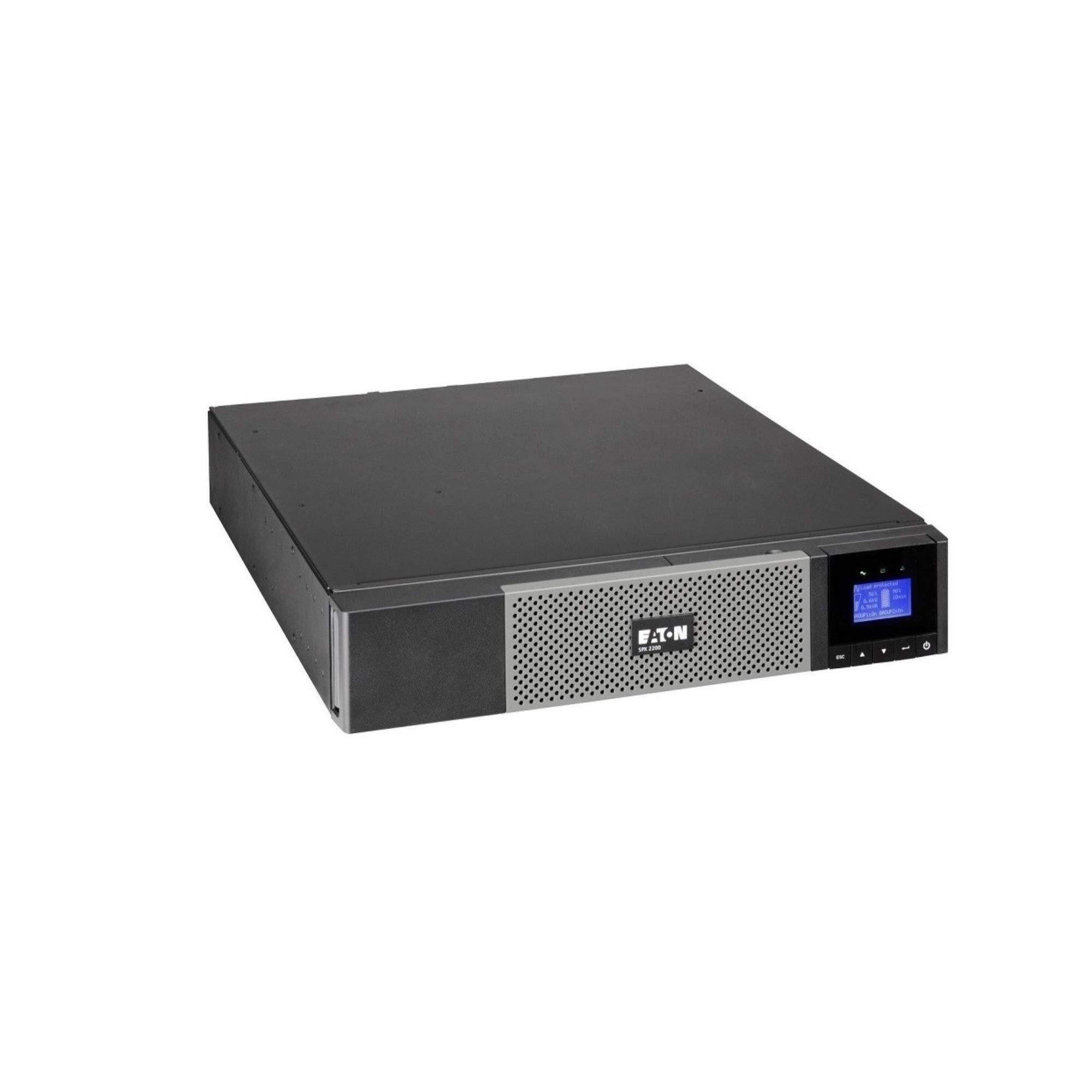
Obraz: Przód view of the Eaton 5PX 3000 2U Rack/Tower LCD UPS, showing the LCD display and front panel controls.
4. Pierwsze włączenie zasilania
- After connecting all equipment and the input power, press and hold the power button on the front panel for a few seconds until the LCD display illuminates.
- The UPS will perform a self-test and then display its operational status.
- Allow the UPS batteries to charge for at least 24 hours before relying on them for extended backup power.
Operacyjny
Wyświetlacz LCD powyżejview
The front panel LCD provides real-time information about the UPS status, battery charge, load level, and various settings. Use the navigation buttons to scroll through menus and adjust parameters.
Podstawowe funkcje
- Włączanie/wyłączanie: Press and hold the power button to turn the UPS on or off.
- Wycisz alarm: Briefly press any button to silence an active alarm.
- Autotest: Initiate a battery self-test through the LCD menu to check battery health.
Zarządzanie baterią
The UPS automatically manages battery charging and discharge. For optimal battery life, avoid frequent deep discharges. The LCD will indicate battery charge level and estimated runtime.
Integracja oprogramowania
The Eaton 5PX 3000 supports communication with computers and network management systems via USB or serial ports. Install Eaton's power management software (available from the Eaton website) for advanced monitoring, graceful shutdown of connected devices, and remote management capabilities.
Konserwacja
Wymiana baterii
The batteries in your UPS are user-replaceable. The typical lifespan of UPS batteries is 3-5 years, depending on usage and environmental conditions. The UPS LCD or management software will indicate when battery replacement is recommended. Always use genuine Eaton replacement battery modules to ensure compatibility and performance. Refer to the detailed battery replacement instructions in the full product manual or on the Eaton support webstrona.
Czyszczenie
Periodically clean the exterior of the UPS with a soft, dry cloth. Ensure ventilation openings are free from dust and obstructions to maintain proper airflow and cooling.
Aktualizacje oprogramowania układowego
Eaton may release firmware updates to improve performance or add features. Check the Eaton support website periodically for available updates and follow the provided instructions for installation.
Rozwiązywanie problemów
This section addresses common issues you might encounter with your Eaton 5PX 3000 UPS.
| Problem | Możliwa przyczyna | Rozwiązanie |
|---|---|---|
| UPS się nie włącza | No input power; Battery not connected or discharged | Check power cord connection and wall outlet. Ensure internal battery connectors are secure. Allow batteries to charge. |
| UPS wydaje ciągły sygnał dźwiękowy | On battery power; Overload; Battery fault | Check input power. Reduce connected load. Perform a battery self-test or consider battery replacement. |
| Short runtime on battery | Overload; Old batteries; Batteries not fully charged | Reduce connected load. Replace batteries if they are old. Allow batteries to charge for 24 hours. |
| LCD shows an error code | Internal fault; Specific issue | Refer to the full user manual for a list of error codes and their corresponding solutions. Contact technical support if the issue persists. |
Specyfikacje
Key technical specifications for the Eaton 5PX 3000 2U Rack/Tower LCD UPS (Model: 5PX3000RT2U):
- Marka: Jeść
- Numer modelu: 5PX3000RT2U
- Współczynnik kształtu: Szafa/wieża (2U)
- Cotage: 3000 watów
- Maksymalna moc: 2700 watów
- Moc wyjściowatage: 2430 watów
- Tomtage: 120 wolty
- Wejście Voltage: 120 V (AC)
- Objętość wyjściatage: 120 V (AC)
- Prąd wyjściowy: 20.25 Amps
- Zakres częstotliwości: 47-53 Hz and 56.5-63.5 Hz
- Liczba wyjść: 7
- Typ złącza: L5-30P, 5-20R, L5-30R
- Typ wtyczki zasilania: Typ B - 3-pinowy (północnoamerykański)
- Skład ogniwa baterii: Kwas ołowiowy
- Runtime (typical): 20 minutes (at half load)
- Materiał obudowy: Stal stopowa
- Kolor: Czarny
- Waga przedmiotu: 0.01 Pounds (Note: This weight is likely incorrect in the source data and should be verified with actual product specifications)
Gwarancja i wsparcie
Informacje o gwarancji
Eaton provides a standard warranty for the 5PX 3000 UPS. The specific terms and duration of the warranty may vary by region and purchase date. Please refer to the warranty card included with your product or visit the official Eaton webstrona zawierająca szczegółowe informacje na temat gwarancji i rejestracji.
Wsparcie techniczne
For technical assistance, troubleshooting beyond this manual, or to inquire about replacement parts, please contact Eaton customer support. Support contact information can be found on the official Eaton webmiejscu lub w dokumentacji dostarczonej wraz z UPS-em.