
Wstęp
This manual provides essential instructions for the proper use and care of your Tamron 80-210mm f/3.8-4 CF Tele-Macro Compact Zoom Adaptall 2 lens. This versatile telephoto zoom lens features a variable aperture and a close-focusing (CF) tele-macro function, designed for use with various camera systems via the Adaptall 2 interchangeable mount system. Please read this manual thoroughly before using the lens to ensure optimal performance and longevity.
Organizować coś
1. Attaching the Adaptall 2 Mount
The Tamron Adaptall 2 system allows this lens to be used with various camera bodies by changing the mount adapter. Ensure you have the correct Adaptall 2 mount for your specific camera system (e.g., Canon FD, Nikon AI, Pentax K, Minolta MD).
- Align the red dot on the Adaptall 2 mount with the red dot on the lens barrel.
- Gently push the mount onto the lens and rotate it clockwise until it clicks into place. Ensure it is securely locked.
- To remove the mount, press the release button on the mount and rotate it counter-clockwise.
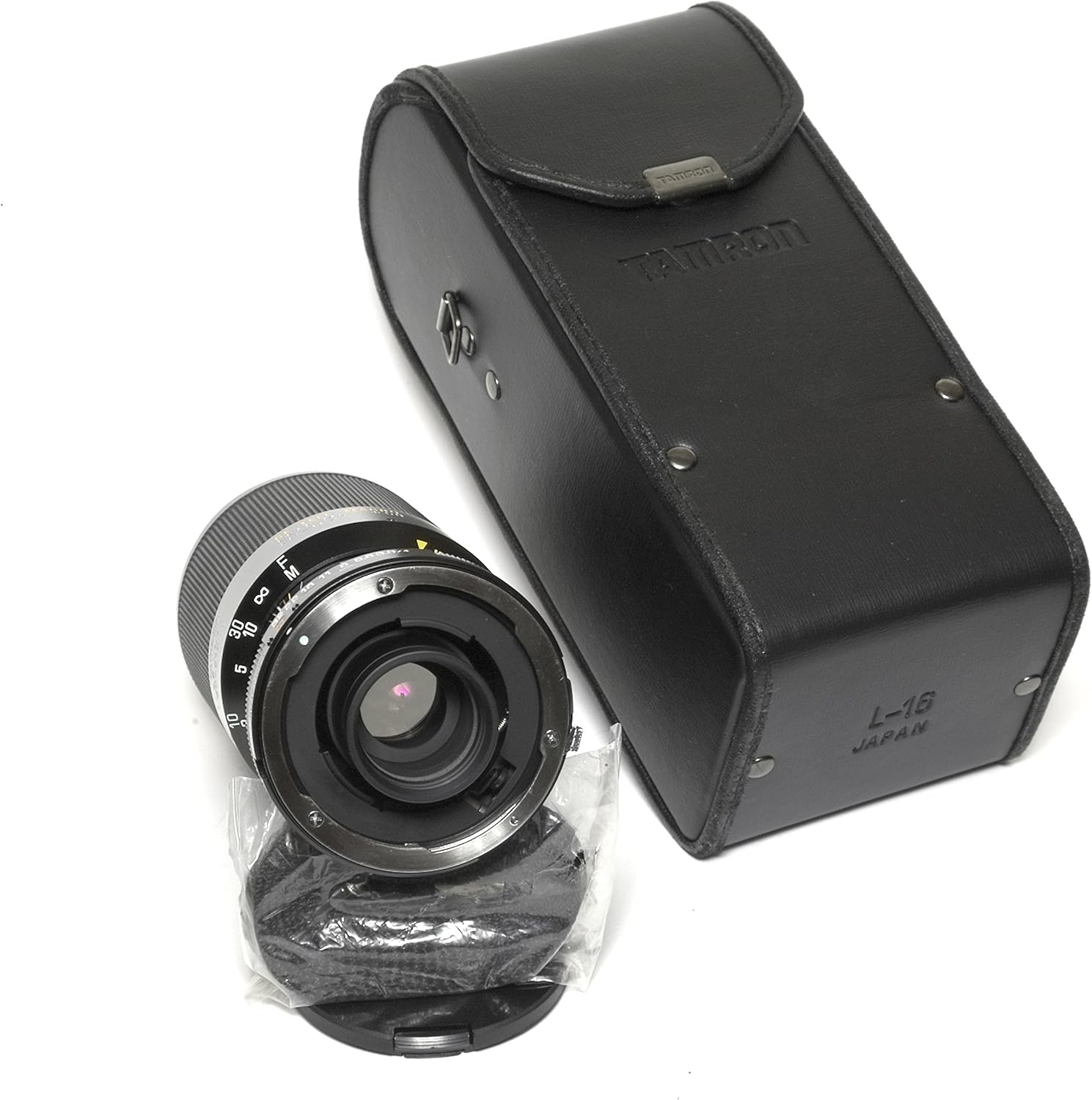
Obraz: Tył view of the Tamron 80-210mm lens, showing the Adaptall 2 mount connection point. The lens is positioned next to its protective carrying case and a rear lens cap.
2. Mocowanie obiektywu do aparatu
Once the Adaptall 2 mount is securely attached to the lens, you can mount the lens onto your camera body.
- Remove the rear lens cap from the Adaptall 2 mount and the body cap from your camera.
- Align the mounting index (usually a red dot or white line) on the Adaptall 2 mount with the corresponding index on your camera body.
- Insert the lens into the camera's lens mount and rotate it clockwise until it locks into place with a click.

Obraz: Przód view of the Tamron 80-210mm lens with its front lens cap in place, alongside its protective carrying case. This illustrates the lens ready for attachment or storage.
3. Zdejmowanie obiektywu z aparatu
To remove the lens from your camera body:
- While holding the lens firmly, press the lens release button on your camera body.
- Obróć obiektyw w kierunku przeciwnym do ruchu wskazówek zegara, aż odłączy się od mocowania aparatu.
- Immediately attach the rear lens cap to the Adaptall 2 mount and the body cap to your camera to protect against dust and damage.
Obsługa obiektywu
1. Powiększanie
This is a push-pull zoom lens. To change the focal length:
- Grasp the zoom ring (the wider, textured ring on the lens barrel).
- Push the ring forward to zoom in (increase focal length towards 210mm).
- Pull the ring backward to zoom out (decrease focal length towards 80mm).
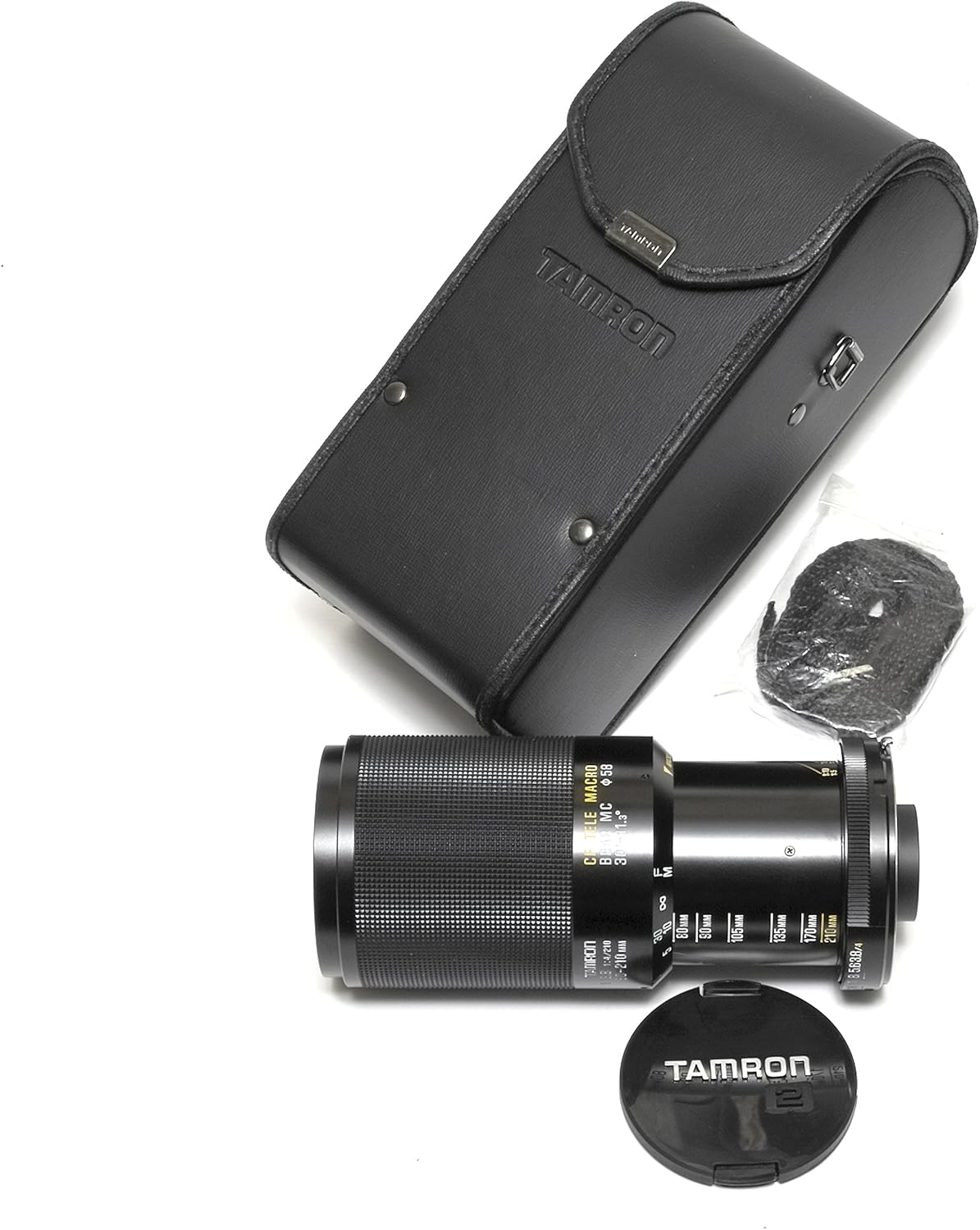
Image: The Tamron 80-210mm lens shown extended, indicating its telephoto zoom capability. The lens is accompanied by its protective case and front cap.
2. Skupienie
This lens features manual focus. To achieve sharp focus:
- Set your camera to manual focus (MF) mode.
- Przejrzyj viewfinder or use live view na Twoim aparacie.
- Rotate the focusing ring (the narrower ring closer to the front of the lens) until your subject appears sharp.
- Many cameras offer focus peaking or magnification aids in live view to assist with manual focusing.
3. Kontrola przysłony
The aperture ring is located near the camera mount. It allows you to control the amount of light entering the lens and the depth of field.
- Rotate the aperture ring to select your desired f-stop (e.g., f/3.8, f/5.6, f/8).
- A smaller f-number (e.g., f/3.8) means a wider aperture, allowing more light and creating a shallower depth of field.
- A larger f-number (e.g., f/16) means a narrower aperture, allowing less light and creating a greater depth of field.
4. Tele-Macro Function (CF)
The "CF" (Close Focusing) Tele-Macro feature allows for closer focusing distances, enabling macro-like photography at the telephoto end.
- To engage the tele-macro function, zoom the lens to its maximum telephoto setting (210mm).
- There may be a dedicated switch or a specific point on the zoom ring to engage the macro range. Consult your specific Adaptall 2 mount instructions if available, as operation can vary slightly.
- Once in macro mode, you can focus on subjects at a much closer distance than in normal zoom mode.

Image: The Tamron 80-210mm lens displaying its various rings for zoom and focus, along with distance scales. The lens is placed beside its protective case.
Konserwacja
1. Czyszczenie soczewki
- Pył: Use a blower brush to remove loose dust from lens surfaces. Avoid wiping dry lens elements, as this can cause scratches.
- Smudges/Fingerprints: Use a clean, soft microfiber cloth specifically designed for optics, along with a small amount of lens cleaning fluid. Apply the fluid to the cloth, not directly to the lens. Wipe gently in a circular motion from the center outwards.
- Tubus obiektywu: Wipe the lens barrel with a soft, damp płótno. Nie używaj ostrych środków chemicznych ani rozpuszczalników.
2. Przechowywanie
- Zawsze zakładaj przednią i tylną osłonę obiektywu, gdy obiektyw nie jest używany.
- Przechowuj soczewki w chłodnym i suchym miejscu, z dala od bezpośredniego światła słonecznego i ekstremalnych temperatur.
- If storing for extended periods, consider using a dehumidifying cabinet or silica gel packets to prevent mold growth, especially in humid environments.
- Store the lens in its protective case when transporting.

Image: The Tamron 80-210mm lens, its front lens cap, and its protective carrying case are neatly arranged on a white background, illustrating the complete package for storage and transport.
3. Środki ostrożności
- Unikaj upuszczania obiektywu i narażania go na silne uderzenia.
- Do not expose the lens to water or excessive moisture, as it is not water-resistant.
- Trzymaj obiektyw z dala od silnych pól magnetycznych.
- When changing lenses, do so in a clean environment to minimize dust entering the camera body or settling on the lens elements.
Rozwiązywanie problemów
| Problem | Możliwa przyczyna | Rozwiązanie |
|---|---|---|
| Obrazy są rozmazane lub nieostre. | Incorrect focus, camera shake, dirty lens elements, or incorrect camera settings. |
|
| Obiektyw nie jest przymocowany do aparatu. | Incorrect Adaptall 2 mount, misaligned mount, or obstruction. |
|
| Na zdjęciach widoczny jest kurz lub plamy. | Kurz na elementach obiektywu lub matrycy aparatu. |
|
Specyfikacje
Below are the key specifications for the Tamron 80-210mm f/3.8-4 CF Tele-Macro Compact Zoom Adaptall 2 lens:
- Marka: Tamron
- Nazwa modelu: 80-210mm f/3.8-4 CF Tele-Macro Compact Zoom Adaptall 2
- Długość ogniskowej: 80-210mm (Zoom)
- Maksymalna przysłona: f/3.8 (at 80mm) - f/4 (at 210mm)
- Minimalna ogniskowa: 80 milimetrów
- Maksymalna ogniskowa: 210 milimetrów
- Typ soczewki: Teleobiektyw Zoom
- Typ skupienia: Manual Focus (Fixed Focus refers to the lens not having autofocus)
- Cechy szczególne: CF Tele-Macro (Close Focusing)
- Photo Filter Size: 58 milimetrów
- Typ kontroli ekspozycji: Automatic (refers to camera body control with appropriate Adaptall mount)
- Poziom wodoodporności: Nie jest wodoodporny
- Waga przedmiotu: Około 22.4 uncji (635 grama)
- System mocowania: Adaptall 2 (requires specific camera mount adapter)
Gwarancja i wsparcie
For detailed information regarding warranty coverage, service, and technical support for your Tamron lens, please refer to the official Tamron website or contact your local Tamron distributor. Warranty terms and conditions may vary based on region and purchase date. Please retain your proof of purchase for warranty claims.
You can visit the official Tamron store for more information: Sklep Tamron na Amazonie