
1. Wprowadzenie
Dziękujemy za zakupasing the Sharp XL-HF201P Micro Hi-Fi System. This system is designed to provide high-quality audio playback from various sources, including CDs, USB devices, and iPods. This manual provides essential information for the safe and efficient operation of your new audio system. Please read it thoroughly before use and retain it for future reference.
2. Ważne informacje dotyczące bezpieczeństwa
- Źródło zasilania: Podłącz urządzenie wyłącznie do gniazdka sieciowego prądu przemiennego.tage specified on the unit's rear panel.
- Wentylacja: Zapewnij odpowiednią wentylację. Nie blokuj otworów wentylacyjnych. Unikaj umieszczania urządzenia na miękkich powierzchniach, które mogą blokować otwory wentylacyjne.
- Woda i wilgoć: Nie wystawiaj urządzenia na działanie deszczu, wilgoci ani kapiących/rozpryskujących się płynów. Nie stawiaj na urządzeniu przedmiotów wypełnionych płynami, takich jak wazony.
- Ciepło: Trzymaj urządzenie z dala od źródeł ciepła, takich jak grzejniki, kratki wentylacyjne, piece lub inne urządzenia (w tym amp(lifiers) wytwarzające ciepło.
- Czyszczenie: Przed czyszczeniem odłącz urządzenie od gniazdka ściennego. Używaj wyłącznie suchej ściereczki.
- Serwisowanie: Nie próbuj samodzielnie naprawiać tego produktu. Wszelkie czynności serwisowe należy powierzyć wykwalifikowanemu personelowi serwisowemu.
3. Zawartość opakowania
Sprawdź, czy w przesyłce znajdują się wszystkie wymienione poniżej elementy:
- Main Unit (CD Player/Receiver)
- Left Speaker (x1)
- Right Speaker (x1)
- Pilot zdalnego sterowania (z 2 bateriami AA)
- Antena FM
- Antena pętlowa AM
- Przewód zasilający
- Instrukcja obsługi (ten dokument)
4. Konfiguracja
4.1 Rozpakowywanie i umieszczanie
Carefully remove all components from the packaging. Place the main unit and speakers on a stable, flat surface. Ensure there is sufficient space around the unit for proper ventilation.
4.2 Podłączanie głośników
Connect the speaker wires to the corresponding terminals on the main unit and speakers. Match the positive (+) and negative (-) terminals. For optimal sound, ensure the wires are securely connected. If the speaker wires do not insert directly into the screw-knobs, wrap the bare wire ends around the terminal posts and then tighten the screw-knobs to secure them.
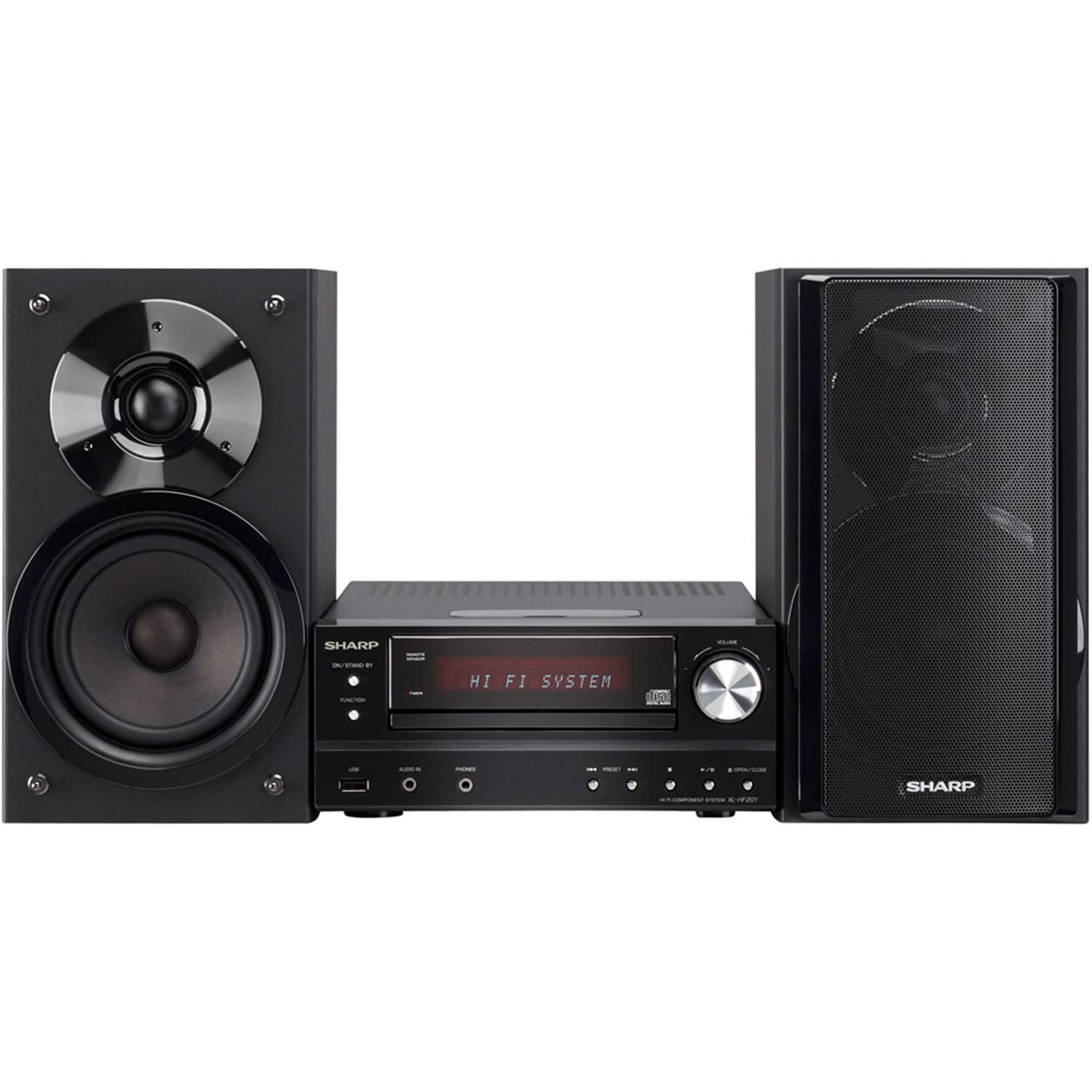
Image 4.2.1: The Sharp XL-HF201P Micro Hi-Fi System, showing the main unit and two speakers. This image illustrates the overall appearance of the system, which includes a central receiver with a CD tray and an iPod dock on top, flanked by two dark-colored speakers.
4.3 Podłączanie anten
- Antena FM: Connect the supplied FM wire antenna to the FM antenna terminal on the rear of the main unit. Extend the wire for better reception.
- Antena AM: Assemble the AM loop antenna and connect it to the AM antenna terminals. Position the antenna for optimal AM reception.
4.4 Połączenie zasilania
After all other connections are made, plug the power cord into the AC inlet on the rear of the main unit, then plug the other end into a wall outlet.
5. Instrukcja obsługi
5.1 Włączanie/wyłączanie zasilania
Naciśnij MOC przycisk na panelu przednim lub pilocie, aby włączyć lub wyłączyć urządzenie (tryb czuwania).
5.2 Wybór źródła
Naciśnij FUNKCJONOWAĆ button on the front panel or the remote control repeatedly to cycle through available sources: CD, USB, iPod, FM, AM, AUX.
5.3 Odtwarzanie płyt CD
- Wybierz CD funkcjonować.
- Naciśnij OTWÓRZ/ZAMKNIJ przycisk otwierający szufladę na płytę CD.
- Place a CD (CD-DA, MP3, WMA) with the label side up on the tray.
- Naciskać OTWÓRZ/ZAMKNIJ ponownie, aby zamknąć tackę. Odtwarzanie rozpocznie się automatycznie.
- Używać ODTWÓRZ/PAUZA, ZATRZYMYWAĆ SIĘ, POMINĄĆ (forward/backward) buttons for control.
5.4 Odtwarzanie USB
- Insert a USB device (containing MP3 or WMA files) do portu USB na panelu przednim.
- Wybierz USB funkcjonować.
- Playback will begin automatically or you may need to select a track.
- Używać ODTWÓRZ/PAUZA, ZATRZYMYWAĆ SIĘ, POMINĄĆ przyciski sterujące.
5.5 Stacja dokująca do iPoda/iPhone'a
- Carefully place your compatible iPod or iPhone onto the dock connector on top of the main unit.
- Wybierz iPod funkcjonować.
- Your device will begin charging and you can control playback using the system's remote or your device's controls.
5.6 Strojenie radia
- Wybierz FM or AM funkcjonować.
- Użyj STROJENIE buttons (or knob on the unit) to manually tune to a station.
- Naciśnij i przytrzymaj STROJENIE przyciski do automatycznego skanowania stacji.
- Aby zaprogramować stacje, dostrój się do żądanej stacji, a następnie naciśnij PAMIĘĆ a następnie przycisk z numerem ustawienia wstępnego.
5.7 Regulacja głośności
Dostosuj głośność za pomocą GŁOŚNOŚĆ +/- przycisków na pilocie lub pokrętła głośności na jednostce głównej.
6. Konserwacja
6.1 Czyszczenie urządzenia
Wipe the exterior of the unit with a soft, dry cloth. Do not use abrasive cleaners, waxes, or solvents as they may damage the finish. For stubborn stains, lightly dampen the cloth with water and mild detergent, then wipe dry.
6.2 Pielęgnacja soczewek CD
Avoid touching the CD lens. If the lens becomes dirty, use a commercially available CD lens cleaner. Do not use compressed air or liquid cleaners directly on the lens.
7. Rozwiązywanie Problemów
| Problem | Możliwa przyczyna | Rozwiązanie |
|---|---|---|
| Brak zasilania | Przewód zasilający nie jest prawidłowo podłączony. | Sprawdź podłączenie przewodu zasilającego do urządzenia i gniazdka ściennego. |
| Brak dźwięku | Volume is too low or muted. Speaker wires are not connected correctly. | Increase volume. Check speaker wire connections, ensuring correct polarity (+/-). |
| Płyta CD nie odtwarza się | CD is dirty, scratched, or inserted incorrectly. Incorrect function selected. | Clean or replace CD. Insert CD with label side up. Select CD function. |
| Urządzenie USB nie zostało rozpoznane | USB device is not formatted correctly or contains unsupported files. | Ensure USB device is FAT16/FAT32 formatted and contains MP3/WMA files. Try another USB device. |
| Słaby odbiór radia | Antenna not properly positioned or connected. Interference. | Adjust antenna position. Move unit away from other electronic devices. |
| Pilot nie działa | Baterie są rozładowane lub włożone nieprawidłowo. Przeszkoda między pilotem a urządzeniem. | Replace batteries (2 AA). Ensure clear line of sight to the unit's remote sensor. |
8. Specyfikacje
- Marka: Ostry
- Model: XL-HF201P
- Moc wyjściowa: 100 W RMS
- Obsługiwane nośniki: CD-DA, MP3, WMA (CD, USB)
- Łączność: USB, iPod Dock, AUX Input, FM/AM Tuner
- Typ głośnika: Subwoofers (integrated into speaker design)
- Źródło zasilania: Elektryczny przewodowy
- Wymiary produktu (jednostka główna): Około 13 x 15.09 x 20.15 cala
- Waga przedmiotu: Około 20.3 funtów
- Baterie (zdalne): 2 baterie AA (w zestawie)
9. Gwarancja i wsparcie
Aby uzyskać informacje o gwarancji i obsłudze klienta, zapoznaj się z kartą gwarancyjną dołączoną do produktu lub odwiedź oficjalną stronę internetową firmy Sharp website. You may also contact Sharp customer service directly for assistance with product registration, technical support, or service inquiries.
Wsparcie online: www.sharpusa.com