
1. Wprowadzenie
This manual provides essential instructions for the safe and effective operation of the Amprobe AM-570 Industrial Digital Multimeter. The AM-570 is designed for professionals requiring accurate and reliable measurements in various electrical, HVAC/R, and industrial maintenance applications. Please read this manual thoroughly before using the device to ensure proper function and safety.
2. Informacje dotyczące bezpieczeństwa
To prevent electric shock or personal injury, and to avoid damage to the meter or the equipment under test, observe the following safety guidelines:
- Zawsze przestrzegaj lokalnych i krajowych przepisów bezpieczeństwa.
- Ten Amprobe AM-570 is rated for CAT IV 600 V and CAT III 1000 V. Do not exceed these ratings.
- Przed użyciem sprawdź przewody pomiarowe pod kątem uszkodzonej izolacji lub odsłoniętego metalu. Uszkodzone przewody należy natychmiast wymienić.
- Upewnij się, że przełącznik funkcji znajduje się w odpowiedniej pozycji dla wykonywanego pomiaru.
- Nie stosować w ilości większej niż zalecana objętość.tage between terminals or between any terminal and ground.
- Zachowaj ostrożność podczas pracy z objętościątagpowyżej 30 V AC RMS, 42 V szczytowo lub 60 V DC. Te wartościtagStwarzają ryzyko porażenia prądem.
- Odłącz zasilanie obwodu i rozładuj wszystkie ładunki wysokiego napięcia.tagPrzed wykonaniem testów rezystancji, ciągłości, diody lub pojemności należy sprawdzić kondensatory.
- Nie używaj miernika, jeśli wygląda na uszkodzony lub nie działa prawidłowo.
- Aby zapewnić dokładne odczyty, należy wymienić baterię, gdy tylko pojawi się wskaźnik niskiego poziomu naładowania.
- Podczas serwisowania miernika używaj tylko określonych części zamiennych.
3. Zawartość opakowania
Verify that all items listed below are present and undamaged:
- Amprobe AM-570 Industrial Digital Multimeter
- Test Leads (one pair, red and black)
- K-Type Thermocouple Probes (two)
- Etui transportowe
- Bateria 9 V (wstępnie zainstalowana lub dołączona osobno)
- Instrukcja obsługi (ten dokument)

Obraz 3.1: Amprobe AM-570 Digital Multimeter shown with its standard accessories, including test leads, two K-type thermocouple probes, and a soft carrying case.
4. Funkcje produktu
Ten Amprobe AM-570 offers a comprehensive set of features for diverse electrical measurements:
- Mierzy napięcie AC/DCtage do 1000 V
- Measures AC/DC Current
- Measures Resistance, Frequency, Capacitance, and Temperature
- Measures Duty Cycle
- True-RMS technology for accurate readings in non-linear loads
- Low Z mode to detect stray voltages and eliminate ghost readings
- Low Pass Filter for accurate voltage measurements on variable frequency drives (VFDs)
- Objętość bezkontaktowatage (NCV) wykrywanie szybkiej objętościtage presence checks
- Built-in flashlight for illumination in dimly lit areas
- Data Hold, MAX/MIN, and Peak Hold functions
- CAT IV 600 V / CAT III 1000 V safety rating

Obraz 4.1: Amprobe AM-570 Digital Multimeter, showing its display, rotary dial, and function buttons. The display indicates a DC voltage reading of 119.4 V.

Obraz 4.2: Kątowy view z Amprobe AM-570 Digital Multimeter, highlighting the clear digital display, which currently shows a frequency reading of 0.000 kHz.
5. Konfiguracja
5.1 Instalacja baterii
- Upewnij się, że miernik jest WYŁĄCZONY.
- Znajdź komorę baterii z tyłu miernika.
- Za pomocą śrubokręta poluzuj śrubę mocującą pokrywę baterii.
- Zdejmij pokrywę baterii.
- Włóż nową baterię 9 V, zwracając uwagę na prawidłową biegunowość.
- Załóż pokrywę baterii i zabezpiecz ją śrubą.
5.2 Podłączanie przewodów pomiarowych
Always connect the black test lead to the COM (common) terminal. Connect the red test lead to the appropriate input terminal based on the measurement function:
- VΩ Hz: Dla tomutage, resistance, frequency, capacitance, and diode/continuity measurements.
- mAµA:Dla milliampere i mikroampobecne pomiary.
- 10A: For high current (up to 10A) measurements.
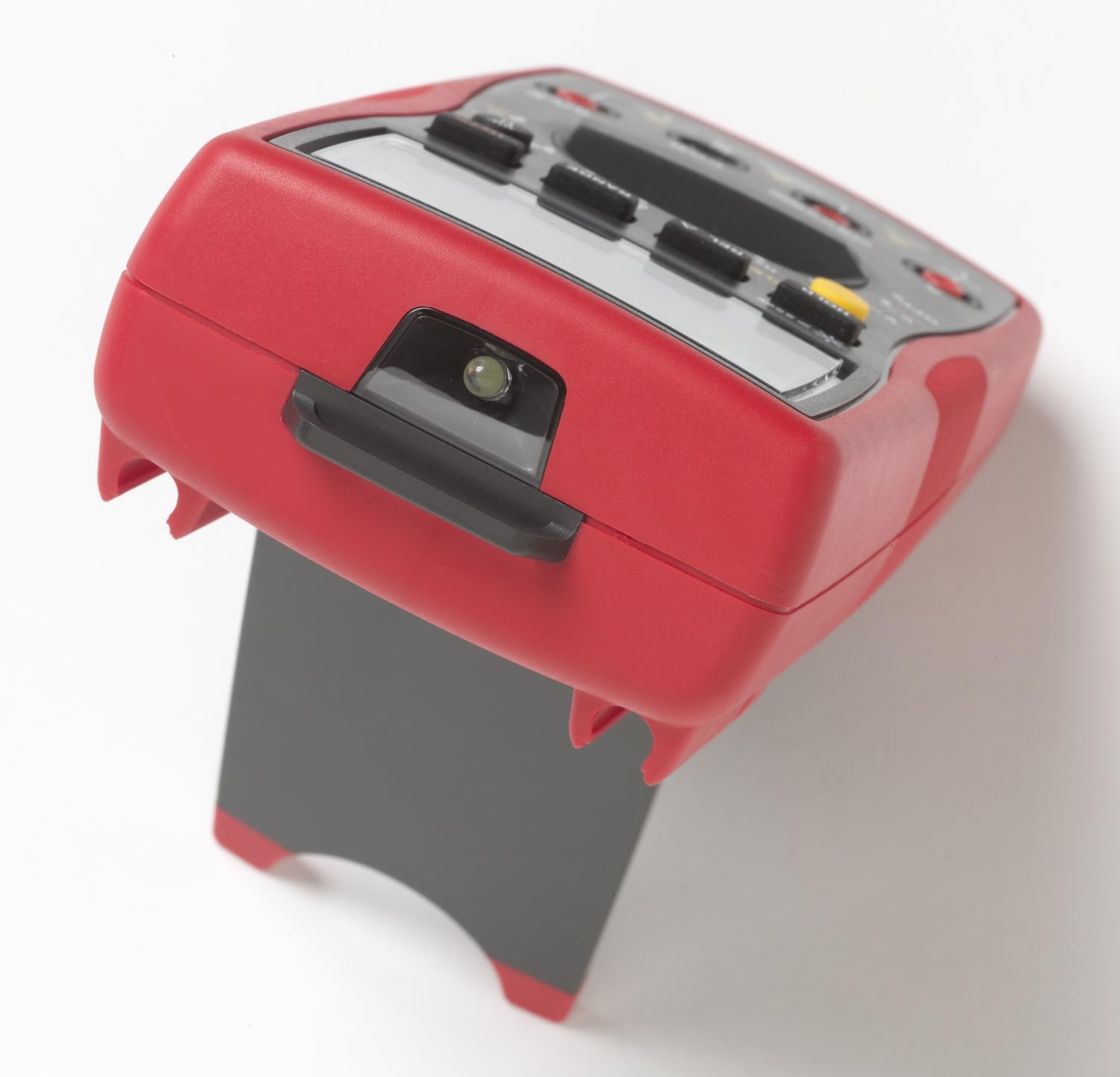
Obraz 5.1: Amprobe AM-570 Digital Multimeter shown with its integrated kickstand extended, allowing for hands-free vieww trakcie działania.
6. Instrukcja obsługi
The AM-570 features a rotary dial for selecting primary measurement functions and push buttons for secondary functions and settings.
6.1 Wybór funkcji
Turn the rotary dial to the desired measurement function. Use the WYBIERAĆ button to toggle between primary and secondary functions within a single dial position (e.g., AC/DC voltagnp. rezystancja/ciągłość/dioda).
6.2 Funkcje pomiarowe
- Tomtage (V~ / V--): Select the V~ (AC) or V-- (DC) position. Connect test leads in parallel with the circuit.
- Current (10A / mAµA): Select the 10A or mAµA position. Connect the meter in series with the circuit. Ensure correct terminal connection.
- Odporność (Ω): Select the Ω position. Ensure power is off and capacitors are discharged. Connect test leads across the component.
- Continuity ())): Select the Ω position and press WYBIERAĆ until the continuity symbol appears. A continuous beep indicates continuity.
- Diode Test (→|): Select the Ω position and press WYBIERAĆ until the diode symbol appears. Connect leads across the diode.
- Pojemność (F): Select the F position. Ensure power is off and capacitors are discharged. Connect leads across the capacitor.
- Frequency (Hz) / Duty Cycle (%): Select the Hz% position. Connect leads to the signal source. Press WYBIERAĆ to toggle between frequency and duty cycle.
- Temperatura (° C / ° F): Select the TEMP °C/°F position. Insert K-type thermocouple probes into the T1 and T2 inputs. Press WYBIERAĆ to toggle between Celsius and Fahrenheit.
- Objętość bezkontaktowatage (NCV): Select the NCV position. Hold the top of the meter near a live conductor. The NCV indicator and audible alarm will activate if voltage zostało wykryte.
- Low Z Mode: Select the LoZ V~ position for AC voltage measurements with low impedance. This helps to eliminate ghost voltagt.j.
- Filtr dolnoprzepustowy: Activated automatically in certain AC voltage modes, this filter allows for accurate measurements on variable frequency drives.
6.3 Funkcje specjalne
- RANGE: Manually select the measurement range instead of auto-ranging.
- REL (Relative Mode): Measures the difference between a stored reference value and the current reading.
- MAKS./MIN.: Records the maximum and minimum values over a measurement period.
- TRZYMAĆ: Freezes the current display reading.
- PEAK (1ms): Captures fast transient peaks (positive and negative) with a 1ms response time.

Image 6.1: An electrician utilizing the Amprobe AM-570 Digital Multimeter to perform voltage measurements within an industrial electrical panel, demonstrating practical application.
7. Konserwacja
7.1 Czyszczenie
Wytrzyj licznik reklamąamp Ściereczką i łagodnym detergentem. Nie używaj środków ściernych ani rozpuszczalników. Przed użyciem upewnij się, że miernik jest suchy.
7.2 Wymiana baterii
Refer to Section 5.1 for detailed instructions on replacing the 9V battery. Replace the battery promptly when the low battery indicator appears on the display.
7.3 Wymiana bezpiecznika
If the current measurement functions cease to operate, the internal fuses may need replacement. Fuse replacement should only be performed by qualified personnel. Refer to the full service manual for fuse specifications and replacement procedures. Always use fuses with the specified voltage i aktualne oceny.
7.4 Przechowywanie
When not in use for extended periods, remove the battery to prevent leakage. Store the meter in a cool, dry environment, preferably in its carrying case.
8. Rozwiązywanie Problemów
| Problem | Możliwa przyczyna | Rozwiązanie |
|---|---|---|
| Miernik się nie włącza | Wyczerpana lub nieprawidłowo zainstalowana bateria | Check battery polarity; replace battery (see Section 5.1). |
| Brak odczytu lub wyświetlenie komunikatu „OL” (przeciążenie) | Incorrect function selected; open circuit; measurement range exceeded | Verify function switch position; check circuit continuity; select a higher range or auto-range. |
| Niedokładne odczyty | Low battery; dirty test leads/terminals; external interference | Replace battery; clean leads and terminals; move away from strong electromagnetic fields. |
| Pomiar prądu nie działa | Przepalony bezpiecznik | Replace fuse (see Section 7.3). |
| NCV function inconsistent | Environmental factors; sensor position | Ensure direct proximity to live conductor; NCV is for indication only, use test leads for precise voltagweryfikacja. |
9. Specyfikacje
| Parametr | Szczegół |
|---|---|
| Model | AM-570 |
| Producent | Ampszata |
| Możliwości pomiarowe | AC/DC Objętośćtage, AC/DC Current, Resistance, Frequency, Capacitance, Temperature, Duty Cycle |
| Ocena bezpieczeństwa | KAT IV 600 V / KAT III 1000 V |
| Prawdziwa wartość skuteczna | Tak |
| Low Z Mode | Tak |
| Filtr dolnoprzepustowy | Tak |
| Źródło zasilania | Bateria 9V |
| Wymiary produktu | 4 x 10 x 2 cala (10.16 x 25.4 x 5.08 cm) |
| Waga przedmiotu | 13.05 uncji (370 grama) |
| Kolor | Black with Red overmolding |
10. Gwarancja i wsparcie
Amprobe products are designed for reliability and performance. This product is covered by a manufacturer's warranty against defects in materials and workmanship. For specific warranty terms and conditions, please refer to the warranty card included with your product or visit the official Ampszata webstrona.
For technical support, service, or replacement parts, please contact Amprobe customer service. Contact information can typically be found on the Ampszata webmiejscu lub w opakowaniu produktu.