
1. Wprowadzenie
This manual provides essential information for the safe and effective installation, operation, and maintenance of the Gewiss GW10002 1-module 1-pole 16A illuminated switch. Please read these instructions carefully before proceeding with installation or use, and retain them for future reference.
The Gewiss GW10002 is designed for controlling electrical circuits, featuring a single pole and a 16A current rating, with an integrated illumination for status indication. It is suitable for various domestic and industrial applications.
2. Informacje dotyczące bezpieczeństwa
WARNING: Electrical installation should only be performed by a qualified electrician. Failure to follow these safety guidelines may result in electric shock, fire, or serious injury.
- Always disconnect the main power supply at the circuit breaker or fuse box before attempting any installation, wiring, or maintenance.
- Sprawdź, czy zasilanie jest wyłączone, używając regulatora głośnościtagtester przed dotknięciem jakichkolwiek przewodów.
- Ensure that the product's voltage and current ratings (16A) are compatible with your electrical system.
- Nie instalować w mokrych lub damp lokalizacji, chyba że produkt jest specjalnie przeznaczony do stosowania w takich środowiskach.
- Upewnij się, że wszystkie połączenia przewodów są solidne i właściwie zaizolowane.
- Nie wolno modyfikować produktu w żaden sposób.
3. Konfiguracja i instalacja
The Gewiss GW10002 switch is designed for flush mounting in standard electrical boxes or enclosures.
- Odłącz zasilanie: Turn off the main power supply to the circuit where the switch will be installed.
- Przygotuj okablowanie: Carefully strip approximately 10-12mm of insulation from the ends of the live (L), neutral (N), and load wires.
- Podłącz przewody: Connect the wires to the appropriate terminals on the back of the GW10002 switch. Typically, the live wire connects to the input terminal, and the load wire connects to the output terminal. If the switch has an illuminated indicator, a neutral connection may also be required for the indicator light to function. Refer to the wiring diagram on the product if available.
- Przełącznik montażowy: Carefully place the switch into the electrical box or enclosure. Secure it using the provided screws, ensuring it is flush with the wall surface.
- Przywróć zasilanie: Once the switch is securely mounted and all connections are verified, restore power to the circuit.
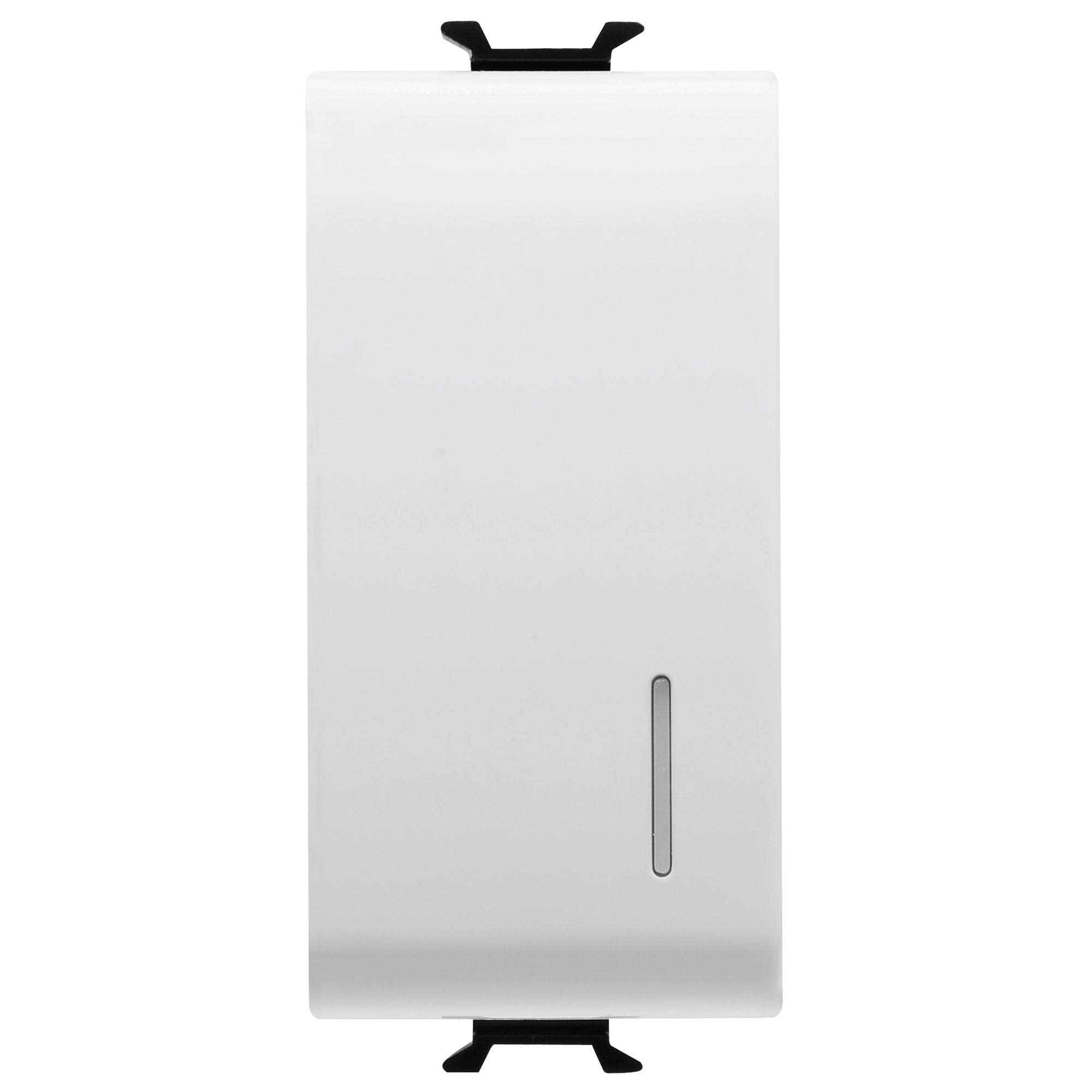
Rycina 1: Przód view of the Gewiss GW10002 1-module 1-pole 16A illuminated switch.
4. Instrukcja obsługi
The Gewiss GW10002 switch operates with a simple push mechanism:
- Włączyć: Press the switch button. The connected appliance or light will receive power, and the integrated illumination will light up (if wired correctly).
- Wyłączyć: Press the switch button again. The power to the connected appliance or light will be cut, and the illumination will turn off.
5. Konserwacja
The Gewiss GW10002 switch requires minimal maintenance to ensure long-term performance.
- Czyszczenie: Disconnect power before cleaning. Use a soft, dry cloth to wipe the surface of the switch. Do not use abrasive cleaners, solvents, or excessive moisture, as these can damage the plastic material or internal components.
- Kontrola: Periodically inspect the switch for any signs of damage, loose connections, or discoloration. If any issues are observed, disconnect power and consult a qualified electrician for inspection and repair or replacement.
6. Rozwiązywanie Problemów
If you encounter issues with your Gewiss GW10002 switch, refer to the following table:
| Problem | Możliwa przyczyna | Rozwiązanie |
|---|---|---|
| Switch does not turn ON/OFF power. | Brak zasilania obwodu; Luźne połączenie przewodów; Wadliwy przełącznik. | Check main circuit breaker/fuse. Verify all wiring connections are secure (with power off). Replace switch if faulty. |
| Illumination does not light up. | No neutral connection for the indicator; Faulty indicator light; No power to the circuit. | Ensure neutral wire is connected if required. Check power supply. Replace switch if indicator is faulty. |
| Przełącznik wydaje się luźny w ścianie. | Śruby montażowe są poluzowane. | Tighten mounting screws (with power off). |
7. Specyfikacje techniczne
| Funkcja | Specyfikacja |
|---|---|
| Producent | Gewiss |
| Numer modelu | GW10002 |
| Wymiary produktu (dł. x szer. x wys.) | Wymiary 4.5 x 2.01 x 3 cm |
| Waga | 40 gramów |
| Tworzywo | Plastikowy |
| Liczba słupów | 1 |
| Prąd znamionowy | 16A |
| Rozmiar modułu | 1 moduł |
| Kolor | Biały |
| Wymagane baterie | NIE |
| Baterie w zestawie | NIE |
8. Gwarancja i wsparcie
Specific warranty information for the Gewiss GW10002 is not available in the provided product data. For warranty details, technical support, or spare parts availability, please contact Gewiss directly or refer to their official website. Always ensure you have your product model number (GW10002) when contacting support.