
Wstęp
Thank you for choosing the Tele System TS6512HD Digital Terrestrial Receiver. This device allows you to receive digital terrestrial television broadcasts and offers additional features such as multimedia playback via USB and recording capabilities. This manual provides essential information for the safe and efficient use of your receiver, including setup, operation, maintenance, and troubleshooting.
Ważne informacje dotyczące bezpieczeństwa
- Zasilanie: Używaj wyłącznie określonego zasilacza. Upewnij się, że napięcietage pasuje do lokalnego źródła zasilania.
- Wentylacja: Do not block ventilation openings. Place the receiver on a stable, flat surface with adequate space around it for proper airflow.
- Woda i wilgoć: Do not expose the receiver to rain, moisture, or liquids. Do not place objects filled with liquids, such as vases, on the receiver.
- Źródła ciepła: Keep the receiver away from heat sources such as radiators, heat registers, stoves, or other heat-producing appliances.
- Czyszczenie: Unplug the receiver from the power outlet before cleaning. Use a soft, dry cloth. Do not use liquid or aerosol cleaners.
- Serwisowanie: Nie próbuj samodzielnie naprawiać tego produktu. Wszelkie czynności serwisowe należy powierzyć wykwalifikowanemu personelowi serwisowemu.
- Błyskawica: Unplug the receiver during lightning storms or when unused for long periods.
Zawartość opakowania
Proszę zaznaczyć pole dotyczące następujących elementów:
- Tele System TS6512HD Digital Terrestrial Receiver
- Zdalne sterowanie
- Zasilacz
- Instrukcja obsługi (ten dokument)
Przewodnik po konfiguracji
1. Podłączenie odbiornika
- Połącz z telewizorem:
- For optimal picture quality, connect an HDMI cable (not included) from the receiver's HDMI OUT port to an available HDMI IN port on your television.
- Alternatively, if your TV does not have an HDMI port, connect a SCART cable (not included) from the receiver's SCART port to the SCART IN port on your television.
- Podłącz antenę: Connect your terrestrial antenna cable to the ANT IN port on the back of the receiver.
- Podłącz zasilanie: Podłącz zasilacz do portu DC IN w odbiorniku, a następnie podłącz zasilacz do gniazdka ściennego.
- Włóż baterie: Open the battery compartment on the remote control and insert two AAA batteries (not included), observing the correct polarity.
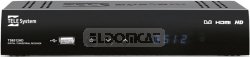
Rycina 1: Przód view of the Tele System TS6512HD receiver, showing its compact design and essential indicators.
2. Pierwsza instalacja
- Turn on your TV and select the correct input source (HDMI or SCART) corresponding to where you connected the receiver.
- Power on the Tele System TS6512HD receiver.
- Na ekranie telewizora powinien pojawić się kreator pierwszej instalacji. Postępuj zgodnie z instrukcjami wyświetlanymi na ekranie, aby wybrać język i kraj oraz rozpocząć automatyczne skanowanie kanałów.
- Once the scan is complete, the receiver will save the found channels, and you can begin watching TV.
Instrukcja obsługi
Podstawowe funkcje pilota zdalnego sterowania
- MOC: Turns the receiver on or off (standby mode).
- CO +/-: Zmienia kanały w górę lub w dół.
- GŁOŚNOŚĆ +/-: Dostosowuje poziom głośności.
- NIEMY: Wycisza lub wyłącza wyciszenie dźwięku.
- MENU: Dostęp do menu głównego w celu uzyskania dostępu do ustawień i funkcji.
- WYJŚCIE: Wychodzi z bieżącego menu lub wyświetlacza ekranowego.
- OK: Potwierdza wybory w menu.
- Klawisze strzałek (góra/dół/lewo/prawo): Nawigacja po menu i opcjach.
- INFORMACJE: Wyświetla aktualne informacje o kanale.
- EPG: Dostęp do elektronicznego przewodnika po programach.
Nawigacja po kanałach
Użyj CH +/- buttons to browse channels sequentially. To directly enter a channel number, use the numeric keypad on the remote control.
Korzystanie z menu głównego
Naciśnij MENU button to access the receiver's main menu. Here you can configure various settings, including:
- Wyszukiwanie kanałów: Rescan for channels or perform a manual search.
- Ustawienia systemowe: Adjust language, time, parental control, and other system preferences.
- Ustawienia obrazu: Configure aspect ratio, resolution, and other display options.
- Ustawienia audio: Adjust audio output preferences.
- USB: Access multimedia files from a connected USB device or manage recordings.
Recording TV Programs (PVR Function)
The TS6512HD receiver supports recording of TV programs to an external USB storage device (e.g., USB flash drive or external hard drive, not included). Ensure your USB device is formatted correctly (FAT32 or NTFS) and has sufficient free space.
- Connect a compatible USB storage device to the USB port on the receiver.
- To record instantly, press the REK button on the remote control while watching a program. Press ZATRZYMYWAĆ SIĘ aby zakończyć nagrywanie.
- To schedule a recording, use the EPG (Electronic Program Guide) to select a program and follow the on-screen prompts to set a timer recording. Alternatively, access the Timer settings via the main menu.
- Recorded programs can be accessed and played back through the "USB" section in the main menu.
Multimedia Playback via USB
The receiver can play various multimedia files (video, audio, photos) from a connected USB storage device.
- Connect a USB storage device containing your multimedia files do portu USB.
- Naciśnij MENU button, navigate to the "USB" section, and select "Multimedia" or "Player".
- Przeglądaj swoje files i naciśnij OK grać.
- Note: The receiver supports specific file formats (e.g., H.264, MPEG2, MPEG4 for video; AAC+, LC-AAC for audio). Compatibility with all file types is not guaranteed.
Konserwacja
Czyszczenie
To clean the receiver, first unplug it from the power outlet. Use a soft, dry, lint-free cloth to wipe the exterior surfaces. Do not use liquid cleaners, abrasive pads, or chemical solvents, as these can damage the finish or internal components.
Aktualizacje oprogramowania
Periodically, Tele System may release software updates to improve performance or add new features. Check the manufacturer's website for available updates and instructions on how to install them via USB.
Rozwiązywanie problemów
| Problem | Możliwa przyczyna | Rozwiązanie |
|---|---|---|
| No power / Receiver does not turn on. | Power cable not connected properly; Power outlet not working; Faulty power adapter. | Check power cable connection. Try a different power outlet. Ensure the power adapter is working. |
| Brak obrazu i dźwięku. | Incorrect TV input selected; HDMI/SCART cable loose or faulty; Antenna not connected or signal too weak. | Select the correct TV input source. Check HDMI/SCART cable connections. Ensure antenna is connected and try rescanning channels. |
| Pilot nie działa. | Batteries are dead or inserted incorrectly; Obstruction between remote and receiver; Remote sensor blocked. | Replace batteries, ensuring correct polarity. Remove any obstructions. Ensure the remote sensor on the receiver is clear. |
| Poor picture quality / Pixelation. | Weak antenna signal; Antenna alignment issue; Interference. | Check antenna connection and alignment. Consider using a signal amplifier, jeśli sygnał jest stale słaby. |
| Nie można nagrywać na urządzenie USB. | USB device not connected; USB device not formatted correctly; Insufficient storage space; USB device incompatible. | Ensure USB device is connected. Format the USB device to FAT32 or NTFS. Check available space. Try a different USB device. |
Dane techniczne
| Nazwa modelu | TS6512HD |
| Numer modelu | 21005197 |
| Marka | Tele System |
| Typ tunera | Terrestrial, DVB |
| Rozdzielczość wideo | 1920 x 810 pikseli |
| Kodeki wideo | H.264, MPEG2, MPEG4 |
| Kodeki audio | AAC+, LC-AAC |
| Łączna liczba portów USB | 1 |
| Wszystkie porty HDMI | 1 |
| Kompatybilne urządzenia | Telewizja |
| Kolor | Czarny |
| Wymiary (pakiet) | Wymiary 24 x 23.4 x 5.2 cm |
| Waga (opakowanie) | 421.84 gramów |
| GTIN (EAN/UPC) | 08024427014350 |
Gwarancja i wsparcie
The Tele System TS6512HD receiver comes with a standard manufacturer's warranty. For specific warranty terms and conditions, please refer to the warranty card included with your product or visit the official Tele System website. For technical support, troubleshooting assistance beyond this manual, or service inquiries, please contact Tele System customer support through their official channels.