
1. Ważne informacje dotyczące bezpieczeństwa
Please read this entire manual before assembling or operating the Zipro Holo 2 Exercise Bike. Keep this manual for future reference. Failure to follow these instructions can result in serious injury or damage to the equipment.
- Maksymalna waga użytkownika: This exercise bike is designed for users weighing up to 130 kg (approximately 286 lbs). Do not exceed this weight limit.
- Zagadnienia zdrowotne: Consult your physician before starting any new exercise program, especially if you have pre-existing health conditions. Stop exercising immediately if you feel faint, dizzy, or experience pain.
- Prawidłowe rozmieszczenie: Place the exercise bike on a stable, level surface. Ensure adequate clearance (at least 0.6 meters or 2 feet) around the equipment for safe operation and movement.
- Dzieci i zwierzęta: Trzymaj dzieci i zwierzęta domowe z dala od urządzenia podczas jego działania. Urządzenie nie jest zabawką.
- Kontrola: Before each use, inspect the bike for loose parts, wear, or damage. Do not use the equipment if it is damaged.
- Odzież: Noś odpowiednią odzież sportową i obuwie. Unikaj luźnych ubrań, które mogłyby zostać wciągnięte przez ruchome części.
- Dostosowania: Ensure all adjustment knobs and levers are securely tightened before use.
2. Koniec produktuview
The Zipro Holo 2 is a robust indoor exercise bike designed for effective home training. It features a sturdy steel frame, adjustable components, and a mechanical resistance system to simulate real cycling conditions.

Image 2.1: The Zipro Holo 2 Exercise Bike, showcasing jego ogólnej konstrukcji i komponentów.
Główne cechy:
- Multifunction LCD Computer: Displays essential training data including time, distance, calories burned, and heart rate.
- Solidna stalowa rama: Ensures stability and durability during intense workouts.
- Adjustable Saddle and Handlebars: Allows for vertical and horizontal adjustments to achieve an ergonomic and comfortable riding position for various user heights.
- Heavy Steel Flywheel with Chain Drive: Provides a smooth and realistic cycling motion.
- Non-slip Pedals with Adjustable Straps: Securely holds footwear, ensuring stability even during dynamic riding.
- Fixed Wheel Drive: Engages muscles continuously for maximum training effectiveness.
3. Montaż i konfiguracja
Before assembly, ensure all parts are present and undamaged. Refer to the included hardware pack and assembly diagram for detailed steps. It is recommended to have two people for assembly.
3.1. Rozpakowanie i identyfikacja komponentów
Carefully remove all components from the packaging. Lay them out on a clean, flat surface. Verify all parts against the parts list provided in the separate assembly guide.
3.2. Stabilizer Installation
Przymocuj przednie i tylne stabilizatory do ramy głównej za pomocą dołączonych śrub i podkładek. Upewnij się, że są dobrze dokręcone, aby zapewnić stabilną podstawę dla roweru.

Image 3.1: Close-up of the bike's base, showing the transport wheels and adjustable feet for leveling.
3.3. Saddle and Handlebar Adjustment
The saddle and handlebars can be adjusted vertically and horizontally to fit your body. Loosen the adjustment knobs, position the saddle/handlebars to your desired height and distance, and then securely tighten the knobs.

Image 3.2: Detail of the adjustable saddle post, allowing for vertical and horizontal positioning.

Image 3.3: Diagram illustrating the dimensions of the Zipro Holo 2 Exercise Bike (125 cm L x 64 cm W x 126 cm H).
4. Instrukcja obsługi
4.1. Rozpoczęcie pracy
- Ensure the bike is on a stable surface and all adjustments are secure.
- Step onto the bike, placing your feet firmly in the pedal cages. Adjust the straps for a snug fit.
- Rozpocznij pedałowanie w komfortowym tempie.

Image 4.1: Close-up of the non-slip pedals with adjustable straps, designed to secure your feet during exercise.
4.2. Regulacja oporu
The Zipro Holo 2 features a mechanical resistance system. To adjust the resistance level:
- Locate the resistance knob, typically positioned on the frame below the handlebars.
- Obróć pokrętło zgodnie z ruchem wskazówek zegara, aby zwiększyć opór, co utrudni pedałowanie.
- Obróć pokrętło w kierunku przeciwnym do ruchu wskazówek zegara, aby zmniejszyć opór, dzięki czemu pedałowanie stanie się łatwiejsze.
- For emergency stops, press down firmly on the resistance knob.
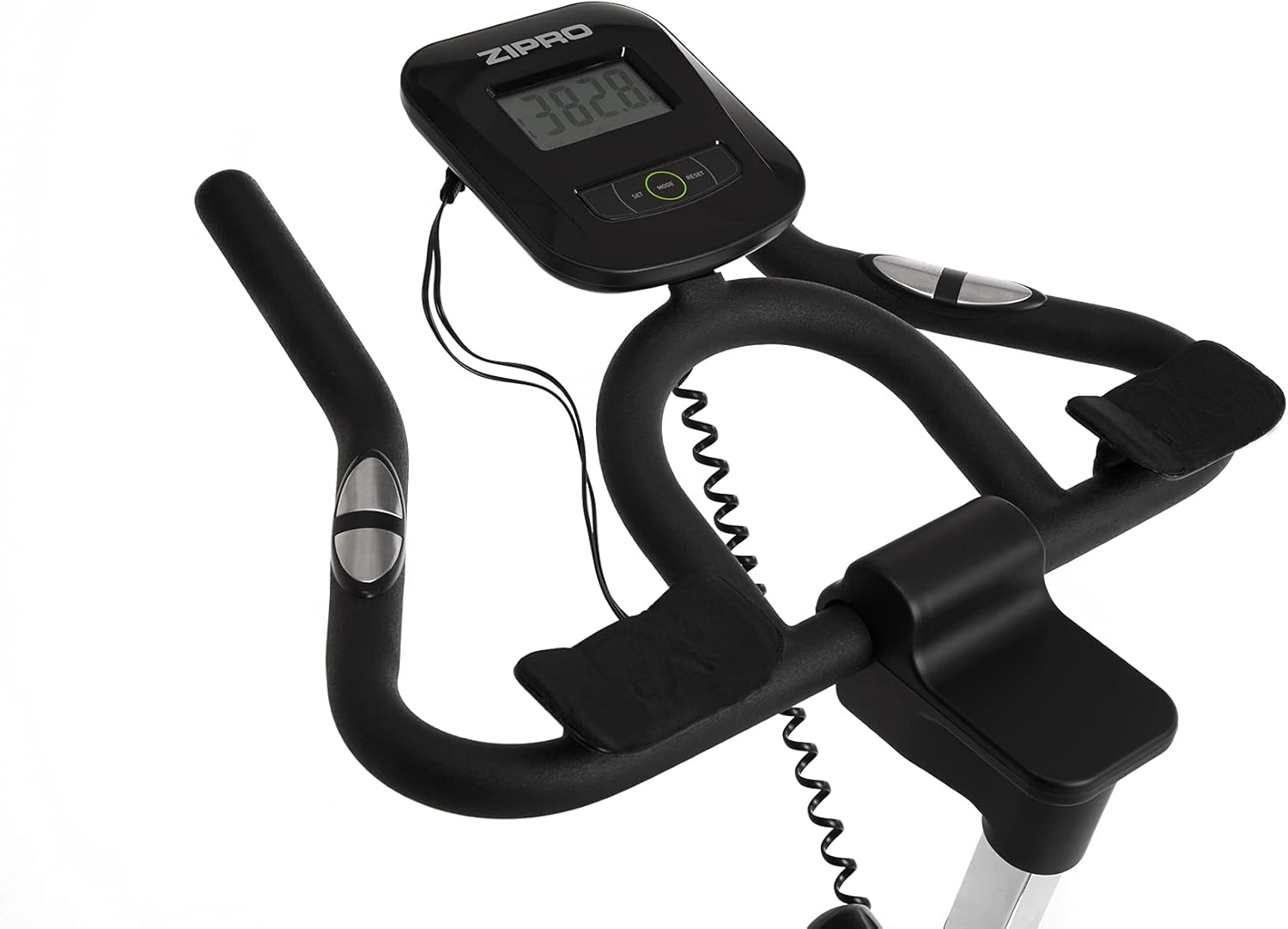
Image 4.2: Detail of the resistance adjustment knob, allowing for precise control over workout intensity.
4.3. Using the Multifunction Computer
The integrated LCD computer displays your workout data. Connect the pulse sensors (if applicable) for heart rate monitoring.
- Tryby wyświetlania: The computer cycles through various metrics such as Time, Distance, Calories, Speed, and Pulse.
- Uruchom/zatrzymaj: The computer automatically starts when you begin pedaling and pauses when you stop.
- Reset: Press and hold the 'MODE' or 'RESET' button (refer to the computer's specific buttons) to clear all data.
- Pomiar pulsu: Chwyć czujniki tętna na kierownicy, aby wyświetlić tętno. Upewnij się, że obie dłonie mocno trzymają czujniki, aby uzyskać dokładny odczyt.

Image 4.3: Close-up of the multifunction LCD computer and handlebars with integrated pulse sensors.
4.4. Water Bottle Holder
A convenient water bottle holder is integrated into the frame to keep you hydrated during your workout.

Image 4.4: Detail of the water bottle holder mounted on the bike frame.
5. Konserwacja
Regular maintenance ensures the longevity and safe operation of your Zipro Holo 2 Exercise Bike.
- Czyszczenie: Wytrzyj rower reklamąamp Po każdym użyciu przetrzyj szmatką pot i kurz. Unikaj środków czyszczących o działaniu ściernym i rozpuszczalników.
- Smarowanie: Periodically check the chain drive for proper lubrication. Apply a suitable lubricant if necessary, following the manufacturer's recommendations for bicycle chains.
- Bolt and Nut Check: Regularly inspect all bolts, nuts, and connections to ensure they are tight. Tighten any loose fasteners.
- Zużycie: Check for signs of wear on moving parts, such as pedals, straps, and the saddle. Replace worn components as needed.
- Składowanie: Przechowuj rower w suchym i chłodnym miejscu, z dala od bezpośredniego światła słonecznego i ekstremalnych temperatur.
6. Rozwiązywanie Problemów
If you encounter issues with your Zipro Holo 2 Exercise Bike, refer to the following common troubleshooting steps:
| Problem | Możliwa przyczyna | Rozwiązanie |
|---|---|---|
| Computer display is blank or erratic. | Niski poziom baterii lub jej rozładowanie; luźne połączenie. | Replace batteries (AA or AAA, typically). Check all cable connections to the computer. |
| Opór wydaje się niespójny lub zbyt luźny/napięty. | Resistance mechanism issue; knob not properly adjusted. | Ensure the resistance knob is fully functional and not stripped. Inspect the mechanical resistance pads for wear. |
| Nietypowe dźwięki (piszczenie, zgrzytanie). | Loose parts; lack of lubrication; worn components. | Check all bolts and nuts for tightness. Lubricate the chain drive if dry. Inspect pedals and flywheel for any obstructions or wear. |
| Saddle or handlebars slip during use. | Adjustment knobs not tightened sufficiently. | Ensure all adjustment knobs for the saddle and handlebars are tightened firmly. |
7. Specyfikacje
| Funkcja | Specyfikacja |
|---|---|
| Model | Holo 2 |
| Marka | ZIPRO |
| Numer modelu | 5944594 |
| Wymiary (dł. x szer. x wys.) | Wymiary: 125 cm x 64 cm x 126 cm |
| Waga przedmiotu | 42.5 kg (42500 gramów) |
| Maksymalna waga użytkownika | 130 kg (130000 gramów) |
| Układ napędowy | Łańcuch |
| Mechanizm oporu | Mechaniczny |
| Źródło zasilania | Battery Powered (for computer) |
| Materiał główny | Plastic (components), Steel (frame) |
| Kolor | Czarny zielony |
8. Gwarancja i wsparcie
For specific warranty details, please refer to the documentation included with your purchase or contact the retailer. General return policy for this product is typically 30 days from the date of purchase.
For technical support, spare parts, or further assistance, please contact ZIPRO customer service through their official webwitrynę lub sprzedawcę, u którego zakupiono produkt.