
1. Koniec produktuview
The AmScope LED-96S is an intensity-adjustable 96-LED ring light designed to provide cool, even, intense, and shadow-free illumination for single zoom microscopes. It features variable intensity control and is compatible with power supplies ranging from 110V to 240V.
Zawartość opakowania:
- One (1) 96-LED Ring Light
- One (1) Control Box
- Jeden (1) kabel zasilający
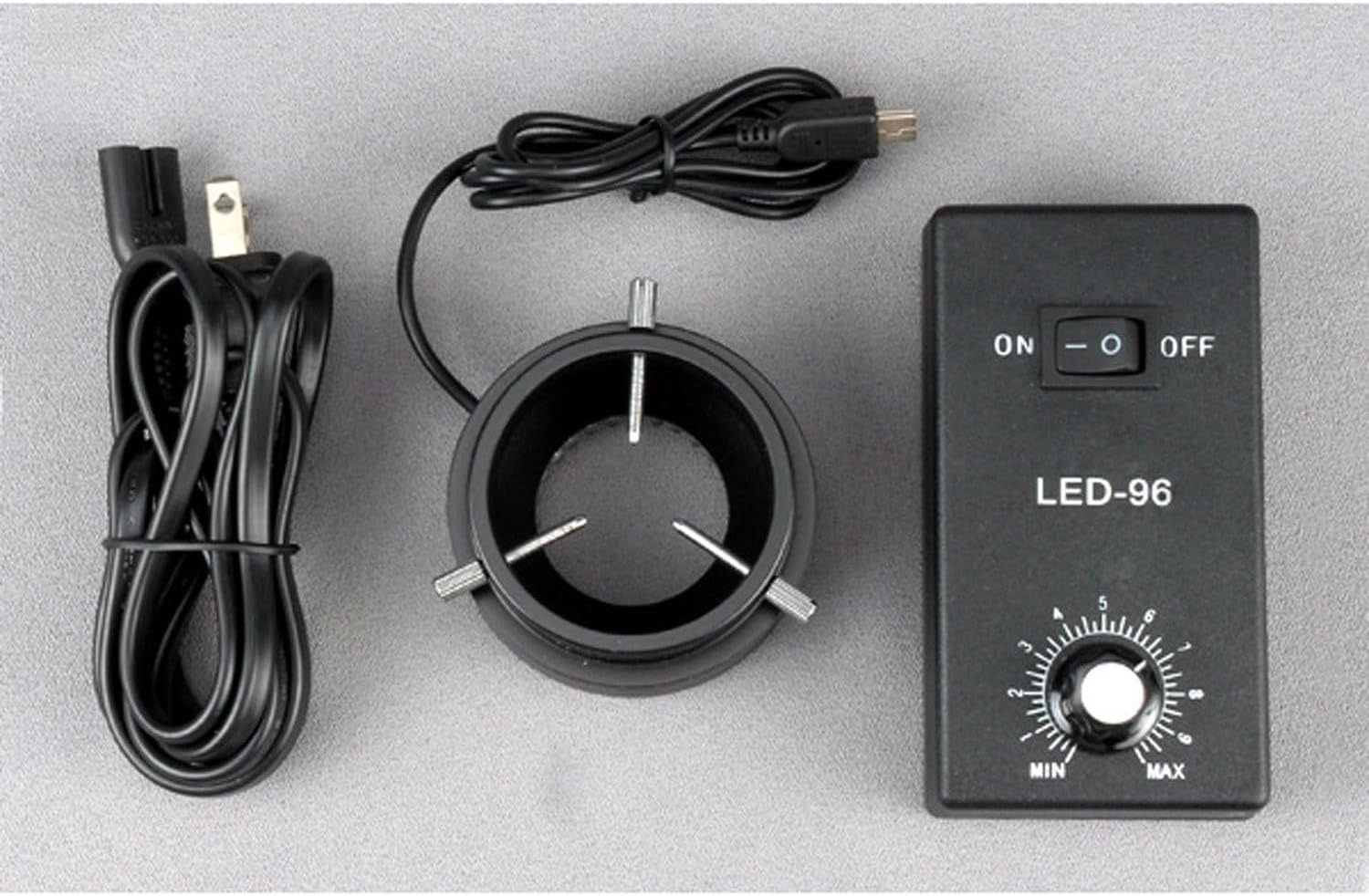
Figure 1: Included components of the AmScope LED-96S 96 LED Ring Light kit.
2. Instrukcje konfiguracji
- Attach the Ring Light to the Control Box: Connect the cable from the 96-LED ring light to the designated port on the control box. Ensure the connection is secure.
- Montaż pierścienia świetlnego: The ring light is designed to mount onto microscope objectives or bodies with a diameter up to 2 inches (52mm). Carefully slide the ring light onto the microscope's objective housing until it is firmly in place. The inside diameter of the ring light is 1-7/16 inches (36mm).
- Podłącz zasilanie: Plug the provided power cable into the control box, then connect the other end to a standard electrical outlet (110-240V, 50-60Hz).

Figure 2: The 96-LED ring light connected to the control box.

Figure 3: The LED ring light installed on a microscope.
3. Instrukcja obsługi
- Włączanie: Locate the ON/OFF switch on the control box. Flip the switch to the "ON" position to power on the ring light. The LEDs will illuminate.
- Dostosuj intensywność: Use the rotary dial labeled "MIN" to "MAX" on the control box to adjust the brightness of the LED illumination. Turn the dial clockwise to increase intensity and counter-clockwise to decrease it.
- Wyłączone: When finished, flip the ON/OFF switch to the "OFF" position.
The 96 bright white LED bulbs provide intense and focused shadow-free illumination, enhancing visibility for microscope observations.
4. Konserwacja
- Czyszczenie: Ensure the device is powered off and unplugged before cleaning. Use a soft, dry cloth to wipe the exterior of the ring light and control box. Do not use liquid cleaners or solvents, as they may damage the components.
- Składowanie: Store the ring light and control box in a clean, dry environment when not in use. Avoid extreme temperatures and humidity.
- Trwałość diody LED: The LED bulbs have an estimated life of 100,000 hours, requiring minimal replacement under normal operating conditions.
5. Rozwiązywanie Problemów
| Problem | Możliwa przyczyna | Rozwiązanie |
|---|---|---|
| Lampa pierścieniowa nie włącza się. |
|
|
| Intensywności światła nie można regulować. |
|
|
| Światło jest słabe lub migocze. |
|
|
6. Specyfikacje
| Numer modelu | LED-96S |
| Ilość diod LED | 96 bright white LED bulbs |
| Długość życia LED | 100,000 godziny |
| Typ oświetlenia | Intense, focused, shadow-free |
| Kontrola intensywności | Zmienny |
| Rozmiar montażowy | Up to 2 inches (52mm) in diameter |
| Średnica wewnętrzna | 1-7/16 cala (36 mm) |
| Średnica zewnętrzna | 3 cala (78 mm) |
| Moc wejściowa | 110-240V, 50-60Hz (auto switching) |
| Wymiary produktu | 10 x 5.2 x 2.1 cala |
| Waga przedmiotu | 14.4 uncji |
7. Informacje o gwarancji
The AmScope LED-96S 96 LED Ring Light comes with a roczna gwarancja against manufacturing defects. Please retain your proof of purchase for warranty claims. For service under warranty, contact AmScope customer support.
8. Obsługa klienta
For further assistance, technical support, or warranty inquiries, please contact AmScope customer service. You can find more information and contact details by visiting the official AmScope store: