
Wstęp
This manual provides instructions for the setup, operation, and maintenance of your Emerson EM60 Large Display Talking Caller ID Box. Please read these instructions carefully before using the device to ensure proper functionality and longevity.
Zawartość opakowania
Sprawdź, czy w opakowaniu znajdują się wszystkie elementy:
- Emerson EM60 Talking Caller ID Box
- Zasilacz sieciowy
- Przewód telefoniczny
- Instrukcja obsługi (ten dokument)
Organizować coś
1. Podłączenie zasilania
Connect the supplied AC power adapter to the DC IN jack on the back of the EM60 unit and then plug the adapter into a standard electrical outlet. For battery backup, insert 4 AAA batteries (not included) into the battery compartment, observing correct polarity. The batteries provide power during outages, preserving caller ID memory.
2. Podłączenie linii telefonicznej
Connect one end of the telephone line cord to the LINE jack on the back of the EM60 unit. Connect the other end of the telephone line cord to your wall telephone jack. If you are connecting a telephone to the EM60, connect it to the PHONE jack on the back of the unit.
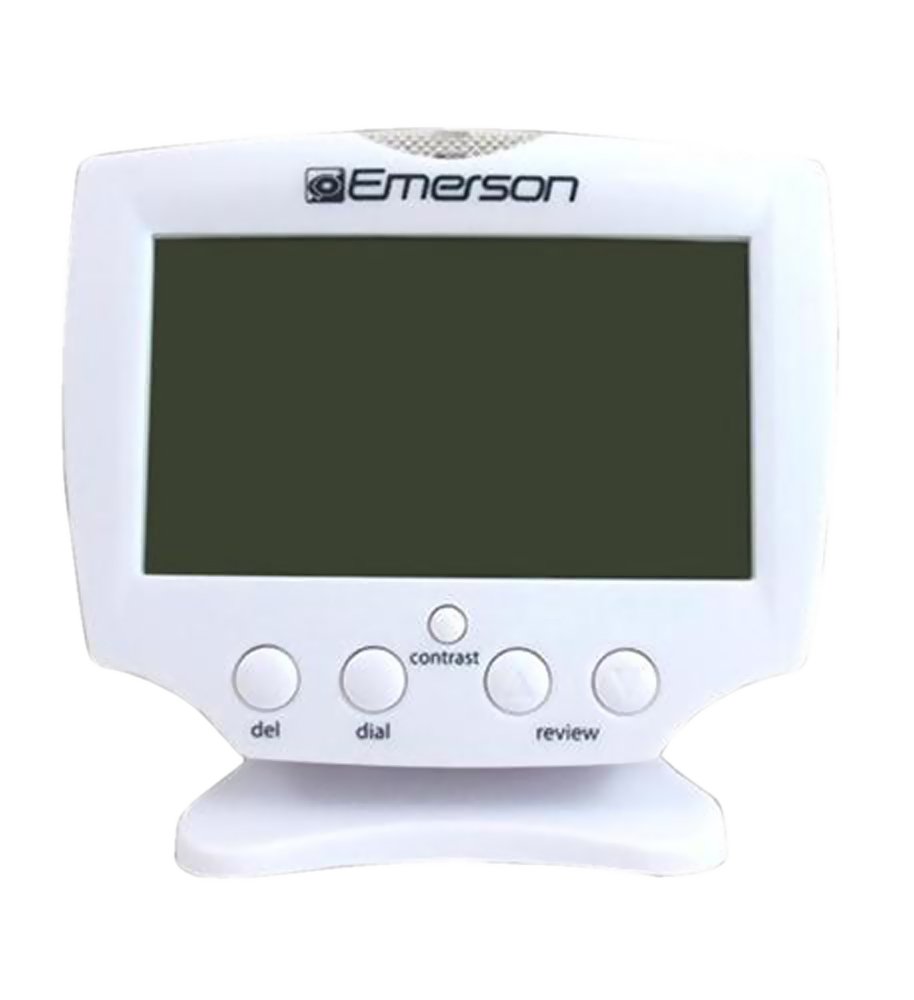
Figure 1: Emerson EM60 Talking Caller ID Box. This image displays the front of the device with its large, backlit display and control buttons.
Instrukcja obsługi
Wyświetlanie identyfikatora dzwoniącego
When an incoming call is received, the EM60 will display the caller's name and number on its large, backlit screen. The display will illuminate to enhance visibility.
Number Announce Feature
The Talking Caller ID feature audibly announces the incoming caller's number. This feature can be enabled or disabled via the unit's settings (refer to the on-screen menu for specific steps).
Memory Function (60 Numbers)
The EM60 stores up to 60 incoming caller ID records. Use the navigation buttons (typically UP I W DÓŁ arrows) to scroll through the stored call history. Press the VIEW or WYBIERAĆ przycisk do view details of a specific call record.
Ustawienie czasu i daty
The unit automatically sets the time and date upon receiving the first caller ID signal. Manual adjustment options are available through the menu settings if required.
Konserwacja
Czyszczenie
To clean the EM60, use a soft, dry cloth. Do not use liquid cleaners or aerosol sprays, as these may damage the unit. Ensure the device is unplugged from the power source before cleaning.
Wymiana baterii
If the display becomes dim or the memory function is inconsistent during power outages, replace the 4 AAA batteries in the battery compartment. Always replace all batteries at the same time with new ones of the same type.
Rozwiązywanie problemów
| Problem | Możliwa przyczyna | Rozwiązanie |
|---|---|---|
| Brak wyświetlacza lub wyświetlacz jest przyciemniony | Brak zasilania lub słabe baterie. | Ensure AC adapter is securely plugged in. Replace AAA batteries if installed. |
| No Caller ID information displayed | Caller ID service not activated or incorrect phone line connection. | Contact your telephone service provider to confirm Caller ID service is active. Check telephone line cord connection to the wall jack and EM60 unit. |
| Number Announce not working | Feature disabled or volume too low. | Check the unit's settings to ensure Number Announce is enabled. Adjust volume settings. |
| Nieprawidłowa godzina/data | First Caller ID signal not received or manual setting required. | Wait for an incoming call with Caller ID. If issue persists, manually set time/date via menu. |
Specyfikacje
- Model: EM60
- Marka: Emerson
- Typ telefonu: Sznurowy
- Źródło zasilania: Przewodowy zasilacz sieciowy (AC)
- Zapas baterii: 4 baterie AAA (brak w zestawie)
- Typ systemu zgłoszeniowego: Cyfrowy
- Zgodne urządzenia: PSTN, Standard Landline Networks
- Operacja wieloliniowa: Praca jednoliniowa
- Identyfikator dzwoniącego: Tak
- Pojemność pamięci: 60 liczby
- Wymiary przedmiotu: 17.3 x 9.7 x 10.2 centymetrów
- Waga przedmiotu: Około 0.9 funtów
- Producent: Emerson
- Kod UPC/GTIN: 803982995391, 680079560416, 777782631769, 069060016970
Gwarancja i wsparcie
Informacje dotyczące gwarancji produktu i obsługi klienta są zazwyczaj dołączone do opakowania produktu lub dostępne na oficjalnej stronie producenta. website. Please refer to the documentation included with your purchase or visit the Emerson webstrona zawierająca szczegółowe warunki gwarancji i dane kontaktowe pomocy technicznej.