
Wstęp
This manual provides essential information for the safe and efficient operation of your Brookstone iDesign Tower Stereo System. Please read this manual thoroughly before using the product and retain it for future reference.
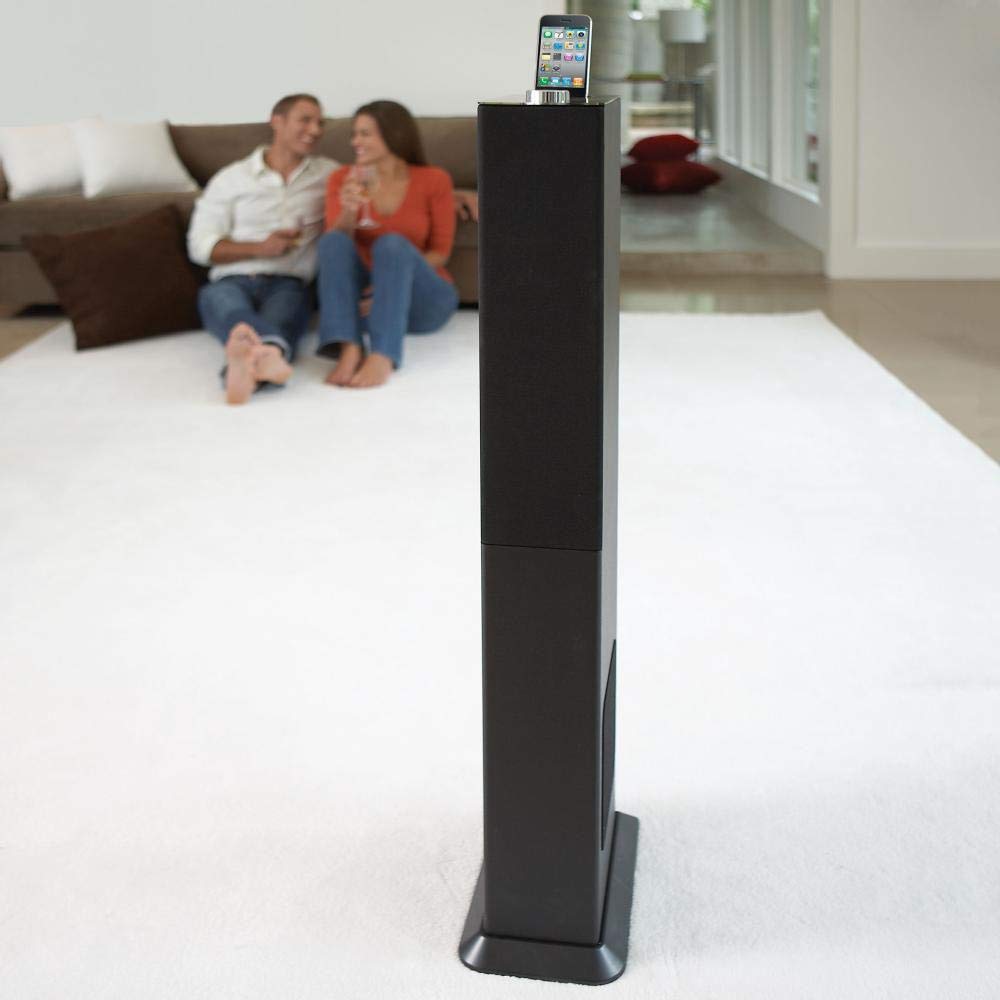
Image: The Brookstone iDesign Tower Stereo System, a tall, slender speaker unit designed for audio playback and device charging.
Informacje dotyczące bezpieczeństwa
- Źródło zasilania: Używaj wyłącznie określonego zasilacza. Upewnij się, że napięcietage pasuje do lokalnego źródła zasilania.
- Wentylacja: Nie zasłaniaj żadnych otworów wentylacyjnych. Montaż należy wykonać zgodnie z instrukcją producenta.
- Woda i wilgoć: Nie wystawiaj urządzenia na działanie deszczu ani wilgoci. Nie stawiaj na nim przedmiotów wypełnionych płynami, takich jak wazony.
- Ciepło: Nie należy instalować w pobliżu źródeł ciepła, takich jak grzejniki, kratki wentylacyjne, piece lub inne urządzenia (w tym amp(lifiers) wytwarzające ciepło.
- Czyszczenie: Czyścić wyłącznie suchą szmatką.
- Serwisowanie: Wszelkie czynności serwisowe należy powierzyć wykwalifikowanemu personelowi serwisowemu. Serwis jest wymagany, gdy urządzenie zostało w jakikolwiek sposób uszkodzone.
Zawartość opakowania
Sprawdź, czy w przesyłce znajdują się wszystkie elementy:
- iDesign Tower Stereo System
- Zdalne sterowanie
- Zasilacz
- Instrukcja obsługi (ten dokument)
- Note: iPod/iPhone devices are not included.
Produkt ponadview
The iDesign Tower Stereo System features a sleek design with integrated speakers and a docking station for compatible Apple devices. It includes a backlit on/volume knob and a remote control for convenient operation, delivering full, deep bass, crisp, clear highs, and warm middle tones.
Główne składniki:
- Maskownice głośników: Multi-angled speakers for room-filling sound.
- Port dokujący: For iPod and iPhone devices (1st and 2nd generation iPod touch, iPod classic, 4th and 5th generation iPod nano, iPhone 3GS, iPhone 3G, iPhone).
- On/Volume Knob: Backlit control for power and volume adjustment.
- Wejście pomocnicze: For connecting other audio devices (cable not included).
- Pobór mocy: Do podłączenia zasilacza.
- Czujnik zdalnego sterowania: Odbiera sygnały z pilota.
Organizować coś
1. Umieszczenie
Place the iDesign Tower Stereo System on a stable, flat surface. Ensure there is adequate space around the unit for proper ventilation. Avoid placing it in direct sunlight or near heat sources.
2. Podłączenie zasilania
- Connect the power adapter cable to the Power Input port on the back of the iDesign Tower Stereo System.
- Podłącz zasilacz do standardowego gniazdka ściennego.
3. Device Docking (iPod/iPhone)
The system is designed for specific iPod and iPhone models:
- iPod touch (1st and 2nd generation)
- iPod klasyczny
- iPod nano (4th and 5th generation)
- iPhone 3GS
- iPhone3G
- iPhone
Carefully align your compatible iPod or iPhone device with the docking port and gently push it down until it is securely seated. The device will begin charging automatically when docked and the system is powered on.
4. Wejście pomocnicze (opcjonalnie)
To connect other audio devices (e.g., MP3 players, CD players) that are not compatible with the docking port, use a 3.5mm audio cable (not included) to connect the device's headphone output to the Auxiliary Input port on the iDesign Tower Stereo System.
Instrukcja obsługi
1. Włączanie/wyłączanie zasilania
Press the On/Volume knob to turn the system on or off. The knob will illuminate when the system is powered on.
2. Regulacja głośności
Rotate the On/Volume knob clockwise to increase the volume and counter-clockwise to decrease it. You can also adjust the volume using the remote control.
3. Wybór źródła
The system automatically detects a docked iPod or iPhone. If an auxiliary device is connected, you may need to select the input source using the remote control (if available) or by cycling through inputs with a dedicated button (refer to remote control section for details).
4. Korzystanie z pilota zdalnego sterowania
The included remote control allows you to manage playback functions (play, pause, skip tracks) and volume for your docked iPod or iPhone from a distance. Point the remote control towards the sensor on the front of the tower system.
5. Urządzenia ładujące
When a compatible iPod or iPhone is docked and the system is powered on, the device will charge automatically.
Konserwacja
Czyszczenie
Wipe the exterior of the system with a soft, dry cloth. Do not use liquid cleaners or aerosol sprays, as these may damage the finish or internal components. Ensure the system is unplugged before cleaning.
Składowanie
Jeśli system będzie przechowywany przez dłuższy czas, należy odłączyć go od gniazdka zasilania i przechowywać w chłodnym, suchym miejscu, z dala od bezpośredniego światła słonecznego i ekstremalnych temperatur.
Rozwiązywanie problemów
| Problem | Możliwa przyczyna | Rozwiązanie |
|---|---|---|
| Brak zasilania | Zasilacz nie jest podłączony lub gniazdko nie działa. | Ensure power adapter is securely connected to the system and a working wall outlet. |
| Brak dźwięku z zadokowanego urządzenia | Device not properly docked; volume too low; device not playing. | Re-seat the device in the dock. Increase system volume and device volume. Ensure music is playing on the device. |
| Brak dźwięku z wejścia pomocniczego | Auxiliary cable not connected; incorrect source selected; volume too low. | Ensure auxiliary cable is securely connected. Select auxiliary input. Increase system and source device volume. |
| Pilot nie działa | Baterie są rozładowane; pilot nie jest skierowany na czujnik; przeszkoda. | Replace remote control batteries. Point remote directly at the sensor. Remove any obstructions between remote and system. |
| Urządzenie się nie ładuje | Device not compatible; system not powered on; device not properly docked. | Verify device compatibility (see Setup section). Ensure system is powered on. Re-seat the device in the dock. |
Specyfikacje
- Model: B003YB9T2C
- Marka: Kamień potokowy
- Wymiary opakowania: 42.6 x 14 x 8.6 cala
- Waga przedmiotu: 28.3 funta
- Pierwsza dostępna: 10 marca 2010 r.
- Zgodność: iPod touch (1st/2nd gen), iPod classic, iPod nano (4th/5th gen), iPhone 3GS, iPhone 3G, iPhone.
Gwarancja i wsparcie
For warranty information and customer support, please refer to the documentation included with your purchase or visit the official Brookstone webZachowaj dowód zakupu na wypadek roszczeń gwarancyjnych.
"Made for iPod" and "Made for iPhone" mean that an electronic accessory has been designed to connect specifically to iPod or iPhone, respectively, and has been certified by the developer to meet Apple performance standards. Apple is not responsible for the operation of this device or its compliance with safety and regulatory standards. Please note that the use of this accessory with iPod or iPhone may affect wireless performance.