
Wstęp
This manual provides essential information for the safe and efficient use of your Doro PhoneEasy 105wr cordless phone. Please read these instructions carefully before using the phone and retain them for future reference.
Zawartość opakowania
Zanim zaczniesz, upewnij się, że w przesyłce znajdują się wszystkie elementy:
- Telefon komórkowy Doro PhoneEasy 105wr
- Jednostka bazowa
- Zasilacz do jednostki bazowej
- Przewód telefoniczny
- Akumulatory (NiMH)
- Instrukcja obsługi (ten dokument)
Organizować coś
1. Podłączanie jednostki bazowej
- Podłącz zasilacz: Plug the small end of the power adapter into the DC IN socket on the back of the base unit. Plug the other end into a wall power outlet.
- Podłącz przewód telefoniczny: Plug one end of the telephone line cord into the LINE socket on the back of the base unit. Plug the other end into your telephone wall socket.
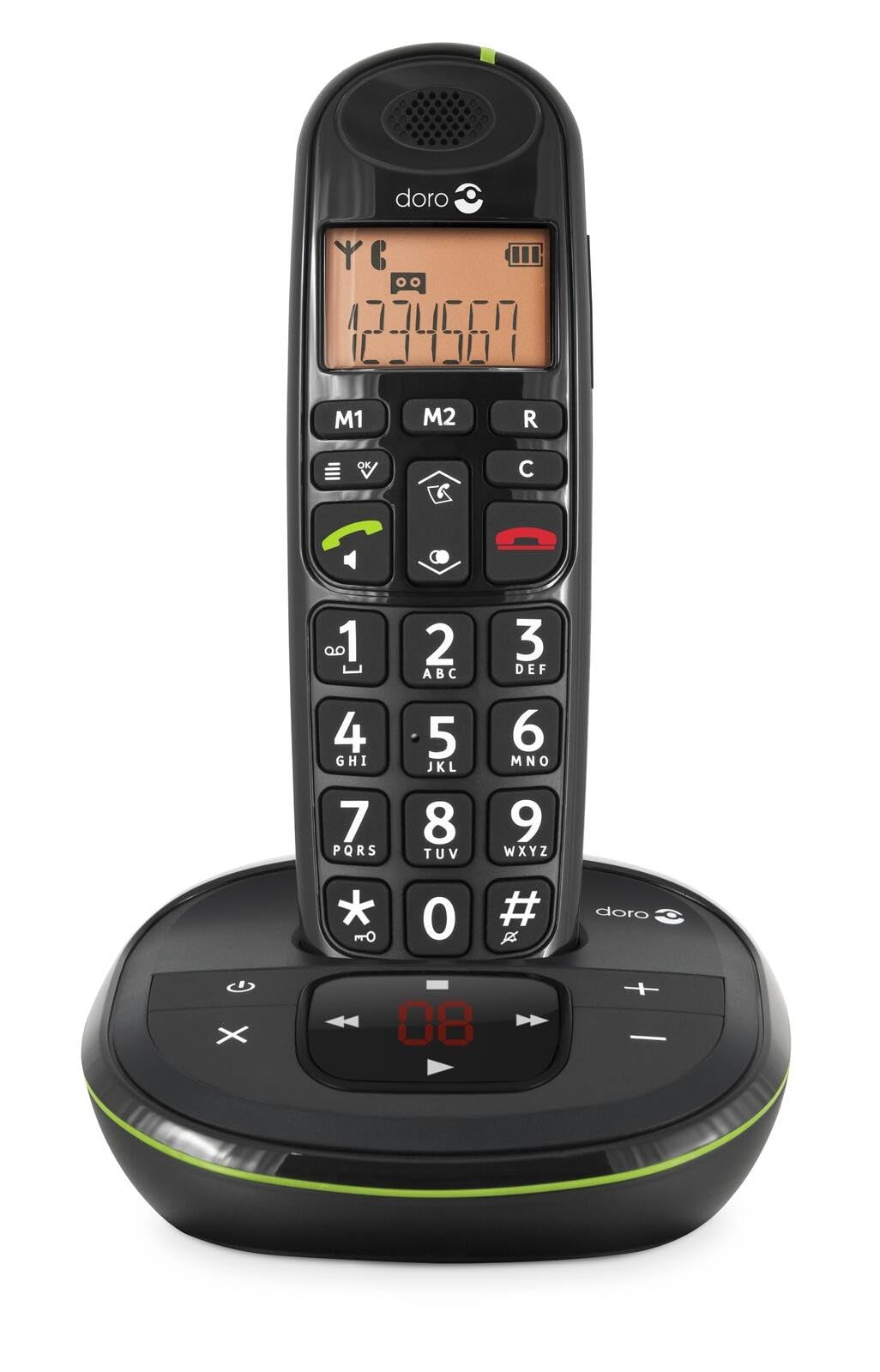 Image: The Doro PhoneEasy 105wr handset docked in its base unit, showing the keypad and display.
2. Installing Batteries in the Handset
- Otwórz komorę baterii: Slide the battery compartment cover on the back of the handset downwards and remove it.
- Włóż baterie: Insert the supplied rechargeable NiMH batteries, observing the correct polarity (+ and -) as indicated inside the compartment.
- Zamknij komorę: Załóż pokrywę komory baterii, przesuwając ją do góry, aż zatrzaśnie się na swoim miejscu.
3. Ładowanie słuchawki
Place the handset on the base unit. The battery icon on the handset display will animate to indicate charging. For optimal battery performance, charge the handset for at least 10-12 hours before its first use, even if the display indicates a full charge sooner.
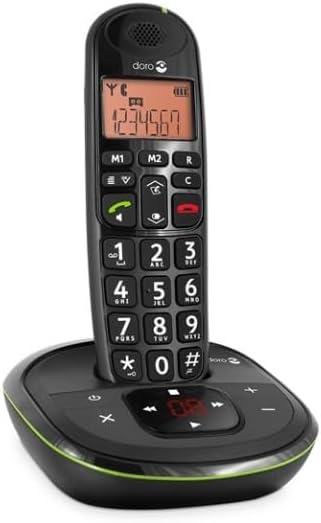
 Image: A slightly angled view of the Doro PhoneEasy 105wr handset in its charging cradle, highlighting its ergonomic design.
Instrukcja obsługi
Wykonywanie połączenia
- Wybieranie: Podnieś słuchawkę lub naciśnij Zielony przycisk połączenia. Enter the phone number using the keypad.
- Zakończenie połączenia: Naciśnij Czerwony przycisk zakończenia połączenia lub odłóż słuchawkę na jednostkę bazową.
Odbieranie połączenia
Gdy zadzwoni telefon, naciśnij Zielony przycisk połączenia to answer. To end the call, press the Czerwony przycisk zakończenia połączenia or return the handset to the base unit.
Regulacja głośności
Podczas rozmowy użyj Up I W dół navigation buttons on the handset to adjust the earpiece volume.
Książka telefoniczna
Your Doro PhoneEasy 105wr can store up to 20 entries in its phonebook.
- Dodawanie wpisu:
- Naciśnij Menu przycisk.
- Przejdź do „Książki telefonicznej” i wybierz „Dodaj nowy”.
- Wprowadź nazwę i numer, a następnie zapisz.
- Dzwonienie z książki telefonicznej:
- Naciśnij Książka telefoniczna button (often a book icon).
- Scroll through the entries using the navigation buttons.
- Naciśnij Zielony przycisk połączenia to dial the selected entry.
Answering Machine (if applicable)
The Doro PhoneEasy 105wr features a digital answering machine with a recording capacity of 20 minutes.
- Odtwarzanie wiadomości: Naciśnij Odtwórz/Zatrzymaj przycisk na jednostce bazowej.
- Usuwanie wiadomości: Podczas odtwarzania wiadomości naciśnij Usuwać przycisk na jednostce bazowej.
- Nagrywanie wiadomości wychodzącej: Refer to the handset menu for options to record or select a pre-recorded outgoing message.
 Obraz: Bezpośredni front view of the Doro PhoneEasy 105wr cordless phone, showing the large buttons and clear display on the handset, and the answering machine controls on the base.
Konserwacja
- Czyszczenie: Przetrzyj telefon i jednostkę bazową miękką szmatką.amp ściereczka. Nie należy używać środków czyszczących o właściwościach ściernych ani rozpuszczalników.
- Pielęgnacja baterii: Używaj wyłącznie zalecanych akumulatorów. Jeśli telefon nie będzie używany przez dłuższy czas, wyjmij baterie, aby zapobiec wyciekowi.
- Warunki środowiskowe: Unikaj wystawiania telefonu na działanie ekstremalnych temperatur, bezpośredniego światła słonecznego i wilgoci.
Rozwiązywanie problemów
| Problem | Możliwa przyczyna | Rozwiązanie |
|---|---|---|
| Brak sygnału wybierania | Przewód telefoniczny nie jest podłączony lub jest uszkodzony. | Check the telephone line cord connection to the base unit and wall socket. Test with another phone if possible. |
| Słuchawka się nie ładuje | Handset not correctly placed on the base unit; dirty charging contacts; faulty batteries. | Ensure the handset is seated correctly. Clean charging contacts on both handset and base with a dry cloth. Replace batteries if old. |
| Słaba jakość dźwięku | Handset too far from base unit; interference; low battery. | Move closer to the base unit. Avoid placing the base near other electronic devices. Charge the handset battery. |
| Nie można wykonywać/odbierać połączeń | No power to base unit; handset not registered. | Check power adapter connection. Refer to the full manual for handset registration instructions if needed. |
Specyfikacje
| Funkcja | Szczegół |
|---|---|
| Marka | Doro |
| Numer modelu | 380102 |
| Kolor | Czarny |
| Typ telefonu | Bezprzewodowy |
| Tworzywo | Metal (elementy wewnętrzne) |
| Źródło zasilania | Zasilany bateryjnie (w zestawie bateria 1 A) |
| Typ dialera | Pojedyncza klawiatura |
| Pozycja Wymiary (dł. x szer. x wys.) | 19.4 x 15.4 x 10.3 centymetra |
| Waga przedmiotu | 706 gram |
| Typ systemu odbierającego | Cyfrowy |
| Czas rozmowy | 600 Minutes (10 hours) |
| Czas czuwania | 100 godzin |
| Pojemność nagrywania | 20 minut |
| Identyfikator dzwoniącego | Tak |
| Independent Test Certification | Gwiazda Energetyczna |
Gwarancja i wsparcie
Information regarding specific warranty terms and customer support contact details is not available in this document. Please refer to the warranty card included with your product or visit the official Doro webwitryna zawiera najbardziej aktualne informacje.
For further assistance, you may contact Doro customer service through their official channels.