
Wstęp
This manual provides detailed instructions for the setup, operation, and maintenance of your Sylvania SRCD243 Portable CD Player with AM/FM Radio. Please read this manual thoroughly before using the unit to ensure proper function and longevity.
Główne cechy
- Portable CD Boombox with AM/FM Radio
- CD-R compatible CD player
- Skip/Search Function for easy track navigation
- Repeat 1/All Function for continuous playback
- 20 track programmable memory
- Czytelny wyświetlacz LED
- Aux In Jack for connecting external audio devices
- Operates on AC power (adapter included) or 8 x 'C' (UM-2) size batteries
Organizować coś
Zasilanie jednostki
The SRCD243 can be powered using the included AC wall adapter or by batteries for portable use.
- **AC Power:** Insert the small end of the AC adapter into the DC IN jack located on the back of the unit. Plug the other end into a standard AC 120V/60Hz wall outlet.
- **Battery Power:** Open the battery compartment on the bottom of the unit. Insert 8 x 'C' (UM-2) size batteries, ensuring correct polarity (+/-). Close the battery compartment securely.
Connecting External Devices (Aux In)
To play audio from an external device (e.g., smartphone, MP3 player), connect a 3.5mm audio cable (not included) from the device's headphone jack to the AUX IN jack on the side of the boombox. Switch the FUNCTION selector to 'AUX IN'.

Rycina 1: Przód view of the Sylvania SRCD243 Portable CD Player. This image shows the two front speakers, the central control panel with an LED display, and various buttons for CD and radio functions. A carrying handle is visible at the top.
Instrukcja obsługi
Odtwarzanie CD
- Open the CD compartment door by gently lifting the lid.
- Place a CD (or CD-R) onto the center spindle with the label side facing up.
- Zamknij dokładnie klapkę komory CD, aż usłyszysz kliknięcie.
- Set the FUNCTION selector (located on the side) to 'CD'.
- Press the PLAY/PAUSE button to begin playback. The track number will appear on the LED display.
- To pause playback, press PLAY/PAUSE again. Press it once more to resume.
- Aby zatrzymać odtwarzanie, naciśnij przycisk STOP.
- **Skip/Search:** Press the SKIP buttons (forward or backward) to skip to the next or previous track. Press and hold the SKIP buttons to search rapidly through the current track.
- **Repeat:** Press the REP button once to repeat the current track. Press it again to repeat all tracks on the CD. Press a third time to cancel repeat mode.
- **Program Play:** While in STOP mode, press the PROG button. The display will show "P01". Use the SKIP buttons to select your desired track. Press PROG again to confirm. Repeat for up to 20 tracks. Press PLAY/PAUSE to start programmed playback.
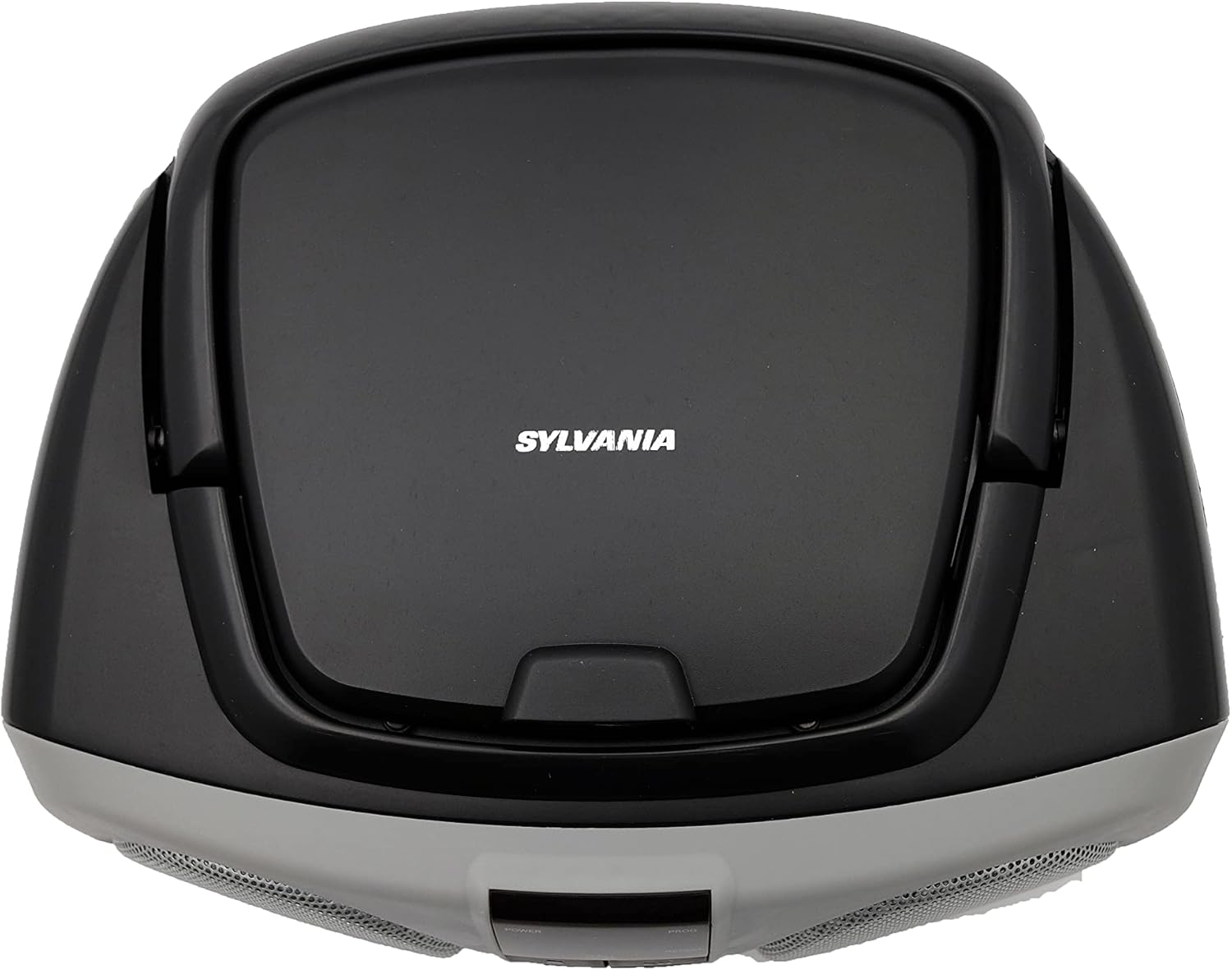
Rysunek 2: Góra view of the Sylvania SRCD243 Portable CD Player. This image highlights the top-loading CD compartment with the Sylvania logo and "DIGITAL COMPACT DISC PLAYER PORTABLE CD STEREO RADIO SYSTEM" text. The carrying handle is also visible.
Obsługa radia AM/FM
- Set the FUNCTION selector (located on the side) to 'RADIO'.
- Select the desired band (AM or FM) using the AM/FM switch.
- Rotate the TUNING knob (located on the side) to select your desired radio station. Extend the FM telescopic antenna for better FM reception. For AM reception, rotate the unit for best signal.
Kontrola głośności
Adjust the volume using the VOLUME slider located on the side of the unit. Slide towards 'MAX' for louder sound and 'MIN' for softer sound.
Konserwacja
- **Cleaning the Unit:** Use a soft, dry cloth to clean the exterior of the unit. Do not use abrasive cleaners or solvents.
- **CD Care:** Handle CDs by their edges. Keep them clean and free of scratches. Store CDs in their cases when not in use.
- **Laser Lens Care:** Do not touch the laser lens inside the CD compartment. If it becomes dirty, use a standard CD lens cleaner.
- **Storage:** If storing the unit for an extended period, remove the batteries to prevent leakage.
Rozwiązywanie problemów
| Problem | Możliwa przyczyna | Rozwiązanie |
|---|---|---|
| Brak zasilania | AC adapter not connected properly or batteries are dead/incorrectly inserted. | Check AC adapter connection. Replace batteries or ensure correct polarity. |
| CD Skipping/Not Playing | CD is dirty, scratched, or inserted incorrectly. Unit is on an unstable surface. | Clean or replace CD. Ensure CD is placed correctly. Place unit on a stable, flat surface. |
| Słaby odbiór radia | Antenna not extended or unit position is poor. | Fully extend the FM telescopic antenna. Rotate the unit for optimal AM reception. |
| Brak dźwięku | Głośność jest zbyt niska lub wyciszona. Wybrano nieprawidłową funkcję. | Increase volume. Ensure FUNCTION selector is set to CD, RADIO, or AUX IN as desired. |
Specyfikacje
- **Model Number:** SRCD243M-SILVER
- **Brand:** PROSCAN
- **Manufacturer:** Curtis
- **Product Dimensions:** 9.73 x 10.21 x 16.86 inches
- **Item Weight:** 2.7 pounds
- **Connectivity Technology:** Auxiliary
- **Color:** Silver/Black
- **Power Source:** Electric (AC 120V/60Hz) or 8 x 'C' (UM-2) batteries
- **Date First Available:** September 25, 2009
Gwarancja i wsparcie
For warranty information or technical support, please contact the manufacturer, Curtis, directly. Refer to the product packaging or the manufacturer's official webna naszej stronie znajdziesz najnowsze dane kontaktowe i warunki gwarancji.