1. Wprowadzenie
The TP-Link TL-R480T+ Load Balance Broadband Router is a robust networking device designed for small and medium businesses. It features 5 ports, with up to 4 configurable WAN ports, allowing for multiple internet connections to be utilized simultaneously. This router enhances network reliability and bandwidth through its intelligent load balancing capabilities, ensuring optimal performance for various network demands.
Główne cechy:
- Multi-WAN Ports: Up to 4 configurable WAN/LAN ports for flexible internet connectivity.
- Load Balance: Automatically distributes data streams according to the bandwidth proportion of each WAN port, maximizing multi-line broadband utilization.
- Advanced Firewall: Provides robust security against external threats.
- Bandwidth Control: Manages bandwidth allocation for specific users or applications.
- Port Mirroring: Allows network traffic to be monitored.
- DDNS, UPnP, VPN Pass-through: Supports various network protocols for enhanced functionality.
2. Zawartość opakowania
Please verify that all items listed below are included in your package. If any item is missing or damaged, please contact your retailer or TP-Link support.
- TL-R480T+ Load Balance Broadband Router
- Przewód zasilający
- Kabel Ethernet RJ-45
- Instrukcja instalacji
- Płyta CD z zasobami
3. Przewodnik konfiguracji
3.1 Instalacja sprzętu
Follow these steps to connect your TL-R480T+ router:
- Wyłączone: Odłącz zasilanie modemu i wszelkich routerów.
- Połącz WAN: Connect your modem's Ethernet cable to the WAN port (Port 1) on the TL-R480T+. If you have multiple internet connections, connect additional modems to the WAN/LAN ports (Ports 2-4) configured as WAN.
- Połącz sieć LAN: Connect your computer or a network switch to any of the LAN ports (Port 5, or Ports 2-4 if configured as LAN) using an Ethernet cable.
- Włączanie: Connect the power adapter to the router and plug it into a power outlet. Power on your modem first, then the router.

Figure 3.1: Front panel of the TL-R480T+ router, illustrating the WAN, WAN/LAN, and LAN ports, along with LED indicators.
3.2 Konfiguracja początkowa
Aby uzyskać dostęp do routera weboparty na interfejsie zarządzania:
- Upewnij się, że komputer jest podłączony do portu LAN routera.
- Otwórz web przeglądarka (np. Chrome, Firefox, Edge).
- W pasku adresu wpisz domyślny adres IP: 192.168.0.1 i naciśnij Enter.
- Pojawi się okno logowania. Domyślna nazwa użytkownika i hasło to administracja (wszystkie małe litery).
- Follow the on-screen Quick Setup Guide to configure your WAN connections and basic network settings. It is highly recommended to change the default login credentials for security.
4. Instrukcja obsługi
4.1 Load Balance Functionality
The TL-R480T+ intelligently distributes internet traffic across multiple WAN connections to optimize bandwidth usage and provide redundancy. You can configure load balancing policies through the web interface under the 'Load Balance' section. Options typically include:
- Link Backup: Designate a primary WAN and a backup WAN. If the primary fails, traffic automatically switches to the backup.
- Policy Routing: Define rules to route specific types of traffic or traffic from certain IP addresses through a particular WAN port.
- Bandwidth Based Balance: Distribute traffic based on the configured bandwidth of each WAN port.
4.2 WAN/LAN Port Configuration
Ports 2, 3, and 4 on the TL-R480T+ are configurable, meaning they can function as either WAN or LAN ports. This flexibility allows you to adapt the router to your specific network needs, whether you require more internet connections or more internal network ports. Configuration is performed within the router's web management interface under the 'Network' or 'WAN' settings.
4.3 Funkcje zaawansowane
The router offers several advanced features to enhance network management and security:
- Zapora sieciowa: Configure rules to filter incoming and outgoing network traffic, protecting your network from unauthorized access and attacks.
- Port Bandwidth Control: Manage the upload and download speeds for specific IP addresses or IP ranges within your network.
- Lustro portu: Monitor network traffic by sending a copy of packets from one port to another for analysis.
- DDNS (Dynamiczny DNS): Allows you to access your network resources remotely using a domain name, even if your public IP address changes.
- UPnP (Uniwersalny Plug and Play): Enables automatic discovery and configuration of network devices.
- Przejście VPN: Supports VPN tunnels to allow secure remote access to your network.
5. Konserwacja
Regular maintenance ensures the optimal performance and longevity of your TL-R480T+ router:
- Aktualizacje oprogramowania układowego: Okresowo sprawdzaj oficjalną stronę TP-Link website for the latest firmware versions. Updating firmware can improve performance, add new features, and fix security vulnerabilities.
- Regularne ponowne uruchomienie: Ponowne uruchomienie routera co kilka tygodni może pomóc wyczyścić jego pamięć i rozwiązać drobne problemy z wydajnością.
- Czyszczenie fizyczne: Keep the router in a well-ventilated area. Gently clean dust from the vents and ports using a soft, dry cloth or compressed air.
- Kopia zapasowa konfiguracji: Regularnie twórz kopię zapasową ustawień konfiguracyjnych routera za pomocą web interface. This allows for quick restoration in case of a factory reset or unexpected issues.
6. Rozwiązywanie Problemów
If you encounter issues with your TL-R480T+ router, refer to the following common problems and solutions:
- Brak dostępu do internetu:
- Sprawdź wszystkie połączenia kablowe pomiędzy modemem, routerem i komputerem.
- Verify that the WAN port LEDs on the router are lit, indicating a connection.
- Zrestartuj modem i router po kolei (najpierw modem, potem router).
- Ensure your WAN settings in the router's web interface are correct (e.g., IP address, DNS).
- Nie można uzyskać dostępu Web Strona zarządzania:
- Ensure your computer's IP address is in the same subnet as the router (e.g., 192.168.0.x).
- Spróbuj wyczyścić pamięć podręczną przeglądarki lub użyć innej przeglądarki.
- Verify the router's IP address (default is 192.168.0.1).
- Niska prędkość sieci:
- Check the status of your internet service provider (ISP).
- Review load balancing settings to ensure optimal distribution.
- Sprawdź, czy istnieją jakieś reguły kontroli przepustowości, które mogą ograniczać prędkość.
- Ensure the router is in a well-ventilated area to prevent overheating.
- Zapomniałeś hasła do logowania:
- Press and hold the Reset button on the router for about 5-10 seconds until the system LED blinks rapidly. This will restore the router to factory default settings (username/password: admin/admin). Note that this will erase all your custom configurations.
7. Specyfikacje techniczne
Below are the key technical specifications for the TP-Link TL-R480T+ Load Balance Broadband Router:
| Funkcja | Specyfikacja |
|---|---|
| Marka | TP-Link |
| Nazwa modelu | TL-R480T |
| Numer modelu przedmiotu | FBA_TL-R480T+ |
| Typ bezprzewodowy | 802.11ac (Note: This router is primarily wired, this specification might refer to internal components or compatibility) |
| Technologia łączności | Wi-Fi (Note: This router is primarily wired, this specification might refer to internal components or compatibility) |
| Zgodność z systemem operacyjnym | Linux, Microsoft Windows |
| Waga przedmiotu | 3.52 funta (ok. 1.6 kg) |
| Wymiary produktu | 7.1 x 11.6 x 1.7 cala (ok. 18 x 29.5 x 4.3 cm) |
| Kolor | Czarny |
| Tomtage | 100 wolty |
| Pierwsza dostępna data | 22 grudnia 2011 r. |
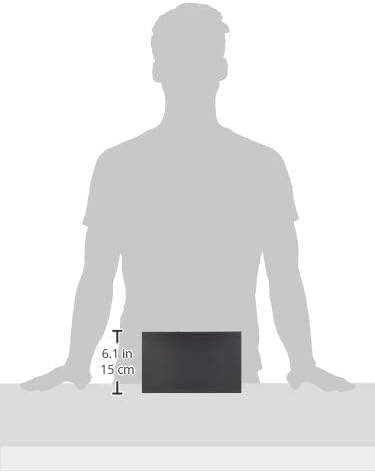
Figure 7.1: Illustrative image showing the approximate dimensions of the TL-R480T+ router.
8. Informacje o gwarancji
TP-Link products are backed by a limited warranty. The specific terms and duration of the warranty may vary by region and product. For detailed warranty information, including coverage, limitations, and the process for making a warranty claim, please refer to the official TP-Link webna stronie internetowej lub karcie gwarancyjnej dołączonej do produktu. Zachowaj paragon jako dowód zakupu.
9. Wsparcie techniczne
Aby uzyskać dalszą pomoc, wsparcie techniczne lub pobrać najnowsze sterowniki i oprogramowanie sprzętowe, odwiedź oficjalną stronę pomocy technicznej TP-Link webNa stronie. Zazwyczaj można tam znaleźć odpowiedzi na często zadawane pytania, poradniki rozwiązywania problemów i dane kontaktowe do działu obsługi klienta.
Oficjalny TP-Link Webstrona: https://www.tp-link.com/us/support/
When contacting support, please have your product model (TL-R480T+) and serial number ready.