
1. Ważne instrukcje bezpieczeństwa
Przed użyciem niszczarki należy przeczytać wszystkie instrukcje. Zachowaj tę instrukcję do wykorzystania w przyszłości.
- Keep hands, jewelry, and loose clothing away from the paper entry slot.
- Keep hair away from the paper entry slot.
- Trzymaj zawsze dzieci i zwierzęta domowe z dala od niszczarki.
- Odłącz niszczarkę od zasilania, gdy jej nie używasz oraz przed czyszczeniem.
- Nie należy używać produktów w aerozolu, środków smarnych na bazie ropy naftowej ani innych łatwopalnych produktów w pobliżu niszczarki.
- Do not shred metal objects, wet paper, or adhesive materials.
- The shredder is equipped with SafeSense Technology, which automatically disables the shredder when hands touch the paper opening.
2. Koniec produktuview
The Fellowes Powershred 79Ci is a heavy-duty crosscut paper shredder designed for office and home use. It features 100% Jam-Proof technology and SafeSense protection for enhanced safety and efficiency.
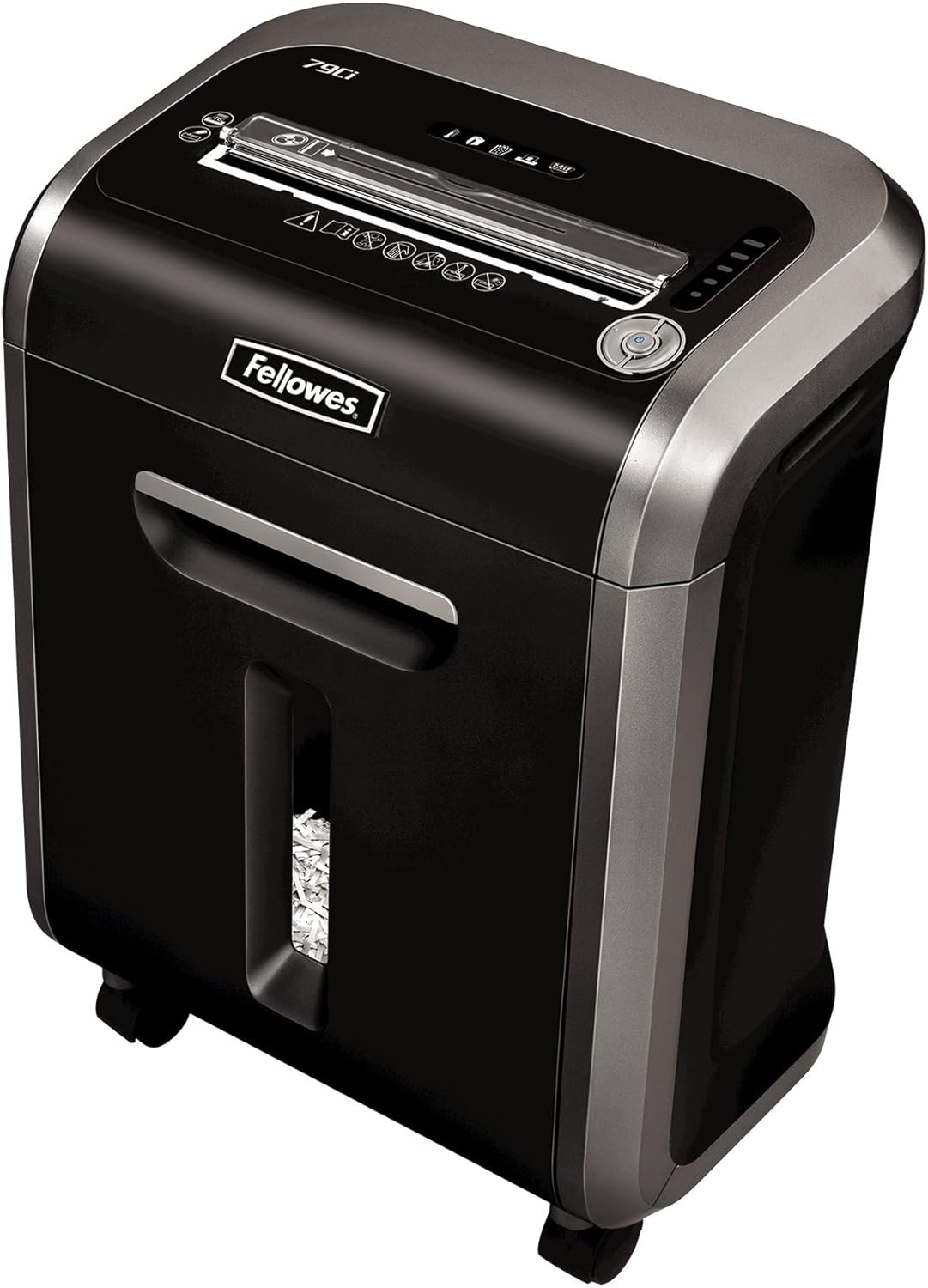
Figure 1: Fellowes Powershred 79Ci Crosscut Paper Shredder.
3. Konfiguracja
- Rozpakowywanie: Ostrożnie wyjmij niszczarkę z opakowania. Zachowaj opakowanie do transportu lub przechowywania w przyszłości.
- Umieszczenie: Place the shredder on a flat, stable surface. Ensure adequate ventilation around the unit. The shredder dimensions are approximately 13.8 x 18.5 x 23.1 inches.
- Podłączenie zasilania: Podłącz przewód zasilający do uziemionego gniazdka elektrycznego.

Figure 2: The Fellowes Powershred 79Ci is designed to fit conveniently in various office and home environments.
4. Działanie
4.1 Włączanie/wyłączanie
Locate the power switch on the control panel. Set it to the 'ON' position to activate the shredder. The shredder will enter standby mode when not actively shredding.
4.2 Ładowanie dokumentów
Insert materials into the paper entry slot. The shredder will automatically detect the material and begin shredding.
- Papier: The 79Ci can shred up to 16 sheets of 20lb bond paper per pass. Do not exceed this capacity to prevent jams.
- Inne materiały: This shredder is capable of shredding staples, credit cards, paper clips, CDs/DVDs, and junk mail. Insert these items into the designated entry slot if separate, or directly into the main paper entry if indicated by the machine.

Figure 3: The 79Ci can handle a variety of materials for comprehensive security.
4.3 Jam-Proof Technology (SafeSense)
The 79Ci features 100% Jam-Proof technology, which automatically detects and powers through tough jobs to prevent jams. Additionally, SafeSense Technology automatically stops shredding when hands or paws touch the paper opening, enhancing user safety.

Figure 4: SafeSense Technology provides immediate shutdown upon contact with the paper entry.
4.4 Continuous Run Time
The shredder can operate continuously for up to 20 minutes before requiring a cool-down period. This allows for efficient handling of multiple shredding tasks.

Figure 5: The shredder's efficient design supports extended operation.
4.5 Cicha praca
The 79Ci is designed for ultra-quiet operation, making it suitable for shared workspaces without causing significant disruption.
4.6 Poziom bezpieczeństwa
This crosscut shredder provides Level P-4 security, tearing paper into 5/32 x 1-1/2 inch particles for enhanced data protection.
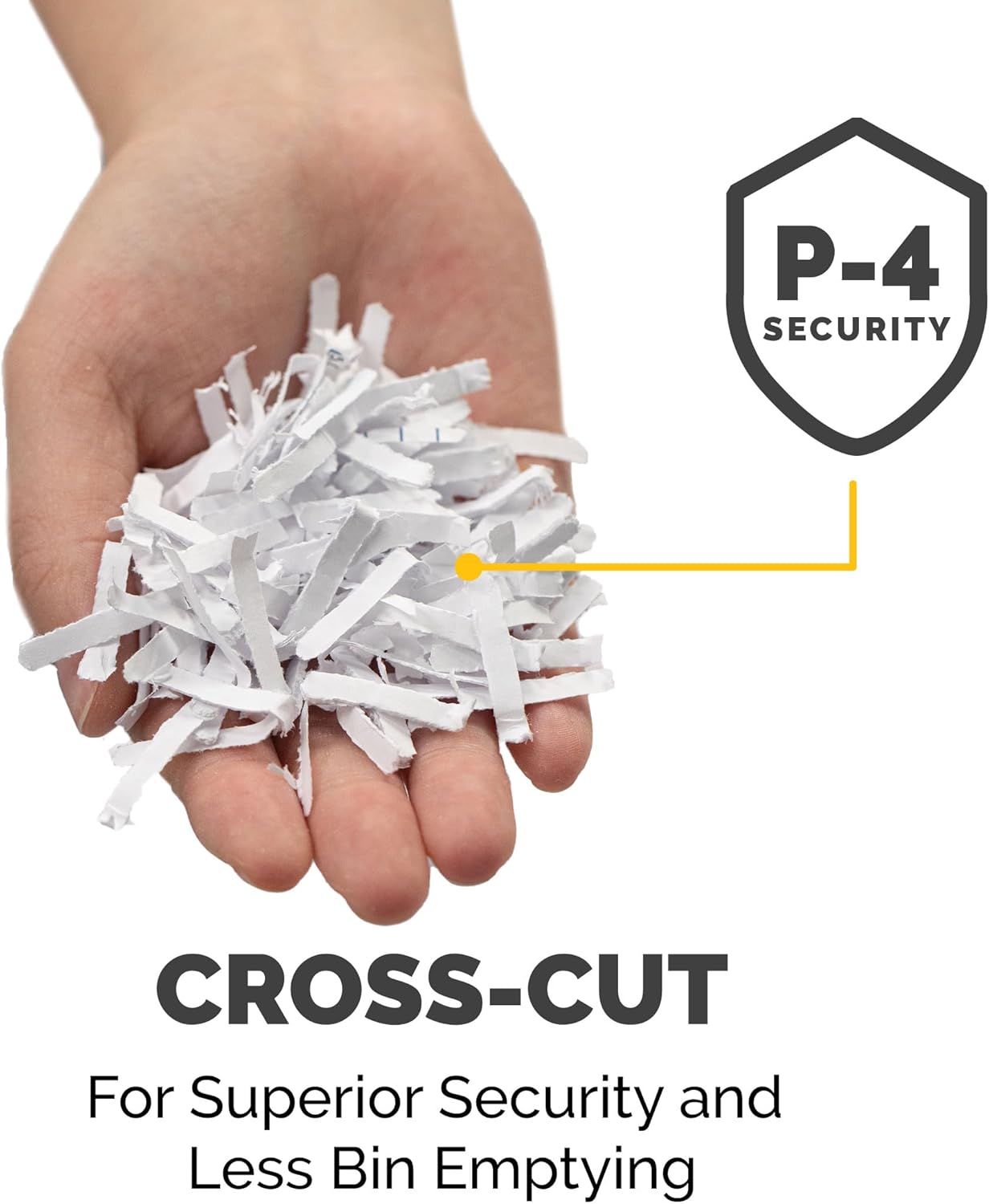
Figure 6: Cross-cut particles offer superior security and reduce bin emptying frequency.
4.7 Wideo produktu
Wideo 1: Oficjalny koniecview of the Fellowes 79Ci Cross Cut Shredder, demonstrating its features and operation.
5. Konserwacja
5.1 Opróżnianie pojemnika na śmieci
The shredder features a 6-gallon pull-out waste bin. An LED bin-full indicator will illuminate when the bin needs to be emptied. Pull out the bin, dispose of the shredded material, and slide the bin back into place until it clicks securely.

Figure 7: The 6-gallon bin holds a significant volume of shredded material.
5.2 Smarowanie niszczarki
To maintain optimal performance and extend the life of the shredder, it is recommended to oil the cutting blades regularly. Apply a small amount of shredder oil (or vegetable oil) across the paper entry slot and then run the shredder in forward mode for a few seconds. This should be done after emptying the waste bin or after approximately 30 minutes of cumulative shredding.
6. Rozwiązywanie Problemów
- Zakleszczenie papieru: If a paper jam occurs, the 100% Jam-Proof technology will attempt to clear it automatically. If the jam persists, use the reverse function to back out the paper, remove the excess material, and then re-feed a smaller quantity.
- Przegrzanie: If the shredder runs for its maximum continuous run time (20 minutes) or is overloaded, it may overheat and automatically shut down. Allow the shredder to cool down for approximately 30 minutes before resuming operation.
- Wskaźnik zapełnienia pojemnika: If the LED bin-full indicator is illuminated, empty the waste bin as described in the Maintenance section.
- Wskaźnik otwarcia drzwi: Ensure the waste bin is fully inserted and the shredder head is properly seated. The shredder will not operate if the bin is not correctly closed.
7. Specyfikacje
| Funkcja | Specyfikacja |
|---|---|
| Wymiary produktu | 13.8 x 18.5 x 23.1 cala |
| Waga przedmiotu | 28.2 funta |
| Numer modelu | 3227919 |
| Rodzaj cięcia | Cięcie krzyżowe |
| Pojemność arkusza | 16 arkuszy |
| Pojemność pojemnika | 6 galony |
| Poziom bezpieczeństwa | P-4 |
| Ciągły czas pracy | 20 minut |
| Materiały niszczone | Paper, Staples, Credit Cards, Paper Clips, CDs/DVDs, Junk Mail |
8. Gwarancja i wsparcie
The Fellowes Powershred 79Ci is backed by a 2-year product and service warranty, and a lifetime warranty on the cutters. For warranty claims, technical support, or further assistance, please refer to the contact information provided on your product packaging or visit the official Fellowes webstrona.