
1. Wprowadzenie
The iRobot Roomba 560 is an autonomous robotic vacuum cleaner designed to efficiently clean various floor types. It features advanced navigation, comprehensive cleaning coverage, and a fine-filtration system to capture dust and allergens. This manual provides essential information for setting up, operating, maintaining, and troubleshooting your Roomba 560.

Rysunek 1: Góra view of the Roomba 560.
2. Zawartość opakowania
Sprawdź, czy w przesyłce znajdują się wszystkie elementy:
- iRobot Roomba 560 Vacuuming Robot
- Self-charging Home Base
- Power Source (Charger)
- 2 Auto Virtual Walls
- Narzędzie do czyszczenia szczotek
- Dodatkowy filtr
3. Konfiguracja
3.1 Ładowanie akumulatora
Before first use, fully charge the Roomba's battery. Place the Roomba on its Home Base or connect the power source directly to the robot. A full charge can take up to 3 hours and provides up to 120 minutes of continuous cleaning.
3.2 Ustawianie bazy domowej
Position the Home Base against a wall in an open, uncluttered area. Ensure there is at least 3 feet (1 meter) of clear space on either side of the Home Base and 6 feet (2 meters) in front of it. This allows the Roomba to easily dock and recharge.
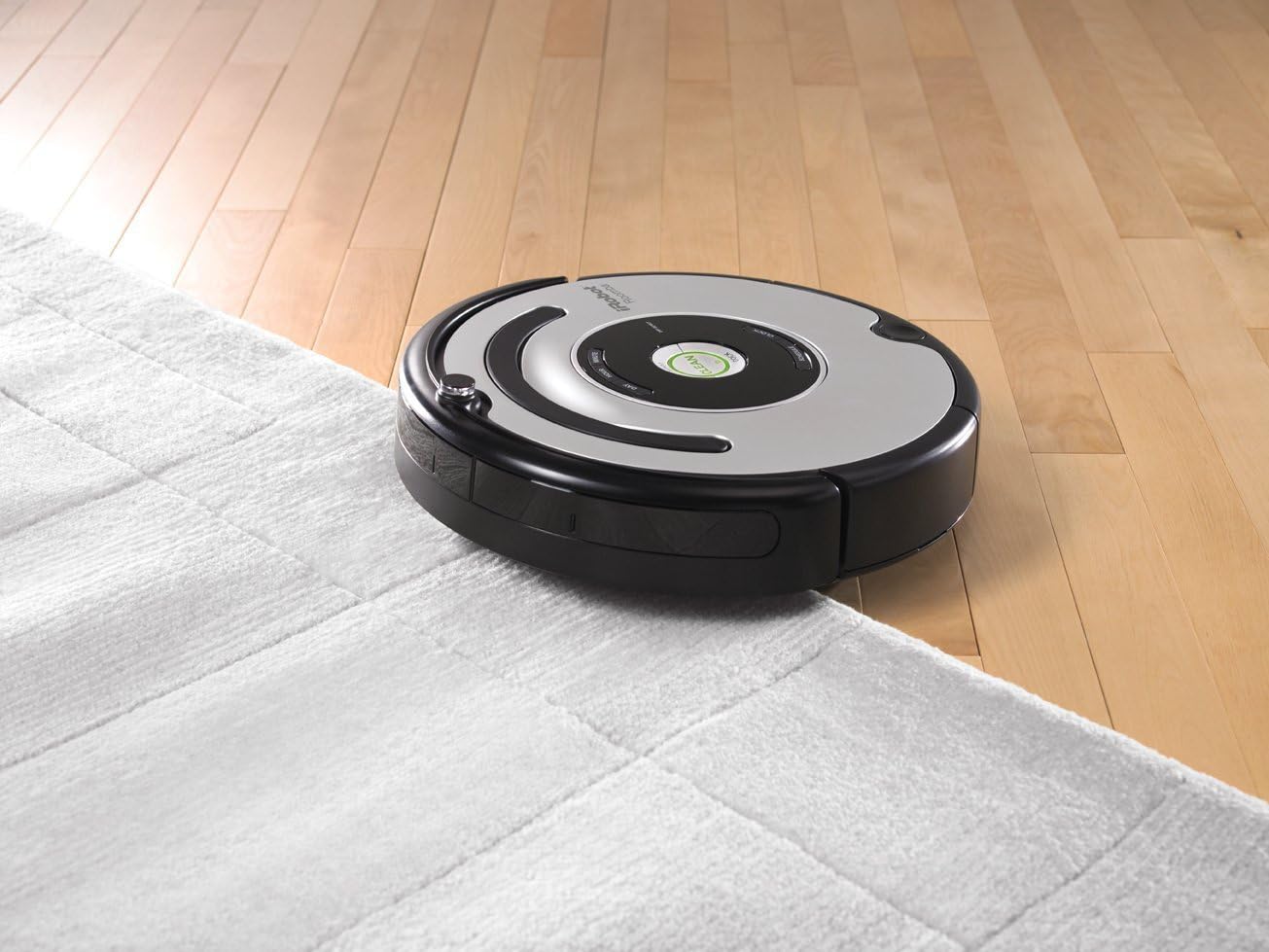
Figure 2: Roomba 560 returning to its Home Base.
3.3 Setting up Virtual Walls
Use the included Auto Virtual Walls to create invisible barriers, preventing the Roomba from entering specific areas. Place a Virtual Wall at a doorway or other opening and adjust the infrared beam setting to match the desired boundary distance. The Roomba will detect the beam and not cross it.
4. Instrukcja obsługi
4.1 Rozpoczęcie cyklu czyszczenia
Naciśnij duży CZYSTY button on the top of the Roomba to start a cleaning cycle. The robot will automatically navigate and clean your floors, adjusting its cleaning head for different surfaces like wood, tile, linoleum, and carpets.

Figure 3: Roomba 560 cleaning across different floor types.
4.2 Automatyczne dokowanie
When the battery runs low or a cleaning cycle is complete, the Roomba will automatically return to its Home Base to recharge.
4.3 Technologia zapobiegająca plątaniu się
The Roomba 560 is equipped with anti-tangle technology. If the unit encounters cords or rug fringes, it will automatically reverse its brushes to prevent entanglement and continue cleaning.
4.4 czujników wysokości
Built-in cliff sensors prevent the Roomba from falling down stairs or other drop-offs.
4.5 Gentle-Touch Bumper System
The robot uses a gentle-touch bumper system to sense obstacles, slowing its approach and gently touching objects before redirecting to clean around or under them.
4.6 Oficjalny film o produkcie
Wideo 1: Overview of the iRobot Roomba 560's features and operation, demonstrating its cleaning capabilities and navigation.
5. Konserwacja
Regularna konserwacja zapewnia optymalną wydajność robota Roomba 560.
5.1 Opróżnianie pojemnika na kurz
Empty the bagless dust bin after each cleaning cycle. Press the bin release button and slide out the bin. Open the bin door and discard debris.
5.2 szczotki czyszczące
Periodically remove and clean the main brushes and side brush. Use the included brush cleaning tool to remove hair and debris tangled around the brushes and their bearings.

Rysunek 4: Wewnętrzne view of the Roomba 560's cleaning mechanism.
5.3 Czyszczenie filtrów
Clean the fine-filtration system filter regularly. Tap the filter against a trash can to remove dust. Replace the filter every 1-2 months, or as needed, to maintain suction performance.
5.4 Czyszczenie czujników
Wipe the cliff sensors and bumper sensors with a clean, dry cloth to ensure they function correctly.
6. Rozwiązywanie Problemów
- Roomba nie ładuje się: Ensure the Home Base is plugged in and positioned correctly. Clean the charging contacts on both the Roomba and the Home Base.
- Roomba się zacina: Clear the cleaning area of excessive cords, loose rugs, or small objects. Clean the anti-tangle brushes.
- Słaba skuteczność czyszczenia: Empty the dust bin, clean or replace the filter, and clean the main brushes and side brush.
- Roomba not returning to Home Base: Ensure the Home Base is in an open area and not blocked. Check if Virtual Walls are interfering with the signal.
7. Specyfikacje
| Funkcja | Specyfikacja |
|---|---|
| Marka | iRobot |
| Nazwa modelu | 560 |
| Wymiary produktu | 16.75" dł. x 16.75" szer. x 5" wys. |
| Waga przedmiotu | 14.3 funta |
| Żywotność baterii | Do 120 minut |
| Typ filtra | Nabój |
| Metoda kontroli | Dotykać |
| Zalecenia dotyczące powierzchni | Carpet, Tile, Wood, Linoleum |
8. Gwarancja i wsparcie
8.1 Informacje o gwarancji
The iRobot Roomba 560 comes with a 1-year limited warranty. Please refer to the warranty card included in your product packaging for detailed terms and conditions.
8.2 Obsługa klienta
For technical assistance, replacement parts, or further inquiries, please visit the official iRobot website or contact their customer support line. Keep your product model number and purchase information readily available.