
Wstęp
The Silverline 477936 3-in-1 Detector is a versatile tool designed to accurately locate wood studs, metal objects, and live AC wires hidden behind walls, floors, and ceilings. This device provides both audible and visual (LED) alerts to indicate the presence of detected materials, helping to prevent damage during drilling, cutting, or other wall-penetrating tasks. Its compact design and auto-calibration feature make it easy to use for various home improvement and construction projects.
Informacje dotyczące bezpieczeństwa
- Always exercise caution when working near electrical wiring. If live AC wires are detected, turn off the power at the circuit breaker before proceeding with any work.
- Do not rely solely on the detector for safety. Always use appropriate personal protective equipment (PPE) and follow local building codes and safety regulations.
- This device is intended for indoor use only. Avoid exposure to moisture or extreme temperatures.
- Trzymaj urządzenie poza zasięgiem dzieci.
- Aby zapobiec wyciekowi baterii, wyjmij ją, jeśli urządzenie nie będzie używane przez dłuższy czas.
Zawartość opakowania
Proszę sprawdzić, czy w paczce znajdują się następujące elementy:
- Silverline 477936 3-in-1 Detector
- Instrukcja obsługi

Image: Silverline 477936 3-in-1 Detector in its retail packaging, showing the device and branding.
Produkt ponadview
Familiarize yourself with the components of your Silverline 477936 detector:
- Wskaźniki LED: Multiple LEDs illuminate to indicate detection strength and type.
- Dioda LED zasilania: Indicates the device is on.
- Zmiana trybu: Selects between Stud, Metal, and AC Wire detection modes.
- Detection Sensor Area: The area on the back of the device that should be placed against the surface.
- Komora baterii: Located on the back for 9V battery installation.

Obraz: Przód view of the Silverline 477936 3-in-1 Detector, showing LED indicators, mode labels, and branding.
Organizować coś
Instalacja baterii
The Silverline 477936 detector requires one 9V (PP3) battery (not supplied).
- Znajdź pokrywę komory baterii z tyłu urządzenia.
- Slide the cover open or remove it according to its design.
- Insert a fresh 9V battery, ensuring the positive (+) and negative (-) terminals align correctly with the connectors inside the compartment.
- Dokładnie załóż pokrywę komory baterii.
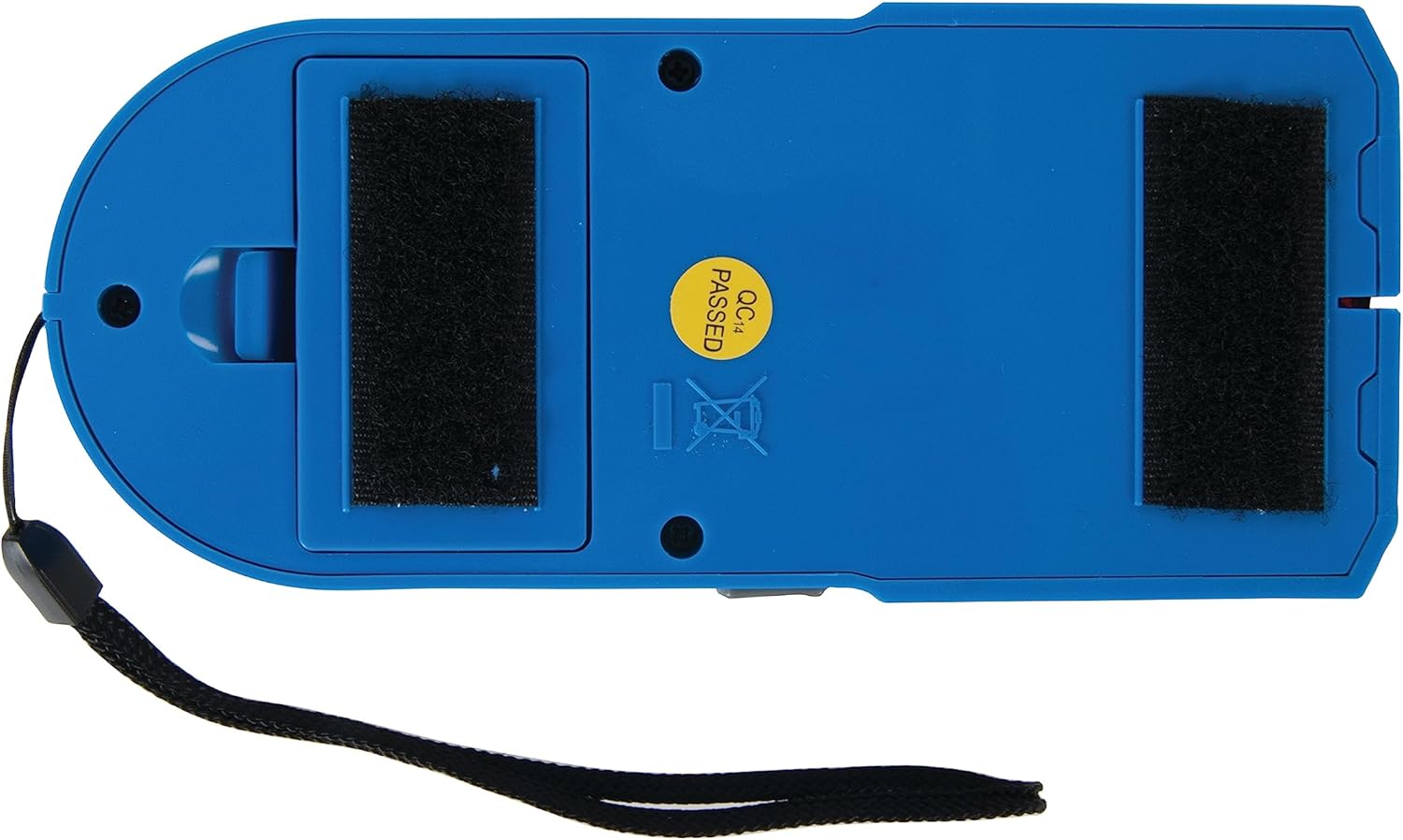
Obraz: Tył view of the Silverline 477936 3-in-1 Detector, highlighting the battery compartment.
Instrukcja obsługi
Ogólne działanie
- Włączanie: Press and hold the power button (or slide switch, depending on model) to turn on the device. The Power LED should illuminate.
- Wybierz tryb: Use the mode switch to select the desired detection mode: Stud, Metal, or AC Wire.
- Automatyczna kalibracja: Before scanning, place the detector flat against the wall surface where you intend to start scanning. Ensure there are no known studs, metal, or live wires in this initial calibration area. Press and hold the scan button (if applicable) or wait for the device to auto-calibrate. The device will emit a beep and/or the LEDs will flash to indicate calibration is complete.
- Łów: While holding the device flat against the surface and maintaining constant pressure, slowly slide the detector horizontally across the surface.
- Wykrywanie: As the detector approaches a hidden object, the LED indicators will light up progressively, and an audible alert will sound. The center LED and a continuous tone typically indicate the center of the object.
- Cechowanie: Once an object is detected, mark its edges and center for accurate reference.
- Wyłączone: Release the power button or slide the switch to the off position when finished.
Specific Detection Modes
- Skanowanie kołków: Designed to locate the edges and center of wood or metal studs behind drywall or other common wall materials. Ensure the wall is dry for best results.
- Skanowanie metalu: Detects ferrous and non-ferrous metals, such as pipes, rebar, and conduit. This mode can also help confirm metal studs.
- AC Wire Scan: Identifies the presence of live, unshielded AC electrical wiring. The detector will typically indicate live wires with a distinct LED pattern and/or audible tone. Always re-scan in this mode multiple times to confirm findings.
Konserwacja
- Czyszczenie: Przetrzyj urządzenie miękką, suchą ściereczką. Nie używaj środków czyszczących o właściwościach ściernych ani rozpuszczalników.
- Składowanie: Store the detector in a dry, dust-free environment, away from direct sunlight and extreme temperatures.
- Bateria: Remove the 9V battery if the device will not be used for an extended period to prevent potential battery leakage and damage.
Rozwiązywanie problemów
- Urządzenie się nie włącza: Sprawdź, czy bateria 9 V jest prawidłowo zainstalowana i wystarczająco naładowana. W razie potrzeby wymień baterię.
- Inaccurate readings or constant alerts: Ensure the device is properly calibrated on a clear section of the wall before scanning. Avoid touching the sensor area during operation. Ensure the wall surface is dry.
- No detection: Verify that the correct mode (Stud, Metal, or AC Wire) is selected for the material you are trying to locate. Ensure the device is held flat against the surface and moved slowly.
- Weak or inconsistent AC wire detection: Live AC wires must be unshielded and carrying a current for optimal detection. Detection depth can vary based on wire depth and wall material.
Specyfikacje
| Numer modelu | 477936 |
| Wymiary (dł. x szer. x wys.) | Wymiary 25.5 x 3.5 x 17.5 cm |
| Waga | 220 gramów |
| Źródło zasilania | 1 x 9V (PP3) battery (not supplied) |
| Tworzywo | Plastikowy |
| Typ alarmu | Audible, Visual (LED) |
| Kraj pochodzenia | Chiny |
| UPC | 002147483647 |
Gwarancja i wsparcie
Informacje o gwarancji
Silverline power tools, which include electronic detectors, typically come with a 3-year warranty. Hand tools are guaranteed for life. Please refer to the official Silverline website or your purchase documentation for the most current and specific warranty terms applicable to your region and product.
Obsługa klienta
For technical assistance, troubleshooting beyond this manual, or warranty claims, please contact Silverline customer support. Contact details can usually be found on the official Silverline webmiejscu lub na opakowaniu produktu.