
1. Wprowadzenie
The NEIKO 20713A Digital Tachometer is a non-contact device designed to measure the rotational speed (RPM) of various objects. It utilizes a laser photo sensor to provide instant, accurate, and dependable measurements. This manual provides essential information for the safe and effective use of your tachometer.
2. Funkcje produktu
- Pomiar bezkontaktowy: Measures RPM using a laser photo sensor, eliminating the need for physical contact.
- Wysoka dokładność: Provides measurements with an accuracy of +/- 0.05%.
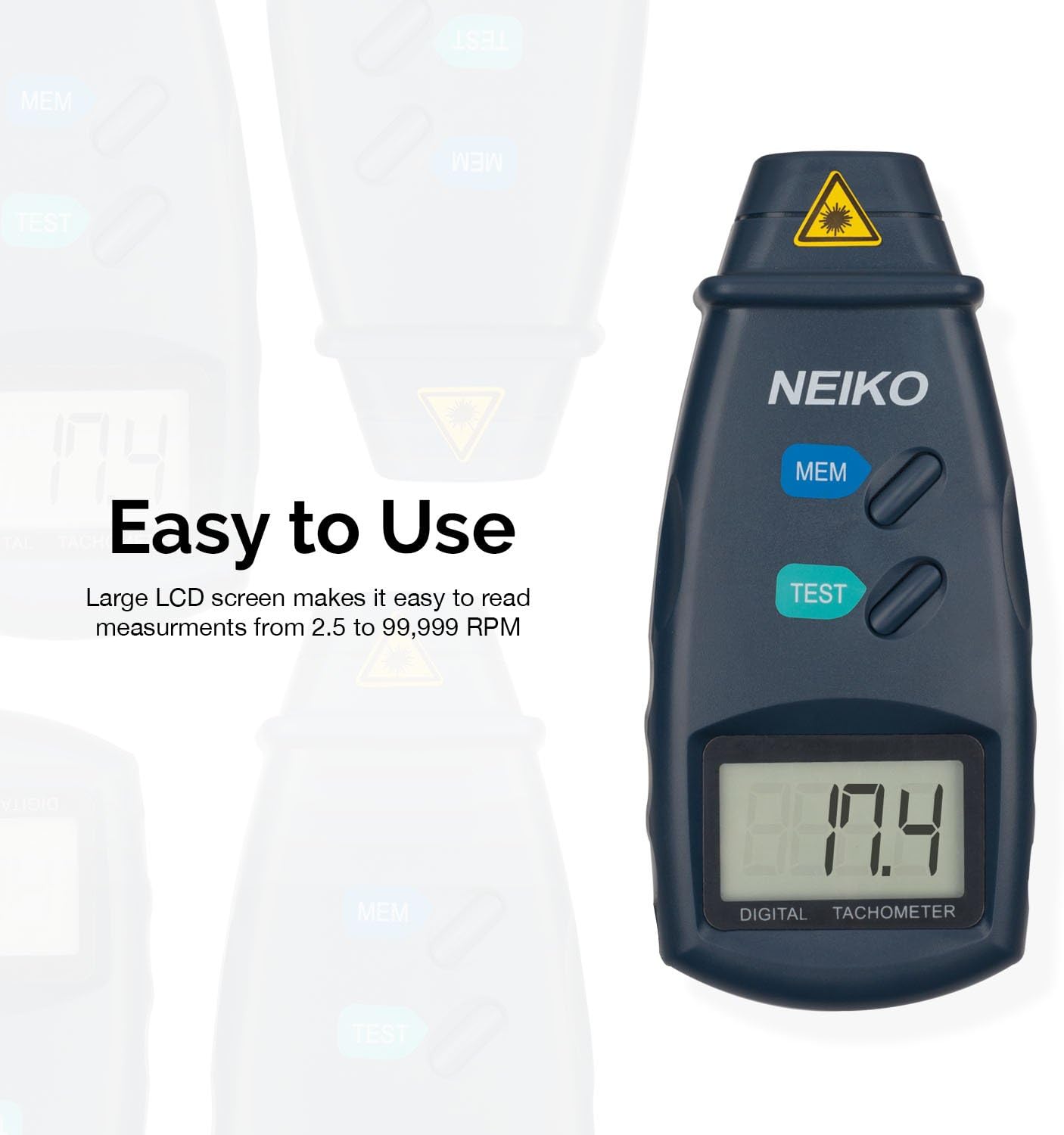
- Szeroki zakres pomiarowy: Capable of measuring from 2.5 to 99,999 RPM.
- Optymalna odległość pomiaru: Effective measurement range from 2 to 20 inches.
- Przechowywanie danych: Stores the last, minimum, and maximum readings for convenient review.
- Duży ekran LCD: Łatwy do odczytania wyświetlacz zapewniający przejrzystą widoczność pomiarów.
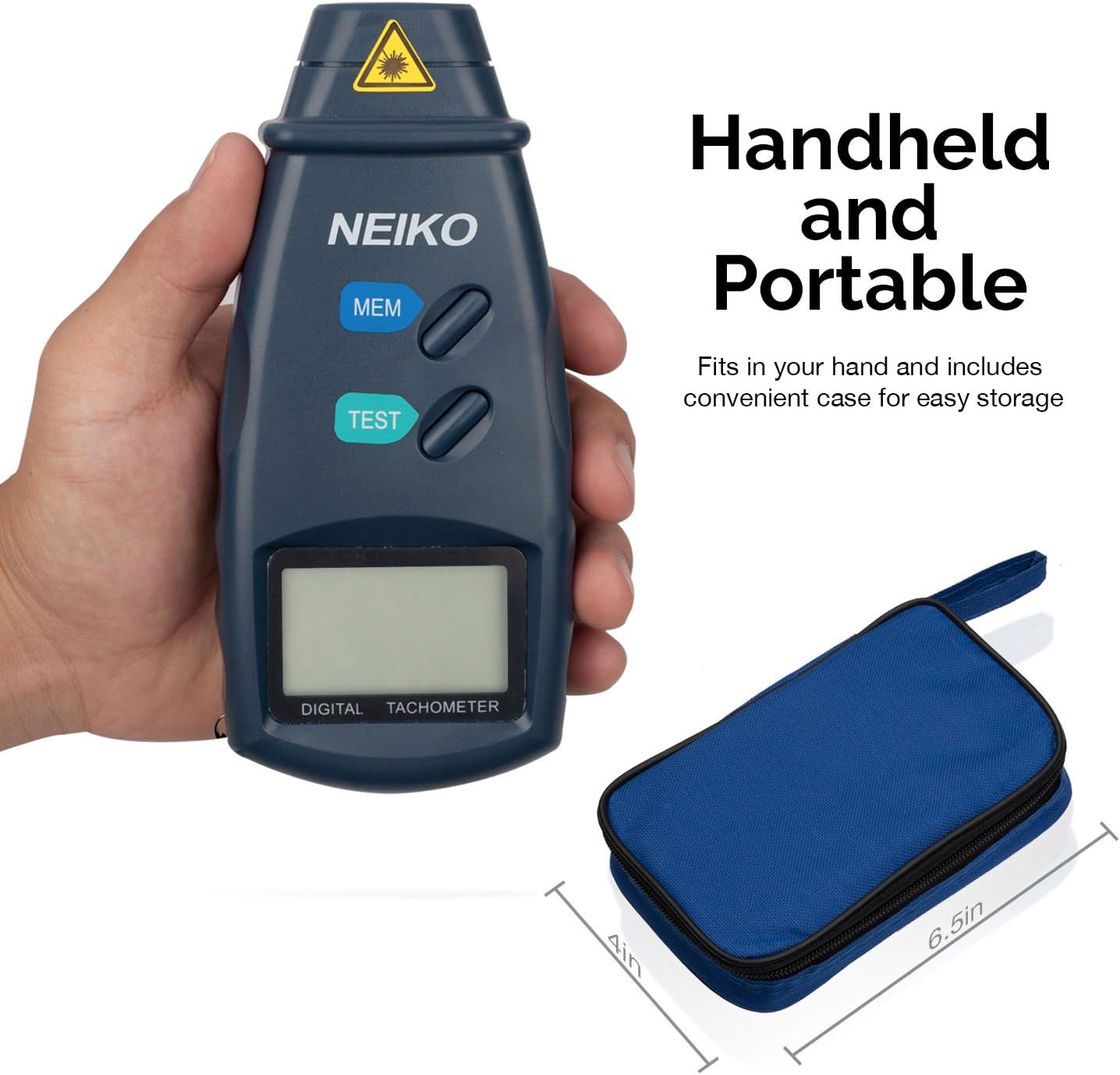
- Kompaktowy i przenośny: Ergonomic design fits comfortably in hand, includes a protective storage case.
3. Zawartość opakowania
Po otwarciu opakowania należy sprawdzić, czy wszystkie elementy znajdują się w opakowaniu i są w dobrym stanie:
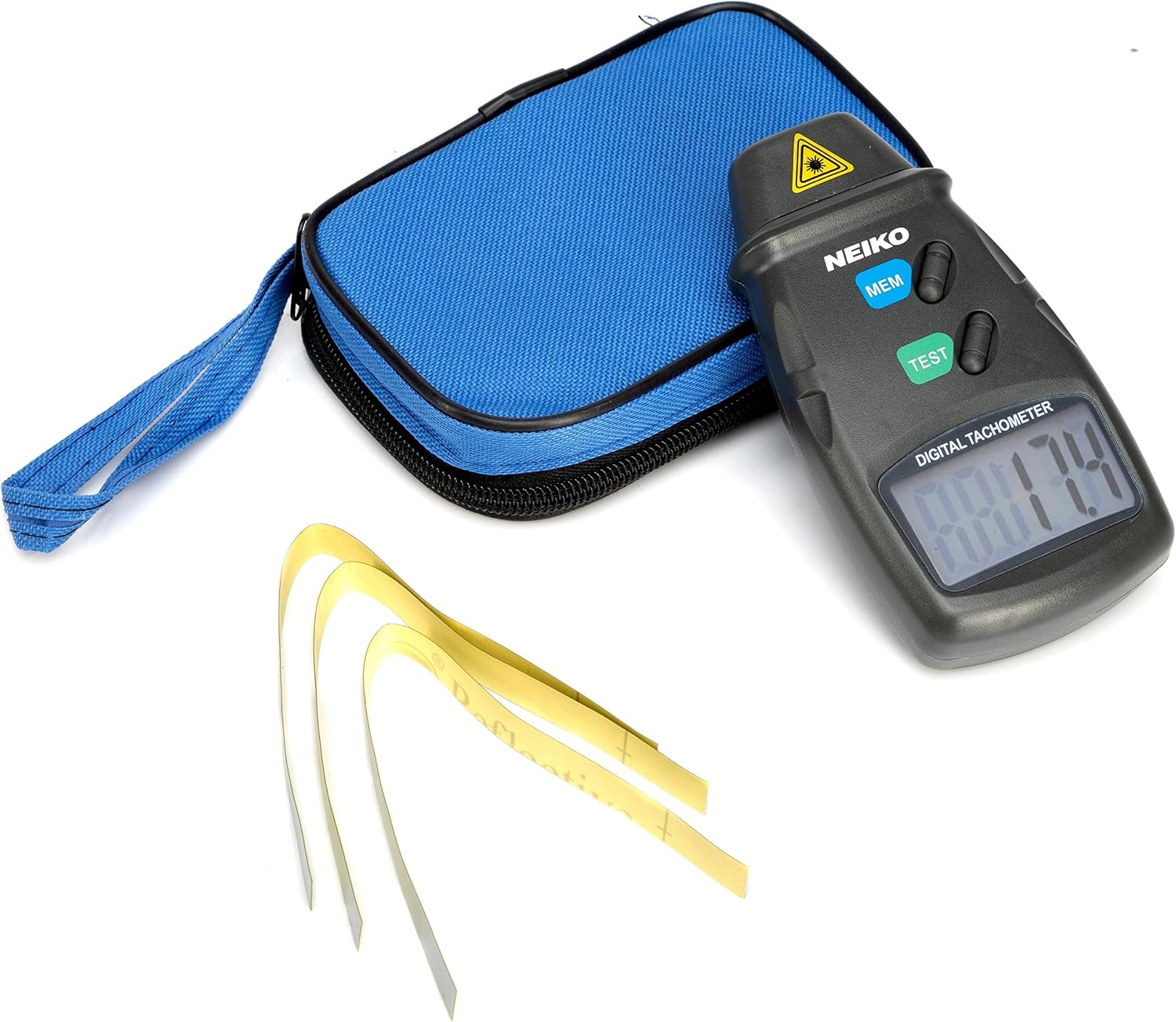
- NEIKO 20713A Digital Tachometer
- Protective Cushioned Storage Case
- Bateria 1 x 9V
- Reflective Tape (24 inches)
- Instrukcja obsługi (ten dokument)

4. Informacje dotyczące bezpieczeństwa
WARNING: This device uses a laser. Avoid direct eye exposure to the laser beam. Do not aim the laser at people or animals. Use caution when operating in environments where reflective surfaces may cause unintended laser reflections.
- Zawsze upewnij się, że urządzenie jest wyłączone, gdy nie jest używane.
- Nie należy podejmować prób demontażu ani modyfikacji obrotomierza.
- Przechowywać w miejscu niedostępnym dla dzieci.
- Zutylizuj baterie zgodnie z lokalnymi przepisami.
5. Konfiguracja
5.1 Instalacja baterii
- Locate the battery compartment on the back of the tachometer.
- Otwórz pokrywę komory baterii.
- Włóż jedną baterię 9V, zwracając uwagę na prawidłową biegunowość (+/-).
- Dokładnie zamknij pokrywę komory baterii.
5.2 Nakładanie taśmy odblaskowej
For accurate measurements, a small piece of reflective tape must be applied to the rotating object.
- Clean the surface of the rotating object where the tape will be applied. Ensure it is free of grease, dirt, or moisture.
- Cut a small strip of the included reflective tape (approximately 0.5 x 0.5 inches or 1.25 x 1.25 cm).
- Firmly attach the reflective tape to the rotating part of the object. Ensure it is flat and securely adhered.
6. Instrukcja obsługi
6.1 Wykonywanie pomiaru
- Ensure the reflective tape is properly applied to the rotating object.
- Hold the tachometer firmly.
- Naciśnij i przytrzymaj TEST button. The laser beam will emit from the front of the device.
- Aim the laser beam at the reflective tape on the rotating object. Maintain a distance between 2 and 20 inches for optimal accuracy.
- The RPM reading will instantly appear on the LCD screen.
- Uwolnij TEST button to stop the measurement. The last reading will remain on the display.


6.2 Funkcja pamięci
The tachometer can store the last, minimum, and maximum readings from a measurement session.
- Po wykonaniu pomiaru naciśnij przycisk MEM przycisk.
- Każde naciśnięcie MEM button will cycle through the stored values: Last Reading, Maximum Reading (MAX), and Minimum Reading (MIN).
7. Konserwacja
- Czyszczenie: Przetrzyj urządzenie miękką, suchą ściereczką. Nie używaj środków czyszczących o właściwościach ściernych ani rozpuszczalników.
- Składowanie: When not in use, store the tachometer in its protective case in a cool, dry place, away from direct sunlight and extreme temperatures. Remove the battery if storing for extended periods to prevent leakage.
- Wymiana baterii: Replace the 9V battery when the low battery indicator appears on the LCD screen.
8. Rozwiązywanie Problemów
| Problem | Możliwa przyczyna | Rozwiązanie |
|---|---|---|
| Brak wyświetlacza lub słaby wyświetlacz | Niski poziom naładowania lub rozładowana bateria. Nieprawidłowa instalacja baterii. | Replace the 9V battery. Ensure battery is inserted with correct polarity. |
| Niedokładne lub niestabilne odczyty | Reflective tape not properly applied or too small. Measurement distance too far or too close. Object not rotating smoothly. External light interference. | Ensure reflective tape is flat and secure. Adjust measurement distance (2-20 inches). Ensure stable rotation of the object. Minimize strong ambient light. |
| Laser not emitting | TEST button not pressed. Battery issue. Device malfunction. | Press and hold the TEST button firmly. Check/replace battery. If problem persists, contact customer support. |
9. Specyfikacje
| Specyfikacja | Wartość |
|---|---|
| Model | 20713A |
| Marka | NEIKO |
| Zakres pomiaru | 2.5 do 99,999 obr./min. |
| Dokładność | +/- 0.05% |
| Pomiar odległości | 2 do 20 cala |
| Sampling czas | 1 second (over 60 RPM) |
| Źródło zasilania | Bateria 9 V (w zestawie) |
| Wymiary (dł. x szer. x wys.) | 6.25 x 4.25 x 1.75 cala |
| Waga przedmiotu | 6.4 uncji |
| Tworzywo | Crystal (likely referring to the oscillator, not the casing) |
10. Gwarancja i wsparcie
The NEIKO 20713A Digital Tachometer comes with a Ograniczona dożywotnia gwarancja. For warranty claims, technical support, or any inquiries regarding your product, please contact NEIKO customer service. Refer to the official NEIKO webna stronie internetowej lub opakowaniu produktu, aby uzyskać najaktualniejsze dane kontaktowe.
For additional information and product registration, visit the official NEIKO store: NEIKO Store on Amazon.